Blame | Last modification | View Log | RSS feed
/*!* Copyright 2014 Drifty Co.* http://drifty.com/** Ionic, v1.0.0* A powerful HTML5 mobile app framework.* http://ionicframework.com/** By @maxlynch, @benjsperry, @adamdbradley <3** Licensed under the MIT license. Please see LICENSE for more information.**/(function() {/* eslint no-unused-vars:0 */var IonicModule = angular.module('ionic', ['ngAnimate', 'ngSanitize', 'ui.router']),extend = angular.extend,forEach = angular.forEach,isDefined = angular.isDefined,isNumber = angular.isNumber,isString = angular.isString,jqLite = angular.element,noop = angular.noop;/*** @ngdoc service* @name $ionicActionSheet* @module ionic* @description* The Action Sheet is a slide-up pane that lets the user choose from a set of options.* Dangerous options are highlighted in red and made obvious.** There are easy ways to cancel out of the action sheet, such as tapping the backdrop or even* hitting escape on the keyboard for desktop testing.** ** @usage* To trigger an Action Sheet in your code, use the $ionicActionSheet service in your angular controllers:** ```js* angular.module('mySuperApp', ['ionic'])* .controller(function($scope, $ionicActionSheet, $timeout) {** // Triggered on a button click, or some other target* $scope.show = function() {** // Show the action sheet* var hideSheet = $ionicActionSheet.show({* buttons: [* { text: '<b>Share</b> This' },* { text: 'Move' }* ],* destructiveText: 'Delete',* titleText: 'Modify your album',* cancelText: 'Cancel',* cancel: function() {// add cancel code..},* buttonClicked: function(index) {* return true;* }* });** // For example's sake, hide the sheet after two seconds* $timeout(function() {* hideSheet();* }, 2000);** };* });* ```**/IonicModule.factory('$ionicActionSheet', ['$rootScope','$compile','$animate','$timeout','$ionicTemplateLoader','$ionicPlatform','$ionicBody','IONIC_BACK_PRIORITY',function($rootScope, $compile, $animate, $timeout, $ionicTemplateLoader, $ionicPlatform, $ionicBody, IONIC_BACK_PRIORITY) {return {show: actionSheet};/*** @ngdoc method* @name $ionicActionSheet#show* @description* Load and return a new action sheet.** A new isolated scope will be created for the* action sheet and the new element will be appended into the body.** @param {object} options The options for this ActionSheet. Properties:** - `[Object]` `buttons` Which buttons to show. Each button is an object with a `text` field.* - `{string}` `titleText` The title to show on the action sheet.* - `{string=}` `cancelText` the text for a 'cancel' button on the action sheet.* - `{string=}` `destructiveText` The text for a 'danger' on the action sheet.* - `{function=}` `cancel` Called if the cancel button is pressed, the backdrop is tapped or* the hardware back button is pressed.* - `{function=}` `buttonClicked` Called when one of the non-destructive buttons is clicked,* with the index of the button that was clicked and the button object. Return true to close* the action sheet, or false to keep it opened.* - `{function=}` `destructiveButtonClicked` Called when the destructive button is clicked.* Return true to close the action sheet, or false to keep it opened.* - `{boolean=}` `cancelOnStateChange` Whether to cancel the actionSheet when navigating* to a new state. Default true.* - `{string}` `cssClass` The custom CSS class name.** @returns {function} `hideSheet` A function which, when called, hides & cancels the action sheet.*/function actionSheet(opts) {var scope = $rootScope.$new(true);extend(scope, {cancel: noop,destructiveButtonClicked: noop,buttonClicked: noop,$deregisterBackButton: noop,buttons: [],cancelOnStateChange: true}, opts || {});function textForIcon(text) {if (text && /icon/.test(text)) {scope.$actionSheetHasIcon = true;}}for (var x = 0; x < scope.buttons.length; x++) {textForIcon(scope.buttons[x].text);}textForIcon(scope.cancelText);textForIcon(scope.destructiveText);// Compile the templatevar element = scope.element = $compile('<ion-action-sheet ng-class="cssClass" buttons="buttons"></ion-action-sheet>')(scope);// Grab the sheet element for animationvar sheetEl = jqLite(element[0].querySelector('.action-sheet-wrapper'));var stateChangeListenDone = scope.cancelOnStateChange ?$rootScope.$on('$stateChangeSuccess', function() { scope.cancel(); }) :noop;// removes the actionSheet from the screenscope.removeSheet = function(done) {if (scope.removed) return;scope.removed = true;sheetEl.removeClass('action-sheet-up');$timeout(function() {// wait to remove this due to a 300ms delay native// click which would trigging whatever was underneath this$ionicBody.removeClass('action-sheet-open');}, 400);scope.$deregisterBackButton();stateChangeListenDone();$animate.removeClass(element, 'active').then(function() {scope.$destroy();element.remove();// scope.cancel.$scope is defined near the bottomscope.cancel.$scope = sheetEl = null;(done || noop)();});};scope.showSheet = function(done) {if (scope.removed) return;$ionicBody.append(element).addClass('action-sheet-open');$animate.addClass(element, 'active').then(function() {if (scope.removed) return;(done || noop)();});$timeout(function() {if (scope.removed) return;sheetEl.addClass('action-sheet-up');}, 20, false);};// registerBackButtonAction returns a callback to deregister the actionscope.$deregisterBackButton = $ionicPlatform.registerBackButtonAction(function() {$timeout(scope.cancel);},IONIC_BACK_PRIORITY.actionSheet);// called when the user presses the cancel buttonscope.cancel = function() {// after the animation is out, call the cancel callbackscope.removeSheet(opts.cancel);};scope.buttonClicked = function(index) {// Check if the button click event returned true, which means// we can close the action sheetif (opts.buttonClicked(index, opts.buttons[index]) === true) {scope.removeSheet();}};scope.destructiveButtonClicked = function() {// Check if the destructive button click event returned true, which means// we can close the action sheetif (opts.destructiveButtonClicked() === true) {scope.removeSheet();}};scope.showSheet();// Expose the scope on $ionicActionSheet's return value for the sake// of testing it.scope.cancel.$scope = scope;return scope.cancel;}}]);jqLite.prototype.addClass = function(cssClasses) {var x, y, cssClass, el, splitClasses, existingClasses;if (cssClasses && cssClasses != 'ng-scope' && cssClasses != 'ng-isolate-scope') {for (x = 0; x < this.length; x++) {el = this[x];if (el.setAttribute) {if (cssClasses.indexOf(' ') < 0 && el.classList.add) {el.classList.add(cssClasses);} else {existingClasses = (' ' + (el.getAttribute('class') || '') + ' ').replace(/[\n\t]/g, " ");splitClasses = cssClasses.split(' ');for (y = 0; y < splitClasses.length; y++) {cssClass = splitClasses[y].trim();if (existingClasses.indexOf(' ' + cssClass + ' ') === -1) {existingClasses += cssClass + ' ';}}el.setAttribute('class', existingClasses.trim());}}}}return this;};jqLite.prototype.removeClass = function(cssClasses) {var x, y, splitClasses, cssClass, el;if (cssClasses) {for (x = 0; x < this.length; x++) {el = this[x];if (el.getAttribute) {if (cssClasses.indexOf(' ') < 0 && el.classList.remove) {el.classList.remove(cssClasses);} else {splitClasses = cssClasses.split(' ');for (y = 0; y < splitClasses.length; y++) {cssClass = splitClasses[y];el.setAttribute('class', ((" " + (el.getAttribute('class') || '') + " ").replace(/[\n\t]/g, " ").replace(" " + cssClass.trim() + " ", " ")).trim());}}}}}return this;};/*** @ngdoc service* @name $ionicBackdrop* @module ionic* @description* Shows and hides a backdrop over the UI. Appears behind popups, loading,* and other overlays.** Often, multiple UI components require a backdrop, but only one backdrop is* ever needed in the DOM at a time.** Therefore, each component that requires the backdrop to be shown calls* `$ionicBackdrop.retain()` when it wants the backdrop, then `$ionicBackdrop.release()`* when it is done with the backdrop.** For each time `retain` is called, the backdrop will be shown until `release` is called.** For example, if `retain` is called three times, the backdrop will be shown until `release`* is called three times.** @usage** ```js* function MyController($scope, $ionicBackdrop, $timeout) {* //Show a backdrop for one second* $scope.action = function() {* $ionicBackdrop.retain();* $timeout(function() {* $ionicBackdrop.release();* }, 1000);* };* }* ```*/IonicModule.factory('$ionicBackdrop', ['$document', '$timeout', '$$rAF',function($document, $timeout, $$rAF) {var el = jqLite('<div class="backdrop">');var backdropHolds = 0;$document[0].body.appendChild(el[0]);return {/*** @ngdoc method* @name $ionicBackdrop#retain* @description Retains the backdrop.*/retain: retain,/*** @ngdoc method* @name $ionicBackdrop#release* @description* Releases the backdrop.*/release: release,getElement: getElement,// exposed for testing_element: el};function retain() {backdropHolds++;if (backdropHolds === 1) {el.addClass('visible');$$rAF(function() {// If we're still at >0 backdropHolds after async...if (backdropHolds >= 1) el.addClass('active');});}}function release() {if (backdropHolds === 1) {el.removeClass('active');$timeout(function() {// If we're still at 0 backdropHolds after async...if (backdropHolds === 0) el.removeClass('visible');}, 400, false);}backdropHolds = Math.max(0, backdropHolds - 1);}function getElement() {return el;}}]);/*** @private*/IonicModule.factory('$ionicBind', ['$parse', '$interpolate', function($parse, $interpolate) {var LOCAL_REGEXP = /^\s*([@=&])(\??)\s*(\w*)\s*$/;return function(scope, attrs, bindDefinition) {forEach(bindDefinition || {}, function(definition, scopeName) {//Adapted from angular.js $compilevar match = definition.match(LOCAL_REGEXP) || [],attrName = match[3] || scopeName,mode = match[1], // @, =, or &parentGet,unwatch;switch (mode) {case '@':if (!attrs[attrName]) {return;}attrs.$observe(attrName, function(value) {scope[scopeName] = value;});// we trigger an interpolation to ensure// the value is there for use immediatelyif (attrs[attrName]) {scope[scopeName] = $interpolate(attrs[attrName])(scope);}break;case '=':if (!attrs[attrName]) {return;}unwatch = scope.$watch(attrs[attrName], function(value) {scope[scopeName] = value;});//Destroy parent scope watcher when this scope is destroyedscope.$on('$destroy', unwatch);break;case '&':/* jshint -W044 */if (attrs[attrName] && attrs[attrName].match(RegExp(scopeName + '\(.*?\)'))) {throw new Error('& expression binding "' + scopeName + '" looks like it will recursively call "' +attrs[attrName] + '" and cause a stack overflow! Please choose a different scopeName.');}parentGet = $parse(attrs[attrName]);scope[scopeName] = function(locals) {return parentGet(scope, locals);};break;}});};}]);/*** @ngdoc service* @name $ionicBody* @module ionic* @description An angular utility service to easily and efficiently* add and remove CSS classes from the document's body element.*/IonicModule.factory('$ionicBody', ['$document', function($document) {return {/*** @ngdoc method* @name $ionicBody#add* @description Add a class to the document's body element.* @param {string} class Each argument will be added to the body element.* @returns {$ionicBody} The $ionicBody service so methods can be chained.*/addClass: function() {for (var x = 0; x < arguments.length; x++) {$document[0].body.classList.add(arguments[x]);}return this;},/*** @ngdoc method* @name $ionicBody#removeClass* @description Remove a class from the document's body element.* @param {string} class Each argument will be removed from the body element.* @returns {$ionicBody} The $ionicBody service so methods can be chained.*/removeClass: function() {for (var x = 0; x < arguments.length; x++) {$document[0].body.classList.remove(arguments[x]);}return this;},/*** @ngdoc method* @name $ionicBody#enableClass* @description Similar to the `add` method, except the first parameter accepts a boolean* value determining if the class should be added or removed. Rather than writing user code,* such as "if true then add the class, else then remove the class", this method can be* given a true or false value which reduces redundant code.* @param {boolean} shouldEnableClass A true/false value if the class should be added or removed.* @param {string} class Each remaining argument would be added or removed depending on* the first argument.* @returns {$ionicBody} The $ionicBody service so methods can be chained.*/enableClass: function(shouldEnableClass) {var args = Array.prototype.slice.call(arguments).slice(1);if (shouldEnableClass) {this.addClass.apply(this, args);} else {this.removeClass.apply(this, args);}return this;},/*** @ngdoc method* @name $ionicBody#append* @description Append a child to the document's body.* @param {element} element The element to be appended to the body. The passed in element* can be either a jqLite element, or a DOM element.* @returns {$ionicBody} The $ionicBody service so methods can be chained.*/append: function(ele) {$document[0].body.appendChild(ele.length ? ele[0] : ele);return this;},/*** @ngdoc method* @name $ionicBody#get* @description Get the document's body element.* @returns {element} Returns the document's body element.*/get: function() {return $document[0].body;}};}]);IonicModule.factory('$ionicClickBlock', ['$document','$ionicBody','$timeout',function($document, $ionicBody, $timeout) {var CSS_HIDE = 'click-block-hide';var cbEle, fallbackTimer, pendingShow;function preventClick(ev) {ev.preventDefault();ev.stopPropagation();}function addClickBlock() {if (pendingShow) {if (cbEle) {cbEle.classList.remove(CSS_HIDE);} else {cbEle = $document[0].createElement('div');cbEle.className = 'click-block';$ionicBody.append(cbEle);cbEle.addEventListener('touchstart', preventClick);cbEle.addEventListener('mousedown', preventClick);}pendingShow = false;}}function removeClickBlock() {cbEle && cbEle.classList.add(CSS_HIDE);}return {show: function(autoExpire) {pendingShow = true;$timeout.cancel(fallbackTimer);fallbackTimer = $timeout(this.hide, autoExpire || 310, false);addClickBlock();},hide: function() {pendingShow = false;$timeout.cancel(fallbackTimer);removeClickBlock();}};}]);/*** @ngdoc service* @name $ionicGesture* @module ionic* @description An angular service exposing ionic* {@link ionic.utility:ionic.EventController}'s gestures.*/IonicModule.factory('$ionicGesture', [function() {return {/*** @ngdoc method* @name $ionicGesture#on* @description Add an event listener for a gesture on an element. See {@link ionic.utility:ionic.EventController#onGesture}.* @param {string} eventType The gesture event to listen for.* @param {function(e)} callback The function to call when the gesture* happens.* @param {element} $element The angular element to listen for the event on.* @param {object} options object.* @returns {ionic.Gesture} The gesture object (use this to remove the gesture later on).*/on: function(eventType, cb, $element, options) {return window.ionic.onGesture(eventType, cb, $element[0], options);},/*** @ngdoc method* @name $ionicGesture#off* @description Remove an event listener for a gesture on an element. See {@link ionic.utility:ionic.EventController#offGesture}.* @param {ionic.Gesture} gesture The gesture that should be removed.* @param {string} eventType The gesture event to remove the listener for.* @param {function(e)} callback The listener to remove.*/off: function(gesture, eventType, cb) {return window.ionic.offGesture(gesture, eventType, cb);}};}]);/*** @ngdoc service* @name $ionicHistory* @module ionic* @description* $ionicHistory keeps track of views as the user navigates through an app. Similar to the way a* browser behaves, an Ionic app is able to keep track of the previous view, the current view, and* the forward view (if there is one). However, a typical web browser only keeps track of one* history stack in a linear fashion.** Unlike a traditional browser environment, apps and webapps have parallel independent histories,* such as with tabs. Should a user navigate few pages deep on one tab, and then switch to a new* tab and back, the back button relates not to the previous tab, but to the previous pages* visited within _that_ tab.** `$ionicHistory` facilitates this parallel history architecture.*/IonicModule.factory('$ionicHistory', ['$rootScope','$state','$location','$window','$timeout','$ionicViewSwitcher','$ionicNavViewDelegate',function($rootScope, $state, $location, $window, $timeout, $ionicViewSwitcher, $ionicNavViewDelegate) {// history actions while navigating viewsvar ACTION_INITIAL_VIEW = 'initialView';var ACTION_NEW_VIEW = 'newView';var ACTION_MOVE_BACK = 'moveBack';var ACTION_MOVE_FORWARD = 'moveForward';// direction of navigationvar DIRECTION_BACK = 'back';var DIRECTION_FORWARD = 'forward';var DIRECTION_ENTER = 'enter';var DIRECTION_EXIT = 'exit';var DIRECTION_SWAP = 'swap';var DIRECTION_NONE = 'none';var stateChangeCounter = 0;var lastStateId, nextViewOptions, nextViewExpireTimer, forcedNav;var viewHistory = {histories: { root: { historyId: 'root', parentHistoryId: null, stack: [], cursor: -1 } },views: {},backView: null,forwardView: null,currentView: null};var View = function() {};View.prototype.initialize = function(data) {if (data) {for (var name in data) this[name] = data[name];return this;}return null;};View.prototype.go = function() {if (this.stateName) {return $state.go(this.stateName, this.stateParams);}if (this.url && this.url !== $location.url()) {if (viewHistory.backView === this) {return $window.history.go(-1);} else if (viewHistory.forwardView === this) {return $window.history.go(1);}$location.url(this.url);}return null;};View.prototype.destroy = function() {if (this.scope) {this.scope.$destroy && this.scope.$destroy();this.scope = null;}};function getViewById(viewId) {return (viewId ? viewHistory.views[ viewId ] : null);}function getBackView(view) {return (view ? getViewById(view.backViewId) : null);}function getForwardView(view) {return (view ? getViewById(view.forwardViewId) : null);}function getHistoryById(historyId) {return (historyId ? viewHistory.histories[ historyId ] : null);}function getHistory(scope) {var histObj = getParentHistoryObj(scope);if (!viewHistory.histories[ histObj.historyId ]) {// this history object exists in parent scope, but doesn't// exist in the history data yetviewHistory.histories[ histObj.historyId ] = {historyId: histObj.historyId,parentHistoryId: getParentHistoryObj(histObj.scope.$parent).historyId,stack: [],cursor: -1};}return getHistoryById(histObj.historyId);}function getParentHistoryObj(scope) {var parentScope = scope;while (parentScope) {if (parentScope.hasOwnProperty('$historyId')) {// this parent scope has a historyIdreturn { historyId: parentScope.$historyId, scope: parentScope };}// nothing found keep climbing upparentScope = parentScope.$parent;}// no history for the parent, use the rootreturn { historyId: 'root', scope: $rootScope };}function setNavViews(viewId) {viewHistory.currentView = getViewById(viewId);viewHistory.backView = getBackView(viewHistory.currentView);viewHistory.forwardView = getForwardView(viewHistory.currentView);}function getCurrentStateId() {var id;if ($state && $state.current && $state.current.name) {id = $state.current.name;if ($state.params) {for (var key in $state.params) {if ($state.params.hasOwnProperty(key) && $state.params[key]) {id += "_" + key + "=" + $state.params[key];}}}return id;}// if something goes wrong make sure its got a unique stateIdreturn ionic.Utils.nextUid();}function getCurrentStateParams() {var rtn;if ($state && $state.params) {for (var key in $state.params) {if ($state.params.hasOwnProperty(key)) {rtn = rtn || {};rtn[key] = $state.params[key];}}}return rtn;}return {register: function(parentScope, viewLocals) {var currentStateId = getCurrentStateId(),hist = getHistory(parentScope),currentView = viewHistory.currentView,backView = viewHistory.backView,forwardView = viewHistory.forwardView,viewId = null,action = null,direction = DIRECTION_NONE,historyId = hist.historyId,url = $location.url(),tmp, x, ele;if (lastStateId !== currentStateId) {lastStateId = currentStateId;stateChangeCounter++;}if (forcedNav) {// we've previously set exactly what to doviewId = forcedNav.viewId;action = forcedNav.action;direction = forcedNav.direction;forcedNav = null;} else if (backView && backView.stateId === currentStateId) {// they went back one, set the old current view as a forward viewviewId = backView.viewId;historyId = backView.historyId;action = ACTION_MOVE_BACK;if (backView.historyId === currentView.historyId) {// went back in the same historydirection = DIRECTION_BACK;} else if (currentView) {direction = DIRECTION_EXIT;tmp = getHistoryById(backView.historyId);if (tmp && tmp.parentHistoryId === currentView.historyId) {direction = DIRECTION_ENTER;} else {tmp = getHistoryById(currentView.historyId);if (tmp && tmp.parentHistoryId === hist.parentHistoryId) {direction = DIRECTION_SWAP;}}}} else if (forwardView && forwardView.stateId === currentStateId) {// they went to the forward one, set the forward view to no longer a forward viewviewId = forwardView.viewId;historyId = forwardView.historyId;action = ACTION_MOVE_FORWARD;if (forwardView.historyId === currentView.historyId) {direction = DIRECTION_FORWARD;} else if (currentView) {direction = DIRECTION_EXIT;if (currentView.historyId === hist.parentHistoryId) {direction = DIRECTION_ENTER;} else {tmp = getHistoryById(currentView.historyId);if (tmp && tmp.parentHistoryId === hist.parentHistoryId) {direction = DIRECTION_SWAP;}}}tmp = getParentHistoryObj(parentScope);if (forwardView.historyId && tmp.scope) {// if a history has already been created by the forward view then make sure it stays the sametmp.scope.$historyId = forwardView.historyId;historyId = forwardView.historyId;}} else if (currentView && currentView.historyId !== historyId &&hist.cursor > -1 && hist.stack.length > 0 && hist.cursor < hist.stack.length &&hist.stack[hist.cursor].stateId === currentStateId) {// they just changed to a different history and the history already has views in itvar switchToView = hist.stack[hist.cursor];viewId = switchToView.viewId;historyId = switchToView.historyId;action = ACTION_MOVE_BACK;direction = DIRECTION_SWAP;tmp = getHistoryById(currentView.historyId);if (tmp && tmp.parentHistoryId === historyId) {direction = DIRECTION_EXIT;} else {tmp = getHistoryById(historyId);if (tmp && tmp.parentHistoryId === currentView.historyId) {direction = DIRECTION_ENTER;}}// if switching to a different history, and the history of the view we're switching// to has an existing back view from a different history than itself, then// it's back view would be better represented using the current view as its back viewtmp = getViewById(switchToView.backViewId);if (tmp && switchToView.historyId !== tmp.historyId) {hist.stack[hist.cursor].backViewId = currentView.viewId;}} else {// create an element from the viewLocals templateele = $ionicViewSwitcher.createViewEle(viewLocals);if (this.isAbstractEle(ele, viewLocals)) {void 0;return {action: 'abstractView',direction: DIRECTION_NONE,ele: ele};}// set a new unique viewIdviewId = ionic.Utils.nextUid();if (currentView) {// set the forward view if there is a current view (ie: if its not the first view)currentView.forwardViewId = viewId;action = ACTION_NEW_VIEW;// check if there is a new forward view within the same historyif (forwardView && currentView.stateId !== forwardView.stateId &¤tView.historyId === forwardView.historyId) {// they navigated to a new view but the stack already has a forward view// since its a new view remove any forwards that existedtmp = getHistoryById(forwardView.historyId);if (tmp) {// the forward has a historyfor (x = tmp.stack.length - 1; x >= forwardView.index; x--) {// starting from the end destroy all forwards in this history from this pointvar stackItem = tmp.stack[x];stackItem && stackItem.destroy && stackItem.destroy();tmp.stack.splice(x);}historyId = forwardView.historyId;}}// its only moving forward if its in the same historyif (hist.historyId === currentView.historyId) {direction = DIRECTION_FORWARD;} else if (currentView.historyId !== hist.historyId) {direction = DIRECTION_ENTER;tmp = getHistoryById(currentView.historyId);if (tmp && tmp.parentHistoryId === hist.parentHistoryId) {direction = DIRECTION_SWAP;} else {tmp = getHistoryById(tmp.parentHistoryId);if (tmp && tmp.historyId === hist.historyId) {direction = DIRECTION_EXIT;}}}} else {// there's no current view, so this must be the initial viewaction = ACTION_INITIAL_VIEW;}if (stateChangeCounter < 2) {// views that were spun up on the first load should not animatedirection = DIRECTION_NONE;}// add the new viewviewHistory.views[viewId] = this.createView({viewId: viewId,index: hist.stack.length,historyId: hist.historyId,backViewId: (currentView && currentView.viewId ? currentView.viewId : null),forwardViewId: null,stateId: currentStateId,stateName: this.currentStateName(),stateParams: getCurrentStateParams(),url: url,canSwipeBack: canSwipeBack(ele, viewLocals)});// add the new view to this history's stackhist.stack.push(viewHistory.views[viewId]);}$timeout.cancel(nextViewExpireTimer);if (nextViewOptions) {if (nextViewOptions.disableAnimate) direction = DIRECTION_NONE;if (nextViewOptions.disableBack) viewHistory.views[viewId].backViewId = null;if (nextViewOptions.historyRoot) {for (x = 0; x < hist.stack.length; x++) {if (hist.stack[x].viewId === viewId) {hist.stack[x].index = 0;hist.stack[x].backViewId = hist.stack[x].forwardViewId = null;} else {delete viewHistory.views[hist.stack[x].viewId];}}hist.stack = [viewHistory.views[viewId]];}nextViewOptions = null;}setNavViews(viewId);if (viewHistory.backView && historyId == viewHistory.backView.historyId && currentStateId == viewHistory.backView.stateId && url == viewHistory.backView.url) {for (x = 0; x < hist.stack.length; x++) {if (hist.stack[x].viewId == viewId) {action = 'dupNav';direction = DIRECTION_NONE;if (x > 0) {hist.stack[x - 1].forwardViewId = null;}viewHistory.forwardView = null;viewHistory.currentView.index = viewHistory.backView.index;viewHistory.currentView.backViewId = viewHistory.backView.backViewId;viewHistory.backView = getBackView(viewHistory.backView);hist.stack.splice(x, 1);break;}}}void 0;hist.cursor = viewHistory.currentView.index;return {viewId: viewId,action: action,direction: direction,historyId: historyId,enableBack: this.enabledBack(viewHistory.currentView),isHistoryRoot: (viewHistory.currentView.index === 0),ele: ele};},registerHistory: function(scope) {scope.$historyId = ionic.Utils.nextUid();},createView: function(data) {var newView = new View();return newView.initialize(data);},getViewById: getViewById,/*** @ngdoc method* @name $ionicHistory#viewHistory* @description The app's view history data, such as all the views and histories, along* with how they are ordered and linked together within the navigation stack.* @returns {object} Returns an object containing the apps view history data.*/viewHistory: function() {return viewHistory;},/*** @ngdoc method* @name $ionicHistory#currentView* @description The app's current view.* @returns {object} Returns the current view.*/currentView: function(view) {if (arguments.length) {viewHistory.currentView = view;}return viewHistory.currentView;},/*** @ngdoc method* @name $ionicHistory#currentHistoryId* @description The ID of the history stack which is the parent container of the current view.* @returns {string} Returns the current history ID.*/currentHistoryId: function() {return viewHistory.currentView ? viewHistory.currentView.historyId : null;},/*** @ngdoc method* @name $ionicHistory#currentTitle* @description Gets and sets the current view's title.* @param {string=} val The title to update the current view with.* @returns {string} Returns the current view's title.*/currentTitle: function(val) {if (viewHistory.currentView) {if (arguments.length) {viewHistory.currentView.title = val;}return viewHistory.currentView.title;}},/*** @ngdoc method* @name $ionicHistory#backView* @description Returns the view that was before the current view in the history stack.* If the user navigated from View A to View B, then View A would be the back view, and* View B would be the current view.* @returns {object} Returns the back view.*/backView: function(view) {if (arguments.length) {viewHistory.backView = view;}return viewHistory.backView;},/*** @ngdoc method* @name $ionicHistory#backTitle* @description Gets the back view's title.* @returns {string} Returns the back view's title.*/backTitle: function(view) {var backView = (view && getViewById(view.backViewId)) || viewHistory.backView;return backView && backView.title;},/*** @ngdoc method* @name $ionicHistory#forwardView* @description Returns the view that was in front of the current view in the history stack.* A forward view would exist if the user navigated from View A to View B, then* navigated back to View A. At this point then View B would be the forward view, and View* A would be the current view.* @returns {object} Returns the forward view.*/forwardView: function(view) {if (arguments.length) {viewHistory.forwardView = view;}return viewHistory.forwardView;},/*** @ngdoc method* @name $ionicHistory#currentStateName* @description Returns the current state name.* @returns {string}*/currentStateName: function() {return ($state && $state.current ? $state.current.name : null);},isCurrentStateNavView: function(navView) {return !!($state && $state.current && $state.current.views && $state.current.views[navView]);},goToHistoryRoot: function(historyId) {if (historyId) {var hist = getHistoryById(historyId);if (hist && hist.stack.length) {if (viewHistory.currentView && viewHistory.currentView.viewId === hist.stack[0].viewId) {return;}forcedNav = {viewId: hist.stack[0].viewId,action: ACTION_MOVE_BACK,direction: DIRECTION_BACK};hist.stack[0].go();}}},/*** @ngdoc method* @name $ionicHistory#goBack* @param {number=} backCount Optional negative integer setting how many views to go* back. By default it'll go back one view by using the value `-1`. To go back two* views you would use `-2`. If the number goes farther back than the number of views* in the current history's stack then it'll go to the first view in the current history's* stack. If the number is zero or greater then it'll do nothing. It also does not* cross history stacks, meaning it can only go as far back as the current history.* @description Navigates the app to the back view, if a back view exists.*/goBack: function(backCount) {if (isDefined(backCount) && backCount !== -1) {if (backCount > -1) return;var currentHistory = viewHistory.histories[this.currentHistoryId()];var newCursor = currentHistory.cursor + backCount + 1;if (newCursor < 1) {newCursor = 1;}currentHistory.cursor = newCursor;setNavViews(currentHistory.stack[newCursor].viewId);var cursor = newCursor - 1;var clearStateIds = [];var fwdView = getViewById(currentHistory.stack[cursor].forwardViewId);while (fwdView) {clearStateIds.push(fwdView.stateId || fwdView.viewId);cursor++;if (cursor >= currentHistory.stack.length) break;fwdView = getViewById(currentHistory.stack[cursor].forwardViewId);}var self = this;if (clearStateIds.length) {$timeout(function() {self.clearCache(clearStateIds);}, 600);}}viewHistory.backView && viewHistory.backView.go();},enabledBack: function(view) {var backView = getBackView(view);return !!(backView && backView.historyId === view.historyId);},/*** @ngdoc method* @name $ionicHistory#clearHistory* @description Clears out the app's entire history, except for the current view.*/clearHistory: function() {varhistories = viewHistory.histories,currentView = viewHistory.currentView;if (histories) {for (var historyId in histories) {if (histories[historyId].stack) {histories[historyId].stack = [];histories[historyId].cursor = -1;}if (currentView && currentView.historyId === historyId) {currentView.backViewId = currentView.forwardViewId = null;histories[historyId].stack.push(currentView);} else if (histories[historyId].destroy) {histories[historyId].destroy();}}}for (var viewId in viewHistory.views) {if (viewId !== currentView.viewId) {delete viewHistory.views[viewId];}}if (currentView) {setNavViews(currentView.viewId);}},/*** @ngdoc method* @name $ionicHistory#clearCache* @description Removes all cached views within every {@link ionic.directive:ionNavView}.* This both removes the view element from the DOM, and destroy it's scope.*/clearCache: function(stateIds) {$timeout(function() {$ionicNavViewDelegate._instances.forEach(function(instance) {instance.clearCache(stateIds);});});},/*** @ngdoc method* @name $ionicHistory#nextViewOptions* @description Sets options for the next view. This method can be useful to override* certain view/transition defaults right before a view transition happens. For example,* the {@link ionic.directive:menuClose} directive uses this method internally to ensure* an animated view transition does not happen when a side menu is open, and also sets* the next view as the root of its history stack. After the transition these options* are set back to null.** Available options:** * `disableAnimate`: Do not animate the next transition.* * `disableBack`: The next view should forget its back view, and set it to null.* * `historyRoot`: The next view should become the root view in its history stack.** ```js* $ionicHistory.nextViewOptions({* disableAnimate: true,* disableBack: true* });* ```*/nextViewOptions: function(opts) {if (arguments.length) {$timeout.cancel(nextViewExpireTimer);if (opts === null) {nextViewOptions = opts;} else {nextViewOptions = nextViewOptions || {};extend(nextViewOptions, opts);if (nextViewOptions.expire) {nextViewExpireTimer = $timeout(function() {nextViewOptions = null;}, nextViewOptions.expire);}}}return nextViewOptions;},isAbstractEle: function(ele, viewLocals) {if (viewLocals && viewLocals.$$state && viewLocals.$$state.self['abstract']) {return true;}return !!(ele && (isAbstractTag(ele) || isAbstractTag(ele.children())));},isActiveScope: function(scope) {if (!scope) return false;var climbScope = scope;var currentHistoryId = this.currentHistoryId();var foundHistoryId;while (climbScope) {if (climbScope.$$disconnected) {return false;}if (!foundHistoryId && climbScope.hasOwnProperty('$historyId')) {foundHistoryId = true;}if (currentHistoryId) {if (climbScope.hasOwnProperty('$historyId') && currentHistoryId == climbScope.$historyId) {return true;}if (climbScope.hasOwnProperty('$activeHistoryId')) {if (currentHistoryId == climbScope.$activeHistoryId) {if (climbScope.hasOwnProperty('$historyId')) {return true;}if (!foundHistoryId) {return true;}}}}if (foundHistoryId && climbScope.hasOwnProperty('$activeHistoryId')) {foundHistoryId = false;}climbScope = climbScope.$parent;}return currentHistoryId ? currentHistoryId == 'root' : true;}};function isAbstractTag(ele) {return ele && ele.length && /ion-side-menus|ion-tabs/i.test(ele[0].tagName);}function canSwipeBack(ele, viewLocals) {if (viewLocals && viewLocals.$$state && viewLocals.$$state.self.canSwipeBack === false) {return false;}if (ele && ele.attr('can-swipe-back') === 'false') {return false;}return true;}}]).run(['$rootScope','$state','$location','$document','$ionicPlatform','$ionicHistory','IONIC_BACK_PRIORITY',function($rootScope, $state, $location, $document, $ionicPlatform, $ionicHistory, IONIC_BACK_PRIORITY) {// always reset the keyboard state when change stage$rootScope.$on('$ionicView.beforeEnter', function() {ionic.keyboard && ionic.keyboard.hide && ionic.keyboard.hide();});$rootScope.$on('$ionicHistory.change', function(e, data) {if (!data) return null;var viewHistory = $ionicHistory.viewHistory();var hist = (data.historyId ? viewHistory.histories[ data.historyId ] : null);if (hist && hist.cursor > -1 && hist.cursor < hist.stack.length) {// the history they're going to already exists// go to it's last view in its stackvar view = hist.stack[ hist.cursor ];return view.go(data);}// this history does not have a URL, but it does have a uiSref// figure out its URL from the uiSrefif (!data.url && data.uiSref) {data.url = $state.href(data.uiSref);}if (data.url) {// don't let it start with a #, messes with $location.url()if (data.url.indexOf('#') === 0) {data.url = data.url.replace('#', '');}if (data.url !== $location.url()) {// we've got a good URL, ready GO!$location.url(data.url);}}});$rootScope.$ionicGoBack = function(backCount) {$ionicHistory.goBack(backCount);};// Set the document title when a new view is shown$rootScope.$on('$ionicView.afterEnter', function(ev, data) {if (data && data.title) {$document[0].title = data.title;}});// Triggered when devices with a hardware back button (Android) is clicked by the user// This is a Cordova/Phonegap platform specifc methodfunction onHardwareBackButton(e) {var backView = $ionicHistory.backView();if (backView) {// there is a back view, go to itbackView.go();} else {// there is no back view, so close the app insteadionic.Platform.exitApp();}e.preventDefault();return false;}$ionicPlatform.registerBackButtonAction(onHardwareBackButton,IONIC_BACK_PRIORITY.view);}]);/*** @ngdoc provider* @name $ionicConfigProvider* @module ionic* @description* Ionic automatically takes platform configurations into account to adjust things like what* transition style to use and whether tab icons should show on the top or bottom. For example,* iOS will move forward by transitioning the entering view from right to center and the leaving* view from center to left. However, Android will transition with the entering view going from* bottom to center, covering the previous view, which remains stationary. It should be noted* that when a platform is not iOS or Android, then it'll default to iOS. So if you are* developing on a desktop browser, it's going to take on iOS default configs.** These configs can be changed using the `$ionicConfigProvider` during the configuration phase* of your app. Additionally, `$ionicConfig` can also set and get config values during the run* phase and within the app itself.** By default, all base config variables are set to `'platform'`, which means it'll take on the* default config of the platform on which it's running. Config variables can be set at this* level so all platforms follow the same setting, rather than its platform config.* The following code would set the same config variable for all platforms:** ```js* $ionicConfigProvider.views.maxCache(10);* ```** Additionally, each platform can have it's own config within the `$ionicConfigProvider.platform`* property. The config below would only apply to Android devices.** ```js* $ionicConfigProvider.platform.android.views.maxCache(5);* ```** @usage* ```js* var myApp = angular.module('reallyCoolApp', ['ionic']);** myApp.config(function($ionicConfigProvider) {* $ionicConfigProvider.views.maxCache(5);** // note that you can also chain configs* $ionicConfigProvider.backButton.text('Go Back').icon('ion-chevron-left');* });* ```*//*** @ngdoc method* @name $ionicConfigProvider#views.transition* @description Animation style when transitioning between views. Default `platform`.** @param {string} transition Which style of view transitioning to use.** * `platform`: Dynamically choose the correct transition style depending on the platform* the app is running from. If the platform is not `ios` or `android` then it will default* to `ios`.* * `ios`: iOS style transition.* * `android`: Android style transition.* * `none`: Do not perform animated transitions.** @returns {string} value*//*** @ngdoc method* @name $ionicConfigProvider#views.maxCache* @description Maximum number of view elements to cache in the DOM. When the max number is* exceeded, the view with the longest time period since it was accessed is removed. Views that* stay in the DOM cache the view's scope, current state, and scroll position. The scope is* disconnected from the `$watch` cycle when it is cached and reconnected when it enters again.* When the maximum cache is `0`, the leaving view's element will be removed from the DOM after* each view transition, and the next time the same view is shown, it will have to re-compile,* attach to the DOM, and link the element again. This disables caching, in effect.* @param {number} maxNumber Maximum number of views to retain. Default `10`.* @returns {number} How many views Ionic will hold onto until the a view is removed.*//*** @ngdoc method* @name $ionicConfigProvider#views.forwardCache* @description By default, when navigating, views that were recently visited are cached, and* the same instance data and DOM elements are referenced when navigating back. However, when* navigating back in the history, the "forward" views are removed from the cache. If you* navigate forward to the same view again, it'll create a new DOM element and controller* instance. Basically, any forward views are reset each time. Set this config to `true` to have* forward views cached and not reset on each load.* @param {boolean} value* @returns {boolean}*//*** @ngdoc method* @name $ionicConfigProvider#scrolling.jsScrolling* @description Whether to use JS or Native scrolling. Defaults to JS scrolling. Setting this to* `false` has the same effect as setting each `ion-content` to have `overflow-scroll='true'`.* @param {boolean} value Defaults to `true`* @returns {boolean}*//*** @ngdoc method* @name $ionicConfigProvider#backButton.icon* @description Back button icon.* @param {string} value* @returns {string}*//*** @ngdoc method* @name $ionicConfigProvider#backButton.text* @description Back button text.* @param {string} value Defaults to `Back`.* @returns {string}*//*** @ngdoc method* @name $ionicConfigProvider#backButton.previousTitleText* @description If the previous title text should become the back button text. This* is the default for iOS.* @param {boolean} value* @returns {boolean}*//*** @ngdoc method* @name $ionicConfigProvider#form.checkbox* @description Checkbox style. Android defaults to `square` and iOS defaults to `circle`.* @param {string} value* @returns {string}*//*** @ngdoc method* @name $ionicConfigProvider#form.toggle* @description Toggle item style. Android defaults to `small` and iOS defaults to `large`.* @param {string} value* @returns {string}*//*** @ngdoc method* @name $ionicConfigProvider#tabs.style* @description Tab style. Android defaults to `striped` and iOS defaults to `standard`.* @param {string} value Available values include `striped` and `standard`.* @returns {string}*//*** @ngdoc method* @name $ionicConfigProvider#tabs.position* @description Tab position. Android defaults to `top` and iOS defaults to `bottom`.* @param {string} value Available values include `top` and `bottom`.* @returns {string}*//*** @ngdoc method* @name $ionicConfigProvider#templates.maxPrefetch* @description Sets the maximum number of templates to prefetch from the templateUrls defined in* $stateProvider.state. If set to `0`, the user will have to wait* for a template to be fetched the first time when navigating to a new page. Default `30`.* @param {integer} value Max number of template to prefetch from the templateUrls defined in* `$stateProvider.state()`.* @returns {integer}*//*** @ngdoc method* @name $ionicConfigProvider#navBar.alignTitle* @description Which side of the navBar to align the title. Default `center`.** @param {string} value side of the navBar to align the title.** * `platform`: Dynamically choose the correct title style depending on the platform* the app is running from. If the platform is `ios`, it will default to `center`.* If the platform is `android`, it will default to `left`. If the platform is not* `ios` or `android`, it will default to `center`.** * `left`: Left align the title in the navBar* * `center`: Center align the title in the navBar* * `right`: Right align the title in the navBar.** @returns {string} value*//*** @ngdoc method* @name $ionicConfigProvider#navBar.positionPrimaryButtons* @description Which side of the navBar to align the primary navBar buttons. Default `left`.** @param {string} value side of the navBar to align the primary navBar buttons.** * `platform`: Dynamically choose the correct title style depending on the platform* the app is running from. If the platform is `ios`, it will default to `left`.* If the platform is `android`, it will default to `right`. If the platform is not* `ios` or `android`, it will default to `left`.** * `left`: Left align the primary navBar buttons in the navBar* * `right`: Right align the primary navBar buttons in the navBar.** @returns {string} value*//*** @ngdoc method* @name $ionicConfigProvider#navBar.positionSecondaryButtons* @description Which side of the navBar to align the secondary navBar buttons. Default `right`.** @param {string} value side of the navBar to align the secondary navBar buttons.** * `platform`: Dynamically choose the correct title style depending on the platform* the app is running from. If the platform is `ios`, it will default to `right`.* If the platform is `android`, it will default to `right`. If the platform is not* `ios` or `android`, it will default to `right`.** * `left`: Left align the secondary navBar buttons in the navBar* * `right`: Right align the secondary navBar buttons in the navBar.** @returns {string} value*/IonicModule.provider('$ionicConfig', function() {var provider = this;provider.platform = {};var PLATFORM = 'platform';var configProperties = {views: {maxCache: PLATFORM,forwardCache: PLATFORM,transition: PLATFORM,swipeBackEnabled: PLATFORM,swipeBackHitWidth: PLATFORM},navBar: {alignTitle: PLATFORM,positionPrimaryButtons: PLATFORM,positionSecondaryButtons: PLATFORM,transition: PLATFORM},backButton: {icon: PLATFORM,text: PLATFORM,previousTitleText: PLATFORM},form: {checkbox: PLATFORM,toggle: PLATFORM},scrolling: {jsScrolling: PLATFORM},tabs: {style: PLATFORM,position: PLATFORM},templates: {maxPrefetch: PLATFORM},platform: {}};createConfig(configProperties, provider, '');// Default// -------------------------setPlatformConfig('default', {views: {maxCache: 10,forwardCache: false,transition: 'ios',swipeBackEnabled: true,swipeBackHitWidth: 45},navBar: {alignTitle: 'center',positionPrimaryButtons: 'left',positionSecondaryButtons: 'right',transition: 'view'},backButton: {icon: 'ion-ios-arrow-back',text: 'Back',previousTitleText: true},form: {checkbox: 'circle',toggle: 'large'},scrolling: {jsScrolling: true},tabs: {style: 'standard',position: 'bottom'},templates: {maxPrefetch: 30}});// iOS (it is the default already)// -------------------------setPlatformConfig('ios', {});// Android// -------------------------setPlatformConfig('android', {views: {transition: 'android',swipeBackEnabled: false},navBar: {alignTitle: 'left',positionPrimaryButtons: 'right',positionSecondaryButtons: 'right'},backButton: {icon: 'ion-android-arrow-back',text: false,previousTitleText: false},form: {checkbox: 'square',toggle: 'small'},tabs: {style: 'striped',position: 'top'}});// Windows Phone// -------------------------setPlatformConfig('windowsphone', {//scrolling: {// jsScrolling: false//}});provider.transitions = {views: {},navBar: {}};// iOS Transitions// -----------------------provider.transitions.views.ios = function(enteringEle, leavingEle, direction, shouldAnimate) {function setStyles(ele, opacity, x, boxShadowOpacity) {var css = {};css[ionic.CSS.TRANSITION_DURATION] = d.shouldAnimate ? '' : 0;css.opacity = opacity;if (boxShadowOpacity > -1) {css.boxShadow = '0 0 10px rgba(0,0,0,' + (d.shouldAnimate ? boxShadowOpacity * 0.45 : 0.3) + ')';}css[ionic.CSS.TRANSFORM] = 'translate3d(' + x + '%,0,0)';ionic.DomUtil.cachedStyles(ele, css);}var d = {run: function(step) {if (direction == 'forward') {setStyles(enteringEle, 1, (1 - step) * 99, 1 - step); // starting at 98% prevents a flickersetStyles(leavingEle, (1 - 0.1 * step), step * -33, -1);} else if (direction == 'back') {setStyles(enteringEle, (1 - 0.1 * (1 - step)), (1 - step) * -33, -1);setStyles(leavingEle, 1, step * 100, 1 - step);} else {// swap, enter, exitsetStyles(enteringEle, 1, 0, -1);setStyles(leavingEle, 0, 0, -1);}},shouldAnimate: shouldAnimate && (direction == 'forward' || direction == 'back')};return d;};provider.transitions.navBar.ios = function(enteringHeaderBar, leavingHeaderBar, direction, shouldAnimate) {function setStyles(ctrl, opacity, titleX, backTextX) {var css = {};css[ionic.CSS.TRANSITION_DURATION] = d.shouldAnimate ? '' : '0ms';css.opacity = opacity === 1 ? '' : opacity;ctrl.setCss('buttons-left', css);ctrl.setCss('buttons-right', css);ctrl.setCss('back-button', css);css[ionic.CSS.TRANSFORM] = 'translate3d(' + backTextX + 'px,0,0)';ctrl.setCss('back-text', css);css[ionic.CSS.TRANSFORM] = 'translate3d(' + titleX + 'px,0,0)';ctrl.setCss('title', css);}function enter(ctrlA, ctrlB, step) {if (!ctrlA || !ctrlB) return;var titleX = (ctrlA.titleTextX() + ctrlA.titleWidth()) * (1 - step);var backTextX = (ctrlB && (ctrlB.titleTextX() - ctrlA.backButtonTextLeft()) * (1 - step)) || 0;setStyles(ctrlA, step, titleX, backTextX);}function leave(ctrlA, ctrlB, step) {if (!ctrlA || !ctrlB) return;var titleX = (-(ctrlA.titleTextX() - ctrlB.backButtonTextLeft()) - (ctrlA.titleLeftRight())) * step;setStyles(ctrlA, 1 - step, titleX, 0);}var d = {run: function(step) {var enteringHeaderCtrl = enteringHeaderBar.controller();var leavingHeaderCtrl = leavingHeaderBar && leavingHeaderBar.controller();if (d.direction == 'back') {leave(enteringHeaderCtrl, leavingHeaderCtrl, 1 - step);enter(leavingHeaderCtrl, enteringHeaderCtrl, 1 - step);} else {enter(enteringHeaderCtrl, leavingHeaderCtrl, step);leave(leavingHeaderCtrl, enteringHeaderCtrl, step);}},direction: direction,shouldAnimate: shouldAnimate && (direction == 'forward' || direction == 'back')};return d;};// Android Transitions// -----------------------provider.transitions.views.android = function(enteringEle, leavingEle, direction, shouldAnimate) {shouldAnimate = shouldAnimate && (direction == 'forward' || direction == 'back');function setStyles(ele, x) {var css = {};css[ionic.CSS.TRANSITION_DURATION] = d.shouldAnimate ? '' : 0;css[ionic.CSS.TRANSFORM] = 'translate3d(' + x + '%,0,0)';ionic.DomUtil.cachedStyles(ele, css);}var d = {run: function(step) {if (direction == 'forward') {setStyles(enteringEle, (1 - step) * 99); // starting at 98% prevents a flickersetStyles(leavingEle, step * -100);} else if (direction == 'back') {setStyles(enteringEle, (1 - step) * -100);setStyles(leavingEle, step * 100);} else {// swap, enter, exitsetStyles(enteringEle, 0);setStyles(leavingEle, 0);}},shouldAnimate: shouldAnimate};return d;};provider.transitions.navBar.android = function(enteringHeaderBar, leavingHeaderBar, direction, shouldAnimate) {function setStyles(ctrl, opacity) {if (!ctrl) return;var css = {};css.opacity = opacity === 1 ? '' : opacity;ctrl.setCss('buttons-left', css);ctrl.setCss('buttons-right', css);ctrl.setCss('back-button', css);ctrl.setCss('back-text', css);ctrl.setCss('title', css);}return {run: function(step) {setStyles(enteringHeaderBar.controller(), step);setStyles(leavingHeaderBar && leavingHeaderBar.controller(), 1 - step);},shouldAnimate: shouldAnimate && (direction == 'forward' || direction == 'back')};};// No Transition// -----------------------provider.transitions.views.none = function(enteringEle, leavingEle) {return {run: function(step) {provider.transitions.views.android(enteringEle, leavingEle, false, false).run(step);},shouldAnimate: false};};provider.transitions.navBar.none = function(enteringHeaderBar, leavingHeaderBar) {return {run: function(step) {provider.transitions.navBar.ios(enteringHeaderBar, leavingHeaderBar, false, false).run(step);provider.transitions.navBar.android(enteringHeaderBar, leavingHeaderBar, false, false).run(step);},shouldAnimate: false};};// private: used to set platform configsfunction setPlatformConfig(platformName, platformConfigs) {configProperties.platform[platformName] = platformConfigs;provider.platform[platformName] = {};addConfig(configProperties, configProperties.platform[platformName]);createConfig(configProperties.platform[platformName], provider.platform[platformName], '');}// private: used to recursively add new platform configsfunction addConfig(configObj, platformObj) {for (var n in configObj) {if (n != PLATFORM && configObj.hasOwnProperty(n)) {if (angular.isObject(configObj[n])) {if (!isDefined(platformObj[n])) {platformObj[n] = {};}addConfig(configObj[n], platformObj[n]);} else if (!isDefined(platformObj[n])) {platformObj[n] = null;}}}}// private: create methods for each config to get/setfunction createConfig(configObj, providerObj, platformPath) {forEach(configObj, function(value, namespace) {if (angular.isObject(configObj[namespace])) {// recursively drill down the config object so we can create a method for each oneproviderObj[namespace] = {};createConfig(configObj[namespace], providerObj[namespace], platformPath + '.' + namespace);} else {// create a method for the provider/config methods that will be exposedproviderObj[namespace] = function(newValue) {if (arguments.length) {configObj[namespace] = newValue;return providerObj;}if (configObj[namespace] == PLATFORM) {// if the config is set to 'platform', then get this config's platform valuevar platformConfig = stringObj(configProperties.platform, ionic.Platform.platform() + platformPath + '.' + namespace);if (platformConfig || platformConfig === false) {return platformConfig;}// didnt find a specific platform config, now try the defaultreturn stringObj(configProperties.platform, 'default' + platformPath + '.' + namespace);}return configObj[namespace];};}});}function stringObj(obj, str) {str = str.split(".");for (var i = 0; i < str.length; i++) {if (obj && isDefined(obj[str[i]])) {obj = obj[str[i]];} else {return null;}}return obj;}provider.setPlatformConfig = setPlatformConfig;// private: Service definition for internal Ionic use/*** @ngdoc service* @name $ionicConfig* @module ionic* @private*/provider.$get = function() {return provider;};})// Fix for URLs in Cordova apps on Windows Phone// http://blogs.msdn.com/b/msdn_answers/archive/2015/02/10/// running-cordova-apps-on-windows-and-windows-phone-8-1-using-ionic-angularjs-and-other-frameworks.aspx.config(['$compileProvider', function($compileProvider) {$compileProvider.aHrefSanitizationWhitelist(/^\s*(https?|tel|ftp|mailto|file|ghttps?|ms-appx|x-wmapp0):/);$compileProvider.imgSrcSanitizationWhitelist(/^\s*(https?|tel|ftp|file|blob|ms-appx|x-wmapp0):|data:image\//);}]);var LOADING_TPL ='<div class="loading-container">' +'<div class="loading">' +'</div>' +'</div>';var LOADING_HIDE_DEPRECATED = '$ionicLoading instance.hide() has been deprecated. Use $ionicLoading.hide().';var LOADING_SHOW_DEPRECATED = '$ionicLoading instance.show() has been deprecated. Use $ionicLoading.show().';var LOADING_SET_DEPRECATED = '$ionicLoading instance.setContent() has been deprecated. Use $ionicLoading.show({ template: \'my content\' }).';/*** @ngdoc service* @name $ionicLoading* @module ionic* @description* An overlay that can be used to indicate activity while blocking user* interaction.** @usage* ```js* angular.module('LoadingApp', ['ionic'])* .controller('LoadingCtrl', function($scope, $ionicLoading) {* $scope.show = function() {* $ionicLoading.show({* template: 'Loading...'* });* };* $scope.hide = function(){* $ionicLoading.hide();* };* });* ```*//*** @ngdoc object* @name $ionicLoadingConfig* @module ionic* @description* Set the default options to be passed to the {@link ionic.service:$ionicLoading} service.** @usage* ```js* var app = angular.module('myApp', ['ionic'])* app.constant('$ionicLoadingConfig', {* template: 'Default Loading Template...'* });* app.controller('AppCtrl', function($scope, $ionicLoading) {* $scope.showLoading = function() {* $ionicLoading.show(); //options default to values in $ionicLoadingConfig* };* });* ```*/IonicModule.constant('$ionicLoadingConfig', {template: '<ion-spinner></ion-spinner>'}).factory('$ionicLoading', ['$ionicLoadingConfig','$ionicBody','$ionicTemplateLoader','$ionicBackdrop','$timeout','$q','$log','$compile','$ionicPlatform','$rootScope','IONIC_BACK_PRIORITY',function($ionicLoadingConfig, $ionicBody, $ionicTemplateLoader, $ionicBackdrop, $timeout, $q, $log, $compile, $ionicPlatform, $rootScope, IONIC_BACK_PRIORITY) {var loaderInstance;//default valuesvar deregisterBackAction = noop;var deregisterStateListener1 = noop;var deregisterStateListener2 = noop;var loadingShowDelay = $q.when();return {/*** @ngdoc method* @name $ionicLoading#show* @description Shows a loading indicator. If the indicator is already shown,* it will set the options given and keep the indicator shown.* @param {object} opts The options for the loading indicator. Available properties:* - `{string=}` `template` The html content of the indicator.* - `{string=}` `templateUrl` The url of an html template to load as the content of the indicator.* - `{object=}` `scope` The scope to be a child of. Default: creates a child of $rootScope.* - `{boolean=}` `noBackdrop` Whether to hide the backdrop. By default it will be shown.* - `{boolean=}` `hideOnStateChange` Whether to hide the loading spinner when navigating* to a new state. Default false.* - `{number=}` `delay` How many milliseconds to delay showing the indicator. By default there is no delay.* - `{number=}` `duration` How many milliseconds to wait until automatically* hiding the indicator. By default, the indicator will be shown until `.hide()` is called.*/show: showLoader,/*** @ngdoc method* @name $ionicLoading#hide* @description Hides the loading indicator, if shown.*/hide: hideLoader,/*** @private for testing*/_getLoader: getLoader};function getLoader() {if (!loaderInstance) {loaderInstance = $ionicTemplateLoader.compile({template: LOADING_TPL,appendTo: $ionicBody.get()}).then(function(self) {self.show = function(options) {var templatePromise = options.templateUrl ?$ionicTemplateLoader.load(options.templateUrl) ://options.content: deprecated$q.when(options.template || options.content || '');self.scope = options.scope || self.scope;if (!self.isShown) {//options.showBackdrop: deprecatedself.hasBackdrop = !options.noBackdrop && options.showBackdrop !== false;if (self.hasBackdrop) {$ionicBackdrop.retain();$ionicBackdrop.getElement().addClass('backdrop-loading');}}if (options.duration) {$timeout.cancel(self.durationTimeout);self.durationTimeout = $timeout(angular.bind(self, self.hide),+options.duration);}deregisterBackAction();//Disable hardware back button while loadingderegisterBackAction = $ionicPlatform.registerBackButtonAction(noop,IONIC_BACK_PRIORITY.loading);templatePromise.then(function(html) {if (html) {var loading = self.element.children();loading.html(html);$compile(loading.contents())(self.scope);}//Don't show until template changesif (self.isShown) {self.element.addClass('visible');ionic.requestAnimationFrame(function() {if (self.isShown) {self.element.addClass('active');$ionicBody.addClass('loading-active');}});}});self.isShown = true;};self.hide = function() {deregisterBackAction();if (self.isShown) {if (self.hasBackdrop) {$ionicBackdrop.release();$ionicBackdrop.getElement().removeClass('backdrop-loading');}self.element.removeClass('active');$ionicBody.removeClass('loading-active');setTimeout(function() {!self.isShown && self.element.removeClass('visible');}, 200);}$timeout.cancel(self.durationTimeout);self.isShown = false;};return self;});}return loaderInstance;}function showLoader(options) {options = extend({}, $ionicLoadingConfig || {}, options || {});var delay = options.delay || options.showDelay || 0;deregisterStateListener1();deregisterStateListener2();if (options.hideOnStateChange) {deregisterStateListener1 = $rootScope.$on('$stateChangeSuccess', hideLoader);deregisterStateListener2 = $rootScope.$on('$stateChangeError', hideLoader);}//If loading.show() was called previously, cancel it and show with our new options$timeout.cancel(loadingShowDelay);loadingShowDelay = $timeout(noop, delay);loadingShowDelay.then(getLoader).then(function(loader) {return loader.show(options);});return {hide: function deprecatedHide() {$log.error(LOADING_HIDE_DEPRECATED);return hideLoader.apply(this, arguments);},show: function deprecatedShow() {$log.error(LOADING_SHOW_DEPRECATED);return showLoader.apply(this, arguments);},setContent: function deprecatedSetContent(content) {$log.error(LOADING_SET_DEPRECATED);return getLoader().then(function(loader) {loader.show({ template: content });});}};}function hideLoader() {deregisterStateListener1();deregisterStateListener2();$timeout.cancel(loadingShowDelay);getLoader().then(function(loader) {loader.hide();});}}]);/*** @ngdoc service* @name $ionicModal* @module ionic* @description** Related: {@link ionic.controller:ionicModal ionicModal controller}.** The Modal is a content pane that can go over the user's main view* temporarily. Usually used for making a choice or editing an item.** Put the content of the modal inside of an `<ion-modal-view>` element.** **Notes:*** - A modal will broadcast 'modal.shown', 'modal.hidden', and 'modal.removed' events from its originating* scope, passing in itself as an event argument. Both the modal.removed and modal.hidden events are* called when the modal is removed.** - This example assumes your modal is in your main index file or another template file. If it is in its own* template file, remove the script tags and call it by file name.** @usage* ```html* <script id="my-modal.html" type="text/ng-template">* <ion-modal-view>* <ion-header-bar>* <h1 class="title">My Modal title</h1>* </ion-header-bar>* <ion-content>* Hello!* </ion-content>* </ion-modal-view>* </script>* ```* ```js* angular.module('testApp', ['ionic'])* .controller('MyController', function($scope, $ionicModal) {* $ionicModal.fromTemplateUrl('my-modal.html', {* scope: $scope,* animation: 'slide-in-up'* }).then(function(modal) {* $scope.modal = modal;* });* $scope.openModal = function() {* $scope.modal.show();* };* $scope.closeModal = function() {* $scope.modal.hide();* };* //Cleanup the modal when we're done with it!* $scope.$on('$destroy', function() {* $scope.modal.remove();* });* // Execute action on hide modal* $scope.$on('modal.hidden', function() {* // Execute action* });* // Execute action on remove modal* $scope.$on('modal.removed', function() {* // Execute action* });* });* ```*/IonicModule.factory('$ionicModal', ['$rootScope','$ionicBody','$compile','$timeout','$ionicPlatform','$ionicTemplateLoader','$$q','$log','$ionicClickBlock','$window','IONIC_BACK_PRIORITY',function($rootScope, $ionicBody, $compile, $timeout, $ionicPlatform, $ionicTemplateLoader, $$q, $log, $ionicClickBlock, $window, IONIC_BACK_PRIORITY) {/*** @ngdoc controller* @name ionicModal* @module ionic* @description* Instantiated by the {@link ionic.service:$ionicModal} service.** Be sure to call [remove()](#remove) when you are done with each modal* to clean it up and avoid memory leaks.** Note: a modal will broadcast 'modal.shown', 'modal.hidden', and 'modal.removed' events from its originating* scope, passing in itself as an event argument. Note: both modal.removed and modal.hidden are* called when the modal is removed.*/var ModalView = ionic.views.Modal.inherit({/*** @ngdoc method* @name ionicModal#initialize* @description Creates a new modal controller instance.* @param {object} options An options object with the following properties:* - `{object=}` `scope` The scope to be a child of.* Default: creates a child of $rootScope.* - `{string=}` `animation` The animation to show & hide with.* Default: 'slide-in-up'* - `{boolean=}` `focusFirstInput` Whether to autofocus the first input of* the modal when shown. Will only show the keyboard on iOS, to force the keyboard to show* on Android, please use the [Ionic keyboard plugin](https://github.com/driftyco/ionic-plugin-keyboard#keyboardshow).* Default: false.* - `{boolean=}` `backdropClickToClose` Whether to close the modal on clicking the backdrop.* Default: true.* - `{boolean=}` `hardwareBackButtonClose` Whether the modal can be closed using the hardware* back button on Android and similar devices. Default: true.*/initialize: function(opts) {ionic.views.Modal.prototype.initialize.call(this, opts);this.animation = opts.animation || 'slide-in-up';},/*** @ngdoc method* @name ionicModal#show* @description Show this modal instance.* @returns {promise} A promise which is resolved when the modal is finished animating in.*/show: function(target) {var self = this;if (self.scope.$$destroyed) {$log.error('Cannot call ' + self.viewType + '.show() after remove(). Please create a new ' + self.viewType + ' instance.');return $$q.when();}// on iOS, clicks will sometimes bleed through/ghost click on underlying// elements$ionicClickBlock.show(600);var modalEl = jqLite(self.modalEl);self.el.classList.remove('hide');$timeout(function() {if (!self._isShown) return;$ionicBody.addClass(self.viewType + '-open');}, 400, false);if (!self.el.parentElement) {modalEl.addClass(self.animation);$ionicBody.append(self.el);}// if modal was closed while the keyboard was up, reset scroll view on// next show since we can only resize it once it's visiblevar scrollCtrl = modalEl.data('$$ionicScrollController');scrollCtrl && scrollCtrl.resize();if (target && self.positionView) {self.positionView(target, modalEl);// set up a listener for in case the window size changesself._onWindowResize = function() {if (self._isShown) self.positionView(target, modalEl);};ionic.on('resize', self._onWindowResize, window);}modalEl.addClass('ng-enter active').removeClass('ng-leave ng-leave-active');self._isShown = true;self._deregisterBackButton = $ionicPlatform.registerBackButtonAction(self.hardwareBackButtonClose ? angular.bind(self, self.hide) : noop,IONIC_BACK_PRIORITY.modal);ionic.views.Modal.prototype.show.call(self);$timeout(function() {if (!self._isShown) return;modalEl.addClass('ng-enter-active');ionic.trigger('resize');self.scope.$parent && self.scope.$parent.$broadcast(self.viewType + '.shown', self);self.el.classList.add('active');self.scope.$broadcast('$ionicHeader.align');}, 20);return $timeout(function() {if (!self._isShown) return;//After animating in, allow hide on backdrop clickself.$el.on('click', function(e) {if (self.backdropClickToClose && e.target === self.el) {self.hide();}});}, 400);},/*** @ngdoc method* @name ionicModal#hide* @description Hide this modal instance.* @returns {promise} A promise which is resolved when the modal is finished animating out.*/hide: function() {var self = this;var modalEl = jqLite(self.modalEl);// on iOS, clicks will sometimes bleed through/ghost click on underlying// elements$ionicClickBlock.show(600);self.el.classList.remove('active');modalEl.addClass('ng-leave');$timeout(function() {if (self._isShown) return;modalEl.addClass('ng-leave-active').removeClass('ng-enter ng-enter-active active');}, 20, false);self.$el.off('click');self._isShown = false;self.scope.$parent && self.scope.$parent.$broadcast(self.viewType + '.hidden', self);self._deregisterBackButton && self._deregisterBackButton();ionic.views.Modal.prototype.hide.call(self);// clean up event listenersif (self.positionView) {ionic.off('resize', self._onWindowResize, window);}return $timeout(function() {$ionicBody.removeClass(self.viewType + '-open');self.el.classList.add('hide');}, self.hideDelay || 320);},/*** @ngdoc method* @name ionicModal#remove* @description Remove this modal instance from the DOM and clean up.* @returns {promise} A promise which is resolved when the modal is finished animating out.*/remove: function() {var self = this;self.scope.$parent && self.scope.$parent.$broadcast(self.viewType + '.removed', self);return self.hide().then(function() {self.scope.$destroy();self.$el.remove();});},/*** @ngdoc method* @name ionicModal#isShown* @returns boolean Whether this modal is currently shown.*/isShown: function() {return !!this._isShown;}});var createModal = function(templateString, options) {// Create a new scope for the modalvar scope = options.scope && options.scope.$new() || $rootScope.$new(true);options.viewType = options.viewType || 'modal';extend(scope, {$hasHeader: false,$hasSubheader: false,$hasFooter: false,$hasSubfooter: false,$hasTabs: false,$hasTabsTop: false});// Compile the templatevar element = $compile('<ion-' + options.viewType + '>' + templateString + '</ion-' + options.viewType + '>')(scope);options.$el = element;options.el = element[0];options.modalEl = options.el.querySelector('.' + options.viewType);var modal = new ModalView(options);modal.scope = scope;// If this wasn't a defined scope, we can assign the viewType to the isolated scope// we createdif (!options.scope) {scope[ options.viewType ] = modal;}return modal;};return {/*** @ngdoc method* @name $ionicModal#fromTemplate* @param {string} templateString The template string to use as the modal's* content.* @param {object} options Options to be passed {@link ionic.controller:ionicModal#initialize ionicModal#initialize} method.* @returns {object} An instance of an {@link ionic.controller:ionicModal}* controller.*/fromTemplate: function(templateString, options) {var modal = createModal(templateString, options || {});return modal;},/*** @ngdoc method* @name $ionicModal#fromTemplateUrl* @param {string} templateUrl The url to load the template from.* @param {object} options Options to be passed {@link ionic.controller:ionicModal#initialize ionicModal#initialize} method.* options object.* @returns {promise} A promise that will be resolved with an instance of* an {@link ionic.controller:ionicModal} controller.*/fromTemplateUrl: function(url, options, _) {var cb;//Deprecated: allow a callback as second parameter. Now we return a promise.if (angular.isFunction(options)) {cb = options;options = _;}return $ionicTemplateLoader.load(url).then(function(templateString) {var modal = createModal(templateString, options || {});cb && cb(modal);return modal;});}};}]);/*** @ngdoc service* @name $ionicNavBarDelegate* @module ionic* @description* Delegate for controlling the {@link ionic.directive:ionNavBar} directive.** @usage** ```html* <body ng-controller="MyCtrl">* <ion-nav-bar>* <button ng-click="setNavTitle('banana')">* Set title to banana!* </button>* </ion-nav-bar>* </body>* ```* ```js* function MyCtrl($scope, $ionicNavBarDelegate) {* $scope.setNavTitle = function(title) {* $ionicNavBarDelegate.title(title);* }* }* ```*/IonicModule.service('$ionicNavBarDelegate', ionic.DelegateService([/*** @ngdoc method* @name $ionicNavBarDelegate#align* @description Aligns the title with the buttons in a given direction.* @param {string=} direction The direction to the align the title text towards.* Available: 'left', 'right', 'center'. Default: 'center'.*/'align',/*** @ngdoc method* @name $ionicNavBarDelegate#showBackButton* @description* Set/get whether the {@link ionic.directive:ionNavBackButton} is shown* (if it exists and there is a previous view that can be navigated to).* @param {boolean=} show Whether to show the back button.* @returns {boolean} Whether the back button is shown.*/'showBackButton',/*** @ngdoc method* @name $ionicNavBarDelegate#showBar* @description* Set/get whether the {@link ionic.directive:ionNavBar} is shown.* @param {boolean} show Whether to show the bar.* @returns {boolean} Whether the bar is shown.*/'showBar',/*** @ngdoc method* @name $ionicNavBarDelegate#title* @description* Set the title for the {@link ionic.directive:ionNavBar}.* @param {string} title The new title to show.*/'title',// DEPRECATED, as of v1.0.0-beta14 -------'changeTitle','setTitle','getTitle','back','getPreviousTitle'// END DEPRECATED -------]));IonicModule.service('$ionicNavViewDelegate', ionic.DelegateService(['clearCache']));/*** @ngdoc service* @name $ionicPlatform* @module ionic* @description* An angular abstraction of {@link ionic.utility:ionic.Platform}.** Used to detect the current platform, as well as do things like override the* Android back button in PhoneGap/Cordova.*/IonicModule.constant('IONIC_BACK_PRIORITY', {view: 100,sideMenu: 150,modal: 200,actionSheet: 300,popup: 400,loading: 500}).provider('$ionicPlatform', function() {return {$get: ['$q', function($q) {var self = {/*** @ngdoc method* @name $ionicPlatform#onHardwareBackButton* @description* Some platforms have a hardware back button, so this is one way to* bind to it.* @param {function} callback the callback to trigger when this event occurs*/onHardwareBackButton: function(cb) {ionic.Platform.ready(function() {document.addEventListener('backbutton', cb, false);});},/*** @ngdoc method* @name $ionicPlatform#offHardwareBackButton* @description* Remove an event listener for the backbutton.* @param {function} callback The listener function that was* originally bound.*/offHardwareBackButton: function(fn) {ionic.Platform.ready(function() {document.removeEventListener('backbutton', fn);});},/*** @ngdoc method* @name $ionicPlatform#registerBackButtonAction* @description* Register a hardware back button action. Only one action will execute* when the back button is clicked, so this method decides which of* the registered back button actions has the highest priority.** For example, if an actionsheet is showing, the back button should* close the actionsheet, but it should not also go back a page view* or close a modal which may be open.** The priorities for the existing back button hooks are as follows:* Return to previous view = 100* Close side menu = 150* Dismiss modal = 200* Close action sheet = 300* Dismiss popup = 400* Dismiss loading overlay = 500** Your back button action will override each of the above actions* whose priority is less than the priority you provide. For example,* an action assigned a priority of 101 will override the 'return to* previous view' action, but not any of the other actions.** @param {function} callback Called when the back button is pressed,* if this listener is the highest priority.* @param {number} priority Only the highest priority will execute.* @param {*=} actionId The id to assign this action. Default: a* random unique id.* @returns {function} A function that, when called, will deregister* this backButtonAction.*/$backButtonActions: {},registerBackButtonAction: function(fn, priority, actionId) {if (!self._hasBackButtonHandler) {// add a back button listener if one hasn't been setup yetself.$backButtonActions = {};self.onHardwareBackButton(self.hardwareBackButtonClick);self._hasBackButtonHandler = true;}var action = {id: (actionId ? actionId : ionic.Utils.nextUid()),priority: (priority ? priority : 0),fn: fn};self.$backButtonActions[action.id] = action;// return a function to de-register this back button actionreturn function() {delete self.$backButtonActions[action.id];};},/*** @private*/hardwareBackButtonClick: function(e) {// loop through all the registered back button actions// and only run the last one of the highest priorityvar priorityAction, actionId;for (actionId in self.$backButtonActions) {if (!priorityAction || self.$backButtonActions[actionId].priority >= priorityAction.priority) {priorityAction = self.$backButtonActions[actionId];}}if (priorityAction) {priorityAction.fn(e);return priorityAction;}},is: function(type) {return ionic.Platform.is(type);},/*** @ngdoc method* @name $ionicPlatform#on* @description* Add Cordova event listeners, such as `pause`, `resume`, `volumedownbutton`, `batterylow`,* `offline`, etc. More information about available event types can be found in* [Cordova's event documentation](https://cordova.apache.org/docs/en/edge/cordova_events_events.md.html#Events).* @param {string} type Cordova [event type](https://cordova.apache.org/docs/en/edge/cordova_events_events.md.html#Events).* @param {function} callback Called when the Cordova event is fired.* @returns {function} Returns a deregistration function to remove the event listener.*/on: function(type, cb) {ionic.Platform.ready(function() {document.addEventListener(type, cb, false);});return function() {ionic.Platform.ready(function() {document.removeEventListener(type, cb);});};},/*** @ngdoc method* @name $ionicPlatform#ready* @description* Trigger a callback once the device is ready,* or immediately if the device is already ready.* @param {function=} callback The function to call.* @returns {promise} A promise which is resolved when the device is ready.*/ready: function(cb) {var q = $q.defer();ionic.Platform.ready(function() {q.resolve();cb && cb();});return q.promise;}};return self;}]};});/*** @ngdoc service* @name $ionicPopover* @module ionic* @description** Related: {@link ionic.controller:ionicPopover ionicPopover controller}.** The Popover is a view that floats above an app’s content. Popovers provide an* easy way to present or gather information from the user and are* commonly used in the following situations:** - Show more info about the current view* - Select a commonly used tool or configuration* - Present a list of actions to perform inside one of your views** Put the content of the popover inside of an `<ion-popover-view>` element.** @usage* ```html* <p>* <button ng-click="openPopover($event)">Open Popover</button>* </p>** <script id="my-popover.html" type="text/ng-template">* <ion-popover-view>* <ion-header-bar>* <h1 class="title">My Popover Title</h1>* </ion-header-bar>* <ion-content>* Hello!* </ion-content>* </ion-popover-view>* </script>* ```* ```js* angular.module('testApp', ['ionic'])* .controller('MyController', function($scope, $ionicPopover) {** // .fromTemplate() method* var template = '<ion-popover-view><ion-header-bar> <h1 class="title">My Popover Title</h1> </ion-header-bar> <ion-content> Hello! </ion-content></ion-popover-view>';** $scope.popover = $ionicPopover.fromTemplate(template, {* scope: $scope* });** // .fromTemplateUrl() method* $ionicPopover.fromTemplateUrl('my-popover.html', {* scope: $scope* }).then(function(popover) {* $scope.popover = popover;* });*** $scope.openPopover = function($event) {* $scope.popover.show($event);* };* $scope.closePopover = function() {* $scope.popover.hide();* };* //Cleanup the popover when we're done with it!* $scope.$on('$destroy', function() {* $scope.popover.remove();* });* // Execute action on hide popover* $scope.$on('popover.hidden', function() {* // Execute action* });* // Execute action on remove popover* $scope.$on('popover.removed', function() {* // Execute action* });* });* ```*/IonicModule.factory('$ionicPopover', ['$ionicModal', '$ionicPosition', '$document', '$window',function($ionicModal, $ionicPosition, $document, $window) {var POPOVER_BODY_PADDING = 6;var POPOVER_OPTIONS = {viewType: 'popover',hideDelay: 1,animation: 'none',positionView: positionView};function positionView(target, popoverEle) {var targetEle = jqLite(target.target || target);var buttonOffset = $ionicPosition.offset(targetEle);var popoverWidth = popoverEle.prop('offsetWidth');var popoverHeight = popoverEle.prop('offsetHeight');// Use innerWidth and innerHeight, because clientWidth and clientHeight// doesn't work consistently for body on all platformsvar bodyWidth = $window.innerWidth;var bodyHeight = $window.innerHeight;var popoverCSS = {left: buttonOffset.left + buttonOffset.width / 2 - popoverWidth / 2};var arrowEle = jqLite(popoverEle[0].querySelector('.popover-arrow'));if (popoverCSS.left < POPOVER_BODY_PADDING) {popoverCSS.left = POPOVER_BODY_PADDING;} else if (popoverCSS.left + popoverWidth + POPOVER_BODY_PADDING > bodyWidth) {popoverCSS.left = bodyWidth - popoverWidth - POPOVER_BODY_PADDING;}// If the popover when popped down stretches past bottom of screen,// make it pop up if there's room aboveif (buttonOffset.top + buttonOffset.height + popoverHeight > bodyHeight &&buttonOffset.top - popoverHeight > 0) {popoverCSS.top = buttonOffset.top - popoverHeight;popoverEle.addClass('popover-bottom');} else {popoverCSS.top = buttonOffset.top + buttonOffset.height;popoverEle.removeClass('popover-bottom');}arrowEle.css({left: buttonOffset.left + buttonOffset.width / 2 -arrowEle.prop('offsetWidth') / 2 - popoverCSS.left + 'px'});popoverEle.css({top: popoverCSS.top + 'px',left: popoverCSS.left + 'px',marginLeft: '0',opacity: '1'});}/*** @ngdoc controller* @name ionicPopover* @module ionic* @description* Instantiated by the {@link ionic.service:$ionicPopover} service.** Be sure to call [remove()](#remove) when you are done with each popover* to clean it up and avoid memory leaks.** Note: a popover will broadcast 'popover.shown', 'popover.hidden', and 'popover.removed' events from its originating* scope, passing in itself as an event argument. Both the popover.removed and popover.hidden events are* called when the popover is removed.*//*** @ngdoc method* @name ionicPopover#initialize* @description Creates a new popover controller instance.* @param {object} options An options object with the following properties:* - `{object=}` `scope` The scope to be a child of.* Default: creates a child of $rootScope.* - `{boolean=}` `focusFirstInput` Whether to autofocus the first input of* the popover when shown. Default: false.* - `{boolean=}` `backdropClickToClose` Whether to close the popover on clicking the backdrop.* Default: true.* - `{boolean=}` `hardwareBackButtonClose` Whether the popover can be closed using the hardware* back button on Android and similar devices. Default: true.*//*** @ngdoc method* @name ionicPopover#show* @description Show this popover instance.* @param {$event} $event The $event or target element which the popover should align* itself next to.* @returns {promise} A promise which is resolved when the popover is finished animating in.*//*** @ngdoc method* @name ionicPopover#hide* @description Hide this popover instance.* @returns {promise} A promise which is resolved when the popover is finished animating out.*//*** @ngdoc method* @name ionicPopover#remove* @description Remove this popover instance from the DOM and clean up.* @returns {promise} A promise which is resolved when the popover is finished animating out.*//*** @ngdoc method* @name ionicPopover#isShown* @returns boolean Whether this popover is currently shown.*/return {/*** @ngdoc method* @name $ionicPopover#fromTemplate* @param {string} templateString The template string to use as the popovers's* content.* @param {object} options Options to be passed to the initialize method.* @returns {object} An instance of an {@link ionic.controller:ionicPopover}* controller (ionicPopover is built on top of $ionicPopover).*/fromTemplate: function(templateString, options) {return $ionicModal.fromTemplate(templateString, ionic.Utils.extend(POPOVER_OPTIONS, options || {}));},/*** @ngdoc method* @name $ionicPopover#fromTemplateUrl* @param {string} templateUrl The url to load the template from.* @param {object} options Options to be passed to the initialize method.* @returns {promise} A promise that will be resolved with an instance of* an {@link ionic.controller:ionicPopover} controller (ionicPopover is built on top of $ionicPopover).*/fromTemplateUrl: function(url, options) {return $ionicModal.fromTemplateUrl(url, ionic.Utils.extend(POPOVER_OPTIONS, options || {}));}};}]);var POPUP_TPL ='<div class="popup-container" ng-class="cssClass">' +'<div class="popup">' +'<div class="popup-head">' +'<h3 class="popup-title" ng-bind-html="title"></h3>' +'<h5 class="popup-sub-title" ng-bind-html="subTitle" ng-if="subTitle"></h5>' +'</div>' +'<div class="popup-body">' +'</div>' +'<div class="popup-buttons" ng-show="buttons.length">' +'<button ng-repeat="button in buttons" ng-click="$buttonTapped(button, $event)" class="button" ng-class="button.type || \'button-default\'" ng-bind-html="button.text"></button>' +'</div>' +'</div>' +'</div>';/*** @ngdoc service* @name $ionicPopup* @module ionic* @restrict E* @codepen zkmhJ* @description** The Ionic Popup service allows programmatically creating and showing popup* windows that require the user to respond in order to continue.** The popup system has support for more flexible versions of the built in `alert()`, `prompt()`,* and `confirm()` functions that users are used to, in addition to allowing popups with completely* custom content and look.** An input can be given an `autofocus` attribute so it automatically receives focus when* the popup first shows. However, depending on certain use-cases this can cause issues with* the tap/click system, which is why Ionic prefers using the `autofocus` attribute as* an opt-in feature and not the default.** @usage* A few basic examples, see below for details about all of the options available.** ```js*angular.module('mySuperApp', ['ionic'])*.controller('PopupCtrl',function($scope, $ionicPopup, $timeout) {** // Triggered on a button click, or some other target* $scope.showPopup = function() {* $scope.data = {}** // An elaborate, custom popup* var myPopup = $ionicPopup.show({* template: '<input type="password" ng-model="data.wifi">',* title: 'Enter Wi-Fi Password',* subTitle: 'Please use normal things',* scope: $scope,* buttons: [* { text: 'Cancel' },* {* text: '<b>Save</b>',* type: 'button-positive',* onTap: function(e) {* if (!$scope.data.wifi) {* //don't allow the user to close unless he enters wifi password* e.preventDefault();* } else {* return $scope.data.wifi;* }* }* }* ]* });* myPopup.then(function(res) {* console.log('Tapped!', res);* });* $timeout(function() {* myPopup.close(); //close the popup after 3 seconds for some reason* }, 3000);* };* // A confirm dialog* $scope.showConfirm = function() {* var confirmPopup = $ionicPopup.confirm({* title: 'Consume Ice Cream',* template: 'Are you sure you want to eat this ice cream?'* });* confirmPopup.then(function(res) {* if(res) {* console.log('You are sure');* } else {* console.log('You are not sure');* }* });* };** // An alert dialog* $scope.showAlert = function() {* var alertPopup = $ionicPopup.alert({* title: 'Don\'t eat that!',* template: 'It might taste good'* });* alertPopup.then(function(res) {* console.log('Thank you for not eating my delicious ice cream cone');* });* };*});*```*/IonicModule.factory('$ionicPopup', ['$ionicTemplateLoader','$ionicBackdrop','$q','$timeout','$rootScope','$ionicBody','$compile','$ionicPlatform','IONIC_BACK_PRIORITY',function($ionicTemplateLoader, $ionicBackdrop, $q, $timeout, $rootScope, $ionicBody, $compile, $ionicPlatform, IONIC_BACK_PRIORITY) {//TODO allow this to be configuredvar config = {stackPushDelay: 75};var popupStack = [];var $ionicPopup = {/*** @ngdoc method* @description* Show a complex popup. This is the master show function for all popups.** A complex popup has a `buttons` array, with each button having a `text` and `type`* field, in addition to an `onTap` function. The `onTap` function, called when* the corresponding button on the popup is tapped, will by default close the popup* and resolve the popup promise with its return value. If you wish to prevent the* default and keep the popup open on button tap, call `event.preventDefault()` on the* passed in tap event. Details below.** @name $ionicPopup#show* @param {object} options The options for the new popup, of the form:** ```* {* title: '', // String. The title of the popup.* cssClass: '', // String, The custom CSS class name* subTitle: '', // String (optional). The sub-title of the popup.* template: '', // String (optional). The html template to place in the popup body.* templateUrl: '', // String (optional). The URL of an html template to place in the popup body.* scope: null, // Scope (optional). A scope to link to the popup content.* buttons: [{ // Array[Object] (optional). Buttons to place in the popup footer.* text: 'Cancel',* type: 'button-default',* onTap: function(e) {* // e.preventDefault() will stop the popup from closing when tapped.* e.preventDefault();* }* }, {* text: 'OK',* type: 'button-positive',* onTap: function(e) {* // Returning a value will cause the promise to resolve with the given value.* return scope.data.response;* }* }]* }* ```** @returns {object} A promise which is resolved when the popup is closed. Has an additional* `close` function, which can be used to programmatically close the popup.*/show: showPopup,/*** @ngdoc method* @name $ionicPopup#alert* @description Show a simple alert popup with a message and one button that the user can* tap to close the popup.** @param {object} options The options for showing the alert, of the form:** ```* {* title: '', // String. The title of the popup.* cssClass: '', // String, The custom CSS class name* subTitle: '', // String (optional). The sub-title of the popup.* template: '', // String (optional). The html template to place in the popup body.* templateUrl: '', // String (optional). The URL of an html template to place in the popup body.* okText: '', // String (default: 'OK'). The text of the OK button.* okType: '', // String (default: 'button-positive'). The type of the OK button.* }* ```** @returns {object} A promise which is resolved when the popup is closed. Has one additional* function `close`, which can be called with any value to programmatically close the popup* with the given value.*/alert: showAlert,/*** @ngdoc method* @name $ionicPopup#confirm* @description* Show a simple confirm popup with a Cancel and OK button.** Resolves the promise with true if the user presses the OK button, and false if the* user presses the Cancel button.** @param {object} options The options for showing the confirm popup, of the form:** ```* {* title: '', // String. The title of the popup.* cssClass: '', // String, The custom CSS class name* subTitle: '', // String (optional). The sub-title of the popup.* template: '', // String (optional). The html template to place in the popup body.* templateUrl: '', // String (optional). The URL of an html template to place in the popup body.* cancelText: '', // String (default: 'Cancel'). The text of the Cancel button.* cancelType: '', // String (default: 'button-default'). The type of the Cancel button.* okText: '', // String (default: 'OK'). The text of the OK button.* okType: '', // String (default: 'button-positive'). The type of the OK button.* }* ```** @returns {object} A promise which is resolved when the popup is closed. Has one additional* function `close`, which can be called with any value to programmatically close the popup* with the given value.*/confirm: showConfirm,/*** @ngdoc method* @name $ionicPopup#prompt* @description Show a simple prompt popup, which has an input, OK button, and Cancel button.* Resolves the promise with the value of the input if the user presses OK, and with undefined* if the user presses Cancel.** ```javascript* $ionicPopup.prompt({* title: 'Password Check',* template: 'Enter your secret password',* inputType: 'password',* inputPlaceholder: 'Your password'* }).then(function(res) {* console.log('Your password is', res);* });* ```* @param {object} options The options for showing the prompt popup, of the form:** ```* {* title: '', // String. The title of the popup.* cssClass: '', // String, The custom CSS class name* subTitle: '', // String (optional). The sub-title of the popup.* template: '', // String (optional). The html template to place in the popup body.* templateUrl: '', // String (optional). The URL of an html template to place in the popup body.* inputType: // String (default: 'text'). The type of input to use* inputPlaceholder: // String (default: ''). A placeholder to use for the input.* cancelText: // String (default: 'Cancel'. The text of the Cancel button.* cancelType: // String (default: 'button-default'). The type of the Cancel button.* okText: // String (default: 'OK'). The text of the OK button.* okType: // String (default: 'button-positive'). The type of the OK button.* }* ```** @returns {object} A promise which is resolved when the popup is closed. Has one additional* function `close`, which can be called with any value to programmatically close the popup* with the given value.*/prompt: showPrompt,/*** @private for testing*/_createPopup: createPopup,_popupStack: popupStack};return $ionicPopup;function createPopup(options) {options = extend({scope: null,title: '',buttons: []}, options || {});var self = {};self.scope = (options.scope || $rootScope).$new();self.element = jqLite(POPUP_TPL);self.responseDeferred = $q.defer();$ionicBody.get().appendChild(self.element[0]);$compile(self.element)(self.scope);extend(self.scope, {title: options.title,buttons: options.buttons,subTitle: options.subTitle,cssClass: options.cssClass,$buttonTapped: function(button, event) {var result = (button.onTap || noop)(event);event = event.originalEvent || event; //jquery eventsif (!event.defaultPrevented) {self.responseDeferred.resolve(result);}}});$q.when(options.templateUrl ?$ionicTemplateLoader.load(options.templateUrl) :(options.template || options.content || '')).then(function(template) {var popupBody = jqLite(self.element[0].querySelector('.popup-body'));if (template) {popupBody.html(template);$compile(popupBody.contents())(self.scope);} else {popupBody.remove();}});self.show = function() {if (self.isShown || self.removed) return;self.isShown = true;ionic.requestAnimationFrame(function() {//if hidden while waiting for raf, don't showif (!self.isShown) return;self.element.removeClass('popup-hidden');self.element.addClass('popup-showing active');focusInput(self.element);});};self.hide = function(callback) {callback = callback || noop;if (!self.isShown) return callback();self.isShown = false;self.element.removeClass('active');self.element.addClass('popup-hidden');$timeout(callback, 250, false);};self.remove = function() {if (self.removed) return;self.hide(function() {self.element.remove();self.scope.$destroy();});self.removed = true;};return self;}function onHardwareBackButton() {var last = popupStack[popupStack.length - 1];last && last.responseDeferred.resolve();}function showPopup(options) {var popup = $ionicPopup._createPopup(options);var showDelay = 0;if (popupStack.length > 0) {popupStack[popupStack.length - 1].hide();showDelay = config.stackPushDelay;} else {//Add popup-open & backdrop if this is first popup$ionicBody.addClass('popup-open');$ionicBackdrop.retain();//only show the backdrop on the first popup$ionicPopup._backButtonActionDone = $ionicPlatform.registerBackButtonAction(onHardwareBackButton,IONIC_BACK_PRIORITY.popup);}// Expose a 'close' method on the returned promisepopup.responseDeferred.promise.close = function popupClose(result) {if (!popup.removed) popup.responseDeferred.resolve(result);};//DEPRECATED: notify the promise with an object with a close methodpopup.responseDeferred.notify({ close: popup.responseDeferred.close });doShow();return popup.responseDeferred.promise;function doShow() {popupStack.push(popup);$timeout(popup.show, showDelay, false);popup.responseDeferred.promise.then(function(result) {var index = popupStack.indexOf(popup);if (index !== -1) {popupStack.splice(index, 1);}if (popupStack.length > 0) {popupStack[popupStack.length - 1].show();} else {$ionicBackdrop.release();//Remove popup-open & backdrop if this is last popup$timeout(function() {// wait to remove this due to a 300ms delay native// click which would trigging whatever was underneath thisif (!popupStack.length) {$ionicBody.removeClass('popup-open');}}, 400, false);($ionicPopup._backButtonActionDone || noop)();}popup.remove();return result;});}}function focusInput(element) {var focusOn = element[0].querySelector('[autofocus]');if (focusOn) {focusOn.focus();}}function showAlert(opts) {return showPopup(extend({buttons: [{text: opts.okText || 'OK',type: opts.okType || 'button-positive',onTap: function() {return true;}}]}, opts || {}));}function showConfirm(opts) {return showPopup(extend({buttons: [{text: opts.cancelText || 'Cancel',type: opts.cancelType || 'button-default',onTap: function() { return false; }}, {text: opts.okText || 'OK',type: opts.okType || 'button-positive',onTap: function() { return true; }}]}, opts || {}));}function showPrompt(opts) {var scope = $rootScope.$new(true);scope.data = {};var text = '';if (opts.template && /<[a-z][\s\S]*>/i.test(opts.template) === false) {text = '<span>' + opts.template + '</span>';delete opts.template;}return showPopup(extend({template: text + '<input ng-model="data.response" type="' + (opts.inputType || 'text') +'" placeholder="' + (opts.inputPlaceholder || '') + '">',scope: scope,buttons: [{text: opts.cancelText || 'Cancel',type: opts.cancelType || 'button-default',onTap: function() {}}, {text: opts.okText || 'OK',type: opts.okType || 'button-positive',onTap: function() {return scope.data.response || '';}}]}, opts || {}));}}]);/*** @ngdoc service* @name $ionicPosition* @module ionic* @description* A set of utility methods that can be use to retrieve position of DOM elements.* It is meant to be used where we need to absolute-position DOM elements in* relation to other, existing elements (this is the case for tooltips, popovers, etc.).** Adapted from [AngularUI Bootstrap](https://github.com/angular-ui/bootstrap/blob/master/src/position/position.js),* ([license](https://github.com/angular-ui/bootstrap/blob/master/LICENSE))*/IonicModule.factory('$ionicPosition', ['$document', '$window', function($document, $window) {function getStyle(el, cssprop) {if (el.currentStyle) { //IEreturn el.currentStyle[cssprop];} else if ($window.getComputedStyle) {return $window.getComputedStyle(el)[cssprop];}// finally try and get inline stylereturn el.style[cssprop];}/*** Checks if a given element is statically positioned* @param element - raw DOM element*/function isStaticPositioned(element) {return (getStyle(element, 'position') || 'static') === 'static';}/*** returns the closest, non-statically positioned parentOffset of a given element* @param element*/var parentOffsetEl = function(element) {var docDomEl = $document[0];var offsetParent = element.offsetParent || docDomEl;while (offsetParent && offsetParent !== docDomEl && isStaticPositioned(offsetParent)) {offsetParent = offsetParent.offsetParent;}return offsetParent || docDomEl;};return {/*** @ngdoc method* @name $ionicPosition#position* @description Get the current coordinates of the element, relative to the offset parent.* Read-only equivalent of [jQuery's position function](http://api.jquery.com/position/).* @param {element} element The element to get the position of.* @returns {object} Returns an object containing the properties top, left, width and height.*/position: function(element) {var elBCR = this.offset(element);var offsetParentBCR = { top: 0, left: 0 };var offsetParentEl = parentOffsetEl(element[0]);if (offsetParentEl != $document[0]) {offsetParentBCR = this.offset(jqLite(offsetParentEl));offsetParentBCR.top += offsetParentEl.clientTop - offsetParentEl.scrollTop;offsetParentBCR.left += offsetParentEl.clientLeft - offsetParentEl.scrollLeft;}var boundingClientRect = element[0].getBoundingClientRect();return {width: boundingClientRect.width || element.prop('offsetWidth'),height: boundingClientRect.height || element.prop('offsetHeight'),top: elBCR.top - offsetParentBCR.top,left: elBCR.left - offsetParentBCR.left};},/*** @ngdoc method* @name $ionicPosition#offset* @description Get the current coordinates of the element, relative to the document.* Read-only equivalent of [jQuery's offset function](http://api.jquery.com/offset/).* @param {element} element The element to get the offset of.* @returns {object} Returns an object containing the properties top, left, width and height.*/offset: function(element) {var boundingClientRect = element[0].getBoundingClientRect();return {width: boundingClientRect.width || element.prop('offsetWidth'),height: boundingClientRect.height || element.prop('offsetHeight'),top: boundingClientRect.top + ($window.pageYOffset || $document[0].documentElement.scrollTop),left: boundingClientRect.left + ($window.pageXOffset || $document[0].documentElement.scrollLeft)};}};}]);/*** @ngdoc service* @name $ionicScrollDelegate* @module ionic* @description* Delegate for controlling scrollViews (created by* {@link ionic.directive:ionContent} and* {@link ionic.directive:ionScroll} directives).** Methods called directly on the $ionicScrollDelegate service will control all scroll* views. Use the {@link ionic.service:$ionicScrollDelegate#$getByHandle $getByHandle}* method to control specific scrollViews.** @usage** ```html* <body ng-controller="MainCtrl">* <ion-content>* <button ng-click="scrollTop()">Scroll to Top!</button>* </ion-content>* </body>* ```* ```js* function MainCtrl($scope, $ionicScrollDelegate) {* $scope.scrollTop = function() {* $ionicScrollDelegate.scrollTop();* };* }* ```** Example of advanced usage, with two scroll areas using `delegate-handle`* for fine control.** ```html* <body ng-controller="MainCtrl">* <ion-content delegate-handle="mainScroll">* <button ng-click="scrollMainToTop()">* Scroll content to top!* </button>* <ion-scroll delegate-handle="small" style="height: 100px;">* <button ng-click="scrollSmallToTop()">* Scroll small area to top!* </button>* </ion-scroll>* </ion-content>* </body>* ```* ```js* function MainCtrl($scope, $ionicScrollDelegate) {* $scope.scrollMainToTop = function() {* $ionicScrollDelegate.$getByHandle('mainScroll').scrollTop();* };* $scope.scrollSmallToTop = function() {* $ionicScrollDelegate.$getByHandle('small').scrollTop();* };* }* ```*/IonicModule.service('$ionicScrollDelegate', ionic.DelegateService([/*** @ngdoc method* @name $ionicScrollDelegate#resize* @description Tell the scrollView to recalculate the size of its container.*/'resize',/*** @ngdoc method* @name $ionicScrollDelegate#scrollTop* @param {boolean=} shouldAnimate Whether the scroll should animate.*/'scrollTop',/*** @ngdoc method* @name $ionicScrollDelegate#scrollBottom* @param {boolean=} shouldAnimate Whether the scroll should animate.*/'scrollBottom',/*** @ngdoc method* @name $ionicScrollDelegate#scrollTo* @param {number} left The x-value to scroll to.* @param {number} top The y-value to scroll to.* @param {boolean=} shouldAnimate Whether the scroll should animate.*/'scrollTo',/*** @ngdoc method* @name $ionicScrollDelegate#scrollBy* @param {number} left The x-offset to scroll by.* @param {number} top The y-offset to scroll by.* @param {boolean=} shouldAnimate Whether the scroll should animate.*/'scrollBy',/*** @ngdoc method* @name $ionicScrollDelegate#zoomTo* @param {number} level Level to zoom to.* @param {boolean=} animate Whether to animate the zoom.* @param {number=} originLeft Zoom in at given left coordinate.* @param {number=} originTop Zoom in at given top coordinate.*/'zoomTo',/*** @ngdoc method* @name $ionicScrollDelegate#zoomBy* @param {number} factor The factor to zoom by.* @param {boolean=} animate Whether to animate the zoom.* @param {number=} originLeft Zoom in at given left coordinate.* @param {number=} originTop Zoom in at given top coordinate.*/'zoomBy',/*** @ngdoc method* @name $ionicScrollDelegate#getScrollPosition* @returns {object} The scroll position of this view, with the following properties:* - `{number}` `left` The distance the user has scrolled from the left (starts at 0).* - `{number}` `top` The distance the user has scrolled from the top (starts at 0).*/'getScrollPosition',/*** @ngdoc method* @name $ionicScrollDelegate#anchorScroll* @description Tell the scrollView to scroll to the element with an id* matching window.location.hash.** If no matching element is found, it will scroll to top.** @param {boolean=} shouldAnimate Whether the scroll should animate.*/'anchorScroll',/*** @ngdoc method* @name $ionicScrollDelegate#freezeScroll* @description Does not allow this scroll view to scroll either x or y.* @param {boolean=} shouldFreeze Should this scroll view be prevented from scrolling or not.* @returns {object} If the scroll view is being prevented from scrolling or not.*/'freezeScroll',/*** @ngdoc method* @name $ionicScrollDelegate#freezeAllScrolls* @description Does not allow any of the app's scroll views to scroll either x or y.* @param {boolean=} shouldFreeze Should all app scrolls be prevented from scrolling or not.*/'freezeAllScrolls',/*** @ngdoc method* @name $ionicScrollDelegate#getScrollView* @returns {object} The scrollView associated with this delegate.*/'getScrollView'/*** @ngdoc method* @name $ionicScrollDelegate#$getByHandle* @param {string} handle* @returns `delegateInstance` A delegate instance that controls only the* scrollViews with `delegate-handle` matching the given handle.** Example: `$ionicScrollDelegate.$getByHandle('my-handle').scrollTop();`*/]));/*** @ngdoc service* @name $ionicSideMenuDelegate* @module ionic** @description* Delegate for controlling the {@link ionic.directive:ionSideMenus} directive.** Methods called directly on the $ionicSideMenuDelegate service will control all side* menus. Use the {@link ionic.service:$ionicSideMenuDelegate#$getByHandle $getByHandle}* method to control specific ionSideMenus instances.** @usage** ```html* <body ng-controller="MainCtrl">* <ion-side-menus>* <ion-side-menu-content>* Content!* <button ng-click="toggleLeftSideMenu()">* Toggle Left Side Menu* </button>* </ion-side-menu-content>* <ion-side-menu side="left">* Left Menu!* <ion-side-menu>* </ion-side-menus>* </body>* ```* ```js* function MainCtrl($scope, $ionicSideMenuDelegate) {* $scope.toggleLeftSideMenu = function() {* $ionicSideMenuDelegate.toggleLeft();* };* }* ```*/IonicModule.service('$ionicSideMenuDelegate', ionic.DelegateService([/*** @ngdoc method* @name $ionicSideMenuDelegate#toggleLeft* @description Toggle the left side menu (if it exists).* @param {boolean=} isOpen Whether to open or close the menu.* Default: Toggles the menu.*/'toggleLeft',/*** @ngdoc method* @name $ionicSideMenuDelegate#toggleRight* @description Toggle the right side menu (if it exists).* @param {boolean=} isOpen Whether to open or close the menu.* Default: Toggles the menu.*/'toggleRight',/*** @ngdoc method* @name $ionicSideMenuDelegate#getOpenRatio* @description Gets the ratio of open amount over menu width. For example, a* menu of width 100 that is opened by 50 pixels is 50% opened, and would return* a ratio of 0.5.** @returns {float} 0 if nothing is open, between 0 and 1 if left menu is* opened/opening, and between 0 and -1 if right menu is opened/opening.*/'getOpenRatio',/*** @ngdoc method* @name $ionicSideMenuDelegate#isOpen* @returns {boolean} Whether either the left or right menu is currently opened.*/'isOpen',/*** @ngdoc method* @name $ionicSideMenuDelegate#isOpenLeft* @returns {boolean} Whether the left menu is currently opened.*/'isOpenLeft',/*** @ngdoc method* @name $ionicSideMenuDelegate#isOpenRight* @returns {boolean} Whether the right menu is currently opened.*/'isOpenRight',/*** @ngdoc method* @name $ionicSideMenuDelegate#canDragContent* @param {boolean=} canDrag Set whether the content can or cannot be dragged to open* side menus.* @returns {boolean} Whether the content can be dragged to open side menus.*/'canDragContent',/*** @ngdoc method* @name $ionicSideMenuDelegate#edgeDragThreshold* @param {boolean|number=} value Set whether the content drag can only start if it is below a certain threshold distance from the edge of the screen. Accepts three different values:* - If a non-zero number is given, that many pixels is used as the maximum allowed distance from the edge that starts dragging the side menu.* - If true is given, the default number of pixels (25) is used as the maximum allowed distance.* - If false or 0 is given, the edge drag threshold is disabled, and dragging from anywhere on the content is allowed.* @returns {boolean} Whether the drag can start only from within the edge of screen threshold.*/'edgeDragThreshold'/*** @ngdoc method* @name $ionicSideMenuDelegate#$getByHandle* @param {string} handle* @returns `delegateInstance` A delegate instance that controls only the* {@link ionic.directive:ionSideMenus} directives with `delegate-handle` matching* the given handle.** Example: `$ionicSideMenuDelegate.$getByHandle('my-handle').toggleLeft();`*/]));/*** @ngdoc service* @name $ionicSlideBoxDelegate* @module ionic* @description* Delegate that controls the {@link ionic.directive:ionSlideBox} directive.** Methods called directly on the $ionicSlideBoxDelegate service will control all slide boxes. Use the {@link ionic.service:$ionicSlideBoxDelegate#$getByHandle $getByHandle}* method to control specific slide box instances.** @usage** ```html* <ion-view>* <ion-slide-box>* <ion-slide>* <div class="box blue">* <button ng-click="nextSlide()">Next slide!</button>* </div>* </ion-slide>* <ion-slide>* <div class="box red">* Slide 2!* </div>* </ion-slide>* </ion-slide-box>* </ion-view>* ```* ```js* function MyCtrl($scope, $ionicSlideBoxDelegate) {* $scope.nextSlide = function() {* $ionicSlideBoxDelegate.next();* }* }* ```*/IonicModule.service('$ionicSlideBoxDelegate', ionic.DelegateService([/*** @ngdoc method* @name $ionicSlideBoxDelegate#update* @description* Update the slidebox (for example if using Angular with ng-repeat,* resize it for the elements inside).*/'update',/*** @ngdoc method* @name $ionicSlideBoxDelegate#slide* @param {number} to The index to slide to.* @param {number=} speed The number of milliseconds the change should take.*/'slide','select',/*** @ngdoc method* @name $ionicSlideBoxDelegate#enableSlide* @param {boolean=} shouldEnable Whether to enable sliding the slidebox.* @returns {boolean} Whether sliding is enabled.*/'enableSlide',/*** @ngdoc method* @name $ionicSlideBoxDelegate#previous* @param {number=} speed The number of milliseconds the change should take.* @description Go to the previous slide. Wraps around if at the beginning.*/'previous',/*** @ngdoc method* @name $ionicSlideBoxDelegate#next* @param {number=} speed The number of milliseconds the change should take.* @description Go to the next slide. Wraps around if at the end.*/'next',/*** @ngdoc method* @name $ionicSlideBoxDelegate#stop* @description Stop sliding. The slideBox will not move again until* explicitly told to do so.*/'stop','autoPlay',/*** @ngdoc method* @name $ionicSlideBoxDelegate#start* @description Start sliding again if the slideBox was stopped.*/'start',/*** @ngdoc method* @name $ionicSlideBoxDelegate#currentIndex* @returns number The index of the current slide.*/'currentIndex','selected',/*** @ngdoc method* @name $ionicSlideBoxDelegate#slidesCount* @returns number The number of slides there are currently.*/'slidesCount','count','loop'/*** @ngdoc method* @name $ionicSlideBoxDelegate#$getByHandle* @param {string} handle* @returns `delegateInstance` A delegate instance that controls only the* {@link ionic.directive:ionSlideBox} directives with `delegate-handle` matching* the given handle.** Example: `$ionicSlideBoxDelegate.$getByHandle('my-handle').stop();`*/]));/*** @ngdoc service* @name $ionicTabsDelegate* @module ionic** @description* Delegate for controlling the {@link ionic.directive:ionTabs} directive.** Methods called directly on the $ionicTabsDelegate service will control all ionTabs* directives. Use the {@link ionic.service:$ionicTabsDelegate#$getByHandle $getByHandle}* method to control specific ionTabs instances.** @usage** ```html* <body ng-controller="MyCtrl">* <ion-tabs>** <ion-tab title="Tab 1">* Hello tab 1!* <button ng-click="selectTabWithIndex(1)">Select tab 2!</button>* </ion-tab>* <ion-tab title="Tab 2">Hello tab 2!</ion-tab>** </ion-tabs>* </body>* ```* ```js* function MyCtrl($scope, $ionicTabsDelegate) {* $scope.selectTabWithIndex = function(index) {* $ionicTabsDelegate.select(index);* }* }* ```*/IonicModule.service('$ionicTabsDelegate', ionic.DelegateService([/*** @ngdoc method* @name $ionicTabsDelegate#select* @description Select the tab matching the given index.** @param {number} index Index of the tab to select.*/'select',/*** @ngdoc method* @name $ionicTabsDelegate#selectedIndex* @returns `number` The index of the selected tab, or -1.*/'selectedIndex'/*** @ngdoc method* @name $ionicTabsDelegate#$getByHandle* @param {string} handle* @returns `delegateInstance` A delegate instance that controls only the* {@link ionic.directive:ionTabs} directives with `delegate-handle` matching* the given handle.** Example: `$ionicTabsDelegate.$getByHandle('my-handle').select(0);`*/]));// closure to keep things neat(function() {var templatesToCache = [];/*** @ngdoc service* @name $ionicTemplateCache* @module ionic* @description A service that preemptively caches template files to eliminate transition flicker and boost performance.* @usage* State templates are cached automatically, but you can optionally cache other templates.** ```js* $ionicTemplateCache('myNgIncludeTemplate.html');* ```** Optionally disable all preemptive caching with the `$ionicConfigProvider` or individual states by setting `prefetchTemplate`* in the `$state` definition** ```js* angular.module('myApp', ['ionic'])* .config(function($stateProvider, $ionicConfigProvider) {** // disable preemptive template caching globally* $ionicConfigProvider.templates.prefetch(false);** // disable individual states* $stateProvider* .state('tabs', {* url: "/tab",* abstract: true,* prefetchTemplate: false,* templateUrl: "tabs-templates/tabs.html"* })* .state('tabs.home', {* url: "/home",* views: {* 'home-tab': {* prefetchTemplate: false,* templateUrl: "tabs-templates/home.html",* controller: 'HomeTabCtrl'* }* }* });* });* ```*/IonicModule.factory('$ionicTemplateCache', ['$http','$templateCache','$timeout',function($http, $templateCache, $timeout) {var toCache = templatesToCache,hasRun;function $ionicTemplateCache(templates) {if (typeof templates === 'undefined') {return run();}if (isString(templates)) {templates = [templates];}forEach(templates, function(template) {toCache.push(template);});if (hasRun) {run();}}// run through methods - internal methodfunction run() {var template;$ionicTemplateCache._runCount++;hasRun = true;// ignore if race condition already zeroed out arrayif (toCache.length === 0) return;var i = 0;while (i < 4 && (template = toCache.pop())) {// note that inline templates are ignored by this requestif (isString(template)) $http.get(template, { cache: $templateCache });i++;}// only preload 3 templates a secondif (toCache.length) {$timeout(run, 1000);}}// exposing for testing$ionicTemplateCache._runCount = 0;// default methodreturn $ionicTemplateCache;}])// Intercepts the $stateprovider.state() command to look for templateUrls that can be cached.config(['$stateProvider','$ionicConfigProvider',function($stateProvider, $ionicConfigProvider) {var stateProviderState = $stateProvider.state;$stateProvider.state = function(stateName, definition) {// don't even bother if it's disabled. note, another config may run after this, so it's not a catch-allif (typeof definition === 'object') {var enabled = definition.prefetchTemplate !== false && templatesToCache.length < $ionicConfigProvider.templates.maxPrefetch();if (enabled && isString(definition.templateUrl)) templatesToCache.push(definition.templateUrl);if (angular.isObject(definition.views)) {for (var key in definition.views) {enabled = definition.views[key].prefetchTemplate !== false && templatesToCache.length < $ionicConfigProvider.templates.maxPrefetch();if (enabled && isString(definition.views[key].templateUrl)) templatesToCache.push(definition.views[key].templateUrl);}}}return stateProviderState.call($stateProvider, stateName, definition);};}])// process the templateUrls collected by the $stateProvider, adding them to the cache.run(['$ionicTemplateCache', function($ionicTemplateCache) {$ionicTemplateCache();}]);})();IonicModule.factory('$ionicTemplateLoader', ['$compile','$controller','$http','$q','$rootScope','$templateCache',function($compile, $controller, $http, $q, $rootScope, $templateCache) {return {load: fetchTemplate,compile: loadAndCompile};function fetchTemplate(url) {return $http.get(url, {cache: $templateCache}).then(function(response) {return response.data && response.data.trim();});}function loadAndCompile(options) {options = extend({template: '',templateUrl: '',scope: null,controller: null,locals: {},appendTo: null}, options || {});var templatePromise = options.templateUrl ?this.load(options.templateUrl) :$q.when(options.template);return templatePromise.then(function(template) {var controller;var scope = options.scope || $rootScope.$new();//Incase template doesn't have just one root element, do thisvar element = jqLite('<div>').html(template).contents();if (options.controller) {controller = $controller(options.controller,extend(options.locals, {$scope: scope}));element.children().data('$ngControllerController', controller);}if (options.appendTo) {jqLite(options.appendTo).append(element);}$compile(element)(scope);return {element: element,scope: scope};});}}]);/*** @private* DEPRECATED, as of v1.0.0-beta14 -------*/IonicModule.factory('$ionicViewService', ['$ionicHistory', '$log', function($ionicHistory, $log) {function warn(oldMethod, newMethod) {$log.warn('$ionicViewService' + oldMethod + ' is deprecated, please use $ionicHistory' + newMethod + ' instead: http://ionicframework.com/docs/nightly/api/service/$ionicHistory/');}warn('', '');var methodsMap = {getCurrentView: 'currentView',getBackView: 'backView',getForwardView: 'forwardView',getCurrentStateName: 'currentStateName',nextViewOptions: 'nextViewOptions',clearHistory: 'clearHistory'};forEach(methodsMap, function(newMethod, oldMethod) {methodsMap[oldMethod] = function() {warn('.' + oldMethod, '.' + newMethod);return $ionicHistory[newMethod].apply(this, arguments);};});return methodsMap;}]);/*** @private* TODO document*/IonicModule.factory('$ionicViewSwitcher', ['$timeout','$document','$q','$ionicClickBlock','$ionicConfig','$ionicNavBarDelegate',function($timeout, $document, $q, $ionicClickBlock, $ionicConfig, $ionicNavBarDelegate) {var TRANSITIONEND_EVENT = 'webkitTransitionEnd transitionend';var DATA_NO_CACHE = '$noCache';var DATA_DESTROY_ELE = '$destroyEle';var DATA_ELE_IDENTIFIER = '$eleId';var DATA_VIEW_ACCESSED = '$accessed';var DATA_FALLBACK_TIMER = '$fallbackTimer';var DATA_VIEW = '$viewData';var NAV_VIEW_ATTR = 'nav-view';var VIEW_STATUS_ACTIVE = 'active';var VIEW_STATUS_CACHED = 'cached';var VIEW_STATUS_STAGED = 'stage';var transitionCounter = 0;var nextTransition, nextDirection;ionic.transition = ionic.transition || {};ionic.transition.isActive = false;var isActiveTimer;var cachedAttr = ionic.DomUtil.cachedAttr;var transitionPromises = [];var defaultTimeout = 1100;var ionicViewSwitcher = {create: function(navViewCtrl, viewLocals, enteringView, leavingView, renderStart, renderEnd) {// get a reference to an entering/leaving element if they exist// loop through to see if the view is already in the navViewElementvar enteringEle, leavingEle;var transitionId = ++transitionCounter;var alreadyInDom;var switcher = {init: function(registerData, callback) {ionicViewSwitcher.isTransitioning(true);switcher.loadViewElements(registerData);switcher.render(registerData, function() {callback && callback();});},loadViewElements: function(registerData) {var x, l, viewEle;var viewElements = navViewCtrl.getViewElements();var enteringEleIdentifier = getViewElementIdentifier(viewLocals, enteringView);var navViewActiveEleId = navViewCtrl.activeEleId();for (x = 0, l = viewElements.length; x < l; x++) {viewEle = viewElements.eq(x);if (viewEle.data(DATA_ELE_IDENTIFIER) === enteringEleIdentifier) {// we found an existing element in the DOM that should be entering the viewif (viewEle.data(DATA_NO_CACHE)) {// the existing element should not be cached, don't use itviewEle.data(DATA_ELE_IDENTIFIER, enteringEleIdentifier + ionic.Utils.nextUid());viewEle.data(DATA_DESTROY_ELE, true);} else {enteringEle = viewEle;}} else if (isDefined(navViewActiveEleId) && viewEle.data(DATA_ELE_IDENTIFIER) === navViewActiveEleId) {leavingEle = viewEle;}if (enteringEle && leavingEle) break;}alreadyInDom = !!enteringEle;if (!alreadyInDom) {// still no existing element to use// create it using existing template/scope/localsenteringEle = registerData.ele || ionicViewSwitcher.createViewEle(viewLocals);// existing elements in the DOM are looked up by their state name and state identeringEle.data(DATA_ELE_IDENTIFIER, enteringEleIdentifier);}if (renderEnd) {navViewCtrl.activeEleId(enteringEleIdentifier);}registerData.ele = null;},render: function(registerData, callback) {if (alreadyInDom) {// it was already found in the DOM, just reconnect the scopeionic.Utils.reconnectScope(enteringEle.scope());} else {// the entering element is not already in the DOM// set that the entering element should be "staged" and its// styles of where this element will go before it hits the DOMnavViewAttr(enteringEle, VIEW_STATUS_STAGED);var enteringData = getTransitionData(viewLocals, enteringEle, registerData.direction, enteringView);var transitionFn = $ionicConfig.transitions.views[enteringData.transition] || $ionicConfig.transitions.views.none;transitionFn(enteringEle, null, enteringData.direction, true).run(0);enteringEle.data(DATA_VIEW, {viewId: enteringData.viewId,historyId: enteringData.historyId,stateName: enteringData.stateName,stateParams: enteringData.stateParams});// if the current state has cache:false// or the element has cache-view="false" attributeif (viewState(viewLocals).cache === false || viewState(viewLocals).cache === 'false' ||enteringEle.attr('cache-view') == 'false' || $ionicConfig.views.maxCache() === 0) {enteringEle.data(DATA_NO_CACHE, true);}// append the entering element to the DOM, create a new scope and run linkvar viewScope = navViewCtrl.appendViewElement(enteringEle, viewLocals);delete enteringData.direction;delete enteringData.transition;viewScope.$emit('$ionicView.loaded', enteringData);}// update that this view was just accessedenteringEle.data(DATA_VIEW_ACCESSED, Date.now());callback && callback();},transition: function(direction, enableBack, allowAnimate) {var deferred;var enteringData = getTransitionData(viewLocals, enteringEle, direction, enteringView);var leavingData = extend(extend({}, enteringData), getViewData(leavingView));enteringData.transitionId = leavingData.transitionId = transitionId;enteringData.fromCache = !!alreadyInDom;enteringData.enableBack = !!enableBack;enteringData.renderStart = renderStart;enteringData.renderEnd = renderEnd;cachedAttr(enteringEle.parent(), 'nav-view-transition', enteringData.transition);cachedAttr(enteringEle.parent(), 'nav-view-direction', enteringData.direction);// cancel any previous transition complete fallbacks$timeout.cancel(enteringEle.data(DATA_FALLBACK_TIMER));// get the transition ready and see if it'll animatevar transitionFn = $ionicConfig.transitions.views[enteringData.transition] || $ionicConfig.transitions.views.none;var viewTransition = transitionFn(enteringEle, leavingEle, enteringData.direction,enteringData.shouldAnimate && allowAnimate && renderEnd);if (viewTransition.shouldAnimate) {// attach transitionend events (and fallback timer)enteringEle.on(TRANSITIONEND_EVENT, completeOnTransitionEnd);enteringEle.data(DATA_FALLBACK_TIMER, $timeout(transitionComplete, defaultTimeout));$ionicClickBlock.show(defaultTimeout);}if (renderStart) {// notify the views "before" the transition startsswitcher.emit('before', enteringData, leavingData);// stage entering element, opacity 0, no transition durationnavViewAttr(enteringEle, VIEW_STATUS_STAGED);// render the elements in the correct location for their starting pointviewTransition.run(0);}if (renderEnd) {// create a promise so we can keep track of when all transitions finish// only required if this transition should completedeferred = $q.defer();transitionPromises.push(deferred.promise);}if (renderStart && renderEnd) {// CSS "auto" transitioned, not manually transitioned// wait a frame so the styles apply before auto transitioning$timeout(onReflow, 16);} else if (!renderEnd) {// just the start of a manual transition// but it will not render the end of the transitionnavViewAttr(enteringEle, 'entering');navViewAttr(leavingEle, 'leaving');// return the transition run method so each step can be ran manuallyreturn {run: viewTransition.run,cancel: function(shouldAnimate) {if (shouldAnimate) {enteringEle.on(TRANSITIONEND_EVENT, cancelOnTransitionEnd);enteringEle.data(DATA_FALLBACK_TIMER, $timeout(cancelTransition, defaultTimeout));$ionicClickBlock.show(defaultTimeout);} else {cancelTransition();}viewTransition.shouldAnimate = shouldAnimate;viewTransition.run(0);viewTransition = null;}};} else if (renderEnd) {// just the end of a manual transition// happens after the manual transition has completed// and a full history change has happenedonReflow();}function onReflow() {// remove that we're staging the entering element so it can auto transitionnavViewAttr(enteringEle, viewTransition.shouldAnimate ? 'entering' : VIEW_STATUS_ACTIVE);navViewAttr(leavingEle, viewTransition.shouldAnimate ? 'leaving' : VIEW_STATUS_CACHED);// start the auto transition and let the CSS take overviewTransition.run(1);// trigger auto transitions on the associated nav bars$ionicNavBarDelegate._instances.forEach(function(instance) {instance.triggerTransitionStart(transitionId);});if (!viewTransition.shouldAnimate) {// no animated auto transitiontransitionComplete();}}// Make sure that transitionend events bubbling up from children won't fire// transitionComplete. Will only go forward if ev.target == the element listening.function completeOnTransitionEnd(ev) {if (ev.target !== this) return;transitionComplete();}function transitionComplete() {if (transitionComplete.x) return;transitionComplete.x = true;enteringEle.off(TRANSITIONEND_EVENT, completeOnTransitionEnd);$timeout.cancel(enteringEle.data(DATA_FALLBACK_TIMER));leavingEle && $timeout.cancel(leavingEle.data(DATA_FALLBACK_TIMER));// emit that the views have finished transitioning// each parent nav-view will update which views are active and cachedswitcher.emit('after', enteringData, leavingData);// resolve that this one transition (there could be many w/ nested views)deferred && deferred.resolve(navViewCtrl);// the most recent transition added has completed and all the active// transition promises should be added to the services array of promisesif (transitionId === transitionCounter) {$q.all(transitionPromises).then(ionicViewSwitcher.transitionEnd);switcher.cleanup(enteringData);}// tell the nav bars that the transition has ended$ionicNavBarDelegate._instances.forEach(function(instance) {instance.triggerTransitionEnd();});// remove any references that could cause memory issuesnextTransition = nextDirection = enteringView = leavingView = enteringEle = leavingEle = null;}// Make sure that transitionend events bubbling up from children won't fire// transitionComplete. Will only go forward if ev.target == the element listening.function cancelOnTransitionEnd(ev) {if (ev.target !== this) return;cancelTransition();}function cancelTransition() {navViewAttr(enteringEle, VIEW_STATUS_CACHED);navViewAttr(leavingEle, VIEW_STATUS_ACTIVE);enteringEle.off(TRANSITIONEND_EVENT, cancelOnTransitionEnd);$timeout.cancel(enteringEle.data(DATA_FALLBACK_TIMER));ionicViewSwitcher.transitionEnd([navViewCtrl]);}},emit: function(step, enteringData, leavingData) {var scope = enteringEle.scope();if (scope) {scope.$emit('$ionicView.' + step + 'Enter', enteringData);if (step == 'after') {scope.$emit('$ionicView.enter', enteringData);}}if (leavingEle) {scope = leavingEle.scope();if (scope) {scope.$emit('$ionicView.' + step + 'Leave', leavingData);if (step == 'after') {scope.$emit('$ionicView.leave', leavingData);}}} else if (scope && leavingData && leavingData.viewId) {scope.$emit('$ionicNavView.' + step + 'Leave', leavingData);if (step == 'after') {scope.$emit('$ionicNavView.leave', leavingData);}}},cleanup: function(transData) {// check if any views should be removedif (leavingEle && transData.direction == 'back' && !$ionicConfig.views.forwardCache()) {// if they just navigated back we can destroy the forward view// do not remove forward views if cacheForwardViews config is truedestroyViewEle(leavingEle);}var viewElements = navViewCtrl.getViewElements();var viewElementsLength = viewElements.length;var x, viewElement;var removeOldestAccess = (viewElementsLength - 1) > $ionicConfig.views.maxCache();var removableEle;var oldestAccess = Date.now();for (x = 0; x < viewElementsLength; x++) {viewElement = viewElements.eq(x);if (removeOldestAccess && viewElement.data(DATA_VIEW_ACCESSED) < oldestAccess) {// remember what was the oldest element to be accessed so it can be destroyedoldestAccess = viewElement.data(DATA_VIEW_ACCESSED);removableEle = viewElements.eq(x);} else if (viewElement.data(DATA_DESTROY_ELE) && navViewAttr(viewElement) != VIEW_STATUS_ACTIVE) {destroyViewEle(viewElement);}}destroyViewEle(removableEle);if (enteringEle.data(DATA_NO_CACHE)) {enteringEle.data(DATA_DESTROY_ELE, true);}},enteringEle: function() { return enteringEle; },leavingEle: function() { return leavingEle; }};return switcher;},transitionEnd: function(navViewCtrls) {forEach(navViewCtrls, function(navViewCtrl) {navViewCtrl.transitionEnd();});ionicViewSwitcher.isTransitioning(false);$ionicClickBlock.hide();transitionPromises = [];},nextTransition: function(val) {nextTransition = val;},nextDirection: function(val) {nextDirection = val;},isTransitioning: function(val) {if (arguments.length) {ionic.transition.isActive = !!val;$timeout.cancel(isActiveTimer);if (val) {isActiveTimer = $timeout(function() {ionicViewSwitcher.isTransitioning(false);}, 999);}}return ionic.transition.isActive;},createViewEle: function(viewLocals) {var containerEle = $document[0].createElement('div');if (viewLocals && viewLocals.$template) {containerEle.innerHTML = viewLocals.$template;if (containerEle.children.length === 1) {containerEle.children[0].classList.add('pane');return jqLite(containerEle.children[0]);}}containerEle.className = "pane";return jqLite(containerEle);},viewEleIsActive: function(viewEle, isActiveAttr) {navViewAttr(viewEle, isActiveAttr ? VIEW_STATUS_ACTIVE : VIEW_STATUS_CACHED);},getTransitionData: getTransitionData,navViewAttr: navViewAttr,destroyViewEle: destroyViewEle};return ionicViewSwitcher;function getViewElementIdentifier(locals, view) {if (viewState(locals)['abstract']) return viewState(locals).name;if (view) return view.stateId || view.viewId;return ionic.Utils.nextUid();}function viewState(locals) {return locals && locals.$$state && locals.$$state.self || {};}function getTransitionData(viewLocals, enteringEle, direction, view) {// Priority// 1) attribute directive on the button/link to this view// 2) entering element's attribute// 3) entering view's $state config property// 4) view registration data// 5) global config// 6) fallback valuevar state = viewState(viewLocals);var viewTransition = nextTransition || cachedAttr(enteringEle, 'view-transition') || state.viewTransition || $ionicConfig.views.transition() || 'ios';var navBarTransition = $ionicConfig.navBar.transition();direction = nextDirection || cachedAttr(enteringEle, 'view-direction') || state.viewDirection || direction || 'none';return extend(getViewData(view), {transition: viewTransition,navBarTransition: navBarTransition === 'view' ? viewTransition : navBarTransition,direction: direction,shouldAnimate: (viewTransition !== 'none' && direction !== 'none')});}function getViewData(view) {view = view || {};return {viewId: view.viewId,historyId: view.historyId,stateId: view.stateId,stateName: view.stateName,stateParams: view.stateParams};}function navViewAttr(ele, value) {if (arguments.length > 1) {cachedAttr(ele, NAV_VIEW_ATTR, value);} else {return cachedAttr(ele, NAV_VIEW_ATTR);}}function destroyViewEle(ele) {// we found an element that should be removed// destroy its scope, then remove the elementif (ele && ele.length) {var viewScope = ele.scope();if (viewScope) {viewScope.$emit('$ionicView.unloaded', ele.data(DATA_VIEW));viewScope.$destroy();}ele.remove();}}}]);/*** @private* Parts of Ionic requires that $scope data is attached to the element.* We do not want to disable adding $scope data to the $element when* $compileProvider.debugInfoEnabled(false) is used.*/IonicModule.config(['$provide', function($provide) {$provide.decorator('$compile', ['$delegate', function($compile) {$compile.$$addScopeInfo = function $$addScopeInfo($element, scope, isolated, noTemplate) {var dataName = isolated ? (noTemplate ? '$isolateScopeNoTemplate' : '$isolateScope') : '$scope';$element.data(dataName, scope);};return $compile;}]);}]);/*** @private*/IonicModule.config(['$provide',function($provide) {function $LocationDecorator($location, $timeout) {$location.__hash = $location.hash;//Fix: when window.location.hash is set, the scrollable area//found nearest to body's scrollTop is set to scroll to an element//with that ID.$location.hash = function(value) {if (isDefined(value)) {$timeout(function() {var scroll = document.querySelector('.scroll-content');if (scroll) {scroll.scrollTop = 0;}}, 0, false);}return $location.__hash(value);};return $location;}$provide.decorator('$location', ['$delegate', '$timeout', $LocationDecorator]);}]);IonicModule.controller('$ionicHeaderBar', ['$scope','$element','$attrs','$q','$ionicConfig','$ionicHistory',function($scope, $element, $attrs, $q, $ionicConfig, $ionicHistory) {var TITLE = 'title';var BACK_TEXT = 'back-text';var BACK_BUTTON = 'back-button';var DEFAULT_TITLE = 'default-title';var PREVIOUS_TITLE = 'previous-title';var HIDE = 'hide';var self = this;var titleText = '';var previousTitleText = '';var titleLeft = 0;var titleRight = 0;var titleCss = '';var isBackEnabled = false;var isBackShown = true;var isNavBackShown = true;var isBackElementShown = false;var titleTextWidth = 0;self.beforeEnter = function(viewData) {$scope.$broadcast('$ionicView.beforeEnter', viewData);};self.title = function(newTitleText) {if (arguments.length && newTitleText !== titleText) {getEle(TITLE).innerHTML = newTitleText;titleText = newTitleText;titleTextWidth = 0;}return titleText;};self.enableBack = function(shouldEnable, disableReset) {// whether or not the back button show be visible, according// to the navigation and historyif (arguments.length) {isBackEnabled = shouldEnable;if (!disableReset) self.updateBackButton();}return isBackEnabled;};self.showBack = function(shouldShow, disableReset) {// different from enableBack() because this will always have the back// visually hidden if false, even if the history says it should showif (arguments.length) {isBackShown = shouldShow;if (!disableReset) self.updateBackButton();}return isBackShown;};self.showNavBack = function(shouldShow) {// different from showBack() because this is for the entire nav bar's// setting for all of it's child headers. For internal use.isNavBackShown = shouldShow;self.updateBackButton();};self.updateBackButton = function() {var ele;if ((isBackShown && isNavBackShown && isBackEnabled) !== isBackElementShown) {isBackElementShown = isBackShown && isNavBackShown && isBackEnabled;ele = getEle(BACK_BUTTON);ele && ele.classList[ isBackElementShown ? 'remove' : 'add' ](HIDE);}if (isBackEnabled) {ele = ele || getEle(BACK_BUTTON);if (ele) {if (self.backButtonIcon !== $ionicConfig.backButton.icon()) {ele = getEle(BACK_BUTTON + ' .icon');if (ele) {self.backButtonIcon = $ionicConfig.backButton.icon();ele.className = 'icon ' + self.backButtonIcon;}}if (self.backButtonText !== $ionicConfig.backButton.text()) {ele = getEle(BACK_BUTTON + ' .back-text');if (ele) {ele.textContent = self.backButtonText = $ionicConfig.backButton.text();}}}}};self.titleTextWidth = function() {if (!titleTextWidth) {var bounds = ionic.DomUtil.getTextBounds(getEle(TITLE));titleTextWidth = Math.min(bounds && bounds.width || 30);}return titleTextWidth;};self.titleWidth = function() {var titleWidth = self.titleTextWidth();var offsetWidth = getEle(TITLE).offsetWidth;if (offsetWidth < titleWidth) {titleWidth = offsetWidth + (titleLeft - titleRight - 5);}return titleWidth;};self.titleTextX = function() {return ($element[0].offsetWidth / 2) - (self.titleWidth() / 2);};self.titleLeftRight = function() {return titleLeft - titleRight;};self.backButtonTextLeft = function() {var offsetLeft = 0;var ele = getEle(BACK_TEXT);while (ele) {offsetLeft += ele.offsetLeft;ele = ele.parentElement;}return offsetLeft;};self.resetBackButton = function(viewData) {if ($ionicConfig.backButton.previousTitleText()) {var previousTitleEle = getEle(PREVIOUS_TITLE);if (previousTitleEle) {previousTitleEle.classList.remove(HIDE);var view = (viewData && $ionicHistory.getViewById(viewData.viewId));var newPreviousTitleText = $ionicHistory.backTitle(view);if (newPreviousTitleText !== previousTitleText) {previousTitleText = previousTitleEle.innerHTML = newPreviousTitleText;}}var defaultTitleEle = getEle(DEFAULT_TITLE);if (defaultTitleEle) {defaultTitleEle.classList.remove(HIDE);}}};self.align = function(textAlign) {var titleEle = getEle(TITLE);textAlign = textAlign || $attrs.alignTitle || $ionicConfig.navBar.alignTitle();var widths = self.calcWidths(textAlign, false);if (isBackShown && previousTitleText && $ionicConfig.backButton.previousTitleText()) {var previousTitleWidths = self.calcWidths(textAlign, true);var availableTitleWidth = $element[0].offsetWidth - previousTitleWidths.titleLeft - previousTitleWidths.titleRight;if (self.titleTextWidth() <= availableTitleWidth) {widths = previousTitleWidths;}}return self.updatePositions(titleEle, widths.titleLeft, widths.titleRight, widths.buttonsLeft, widths.buttonsRight, widths.css, widths.showPrevTitle);};self.calcWidths = function(textAlign, isPreviousTitle) {var titleEle = getEle(TITLE);var backBtnEle = getEle(BACK_BUTTON);var x, y, z, b, c, d, childSize, bounds;var childNodes = $element[0].childNodes;var buttonsLeft = 0;var buttonsRight = 0;var isCountRightOfTitle;var updateTitleLeft = 0;var updateTitleRight = 0;var updateCss = '';var backButtonWidth = 0;// Compute how wide the left children are// Skip all titles (there may still be two titles, one leaving the dom)// Once we encounter a titleEle, realize we are now counting the right-buttons, not leftfor (x = 0; x < childNodes.length; x++) {c = childNodes[x];childSize = 0;if (c.nodeType == 1) {// element nodeif (c === titleEle) {isCountRightOfTitle = true;continue;}if (c.classList.contains(HIDE)) {continue;}if (isBackShown && c === backBtnEle) {for (y = 0; y < c.childNodes.length; y++) {b = c.childNodes[y];if (b.nodeType == 1) {if (b.classList.contains(BACK_TEXT)) {for (z = 0; z < b.children.length; z++) {d = b.children[z];if (isPreviousTitle) {if (d.classList.contains(DEFAULT_TITLE)) continue;backButtonWidth += d.offsetWidth;} else {if (d.classList.contains(PREVIOUS_TITLE)) continue;backButtonWidth += d.offsetWidth;}}} else {backButtonWidth += b.offsetWidth;}} else if (b.nodeType == 3 && b.nodeValue.trim()) {bounds = ionic.DomUtil.getTextBounds(b);backButtonWidth += bounds && bounds.width || 0;}}childSize = backButtonWidth || c.offsetWidth;} else {// not the title, not the back button, not a hidden elementchildSize = c.offsetWidth;}} else if (c.nodeType == 3 && c.nodeValue.trim()) {// text nodebounds = ionic.DomUtil.getTextBounds(c);childSize = bounds && bounds.width || 0;}if (isCountRightOfTitle) {buttonsRight += childSize;} else {buttonsLeft += childSize;}}// Size and align the header titleEle based on the sizes of the left and// right children, and the desired alignment modeif (textAlign == 'left') {updateCss = 'title-left';if (buttonsLeft) {updateTitleLeft = buttonsLeft + 15;}if (buttonsRight) {updateTitleRight = buttonsRight + 15;}} else if (textAlign == 'right') {updateCss = 'title-right';if (buttonsLeft) {updateTitleLeft = buttonsLeft + 15;}if (buttonsRight) {updateTitleRight = buttonsRight + 15;}} else {// center the defaultvar margin = Math.max(buttonsLeft, buttonsRight) + 10;if (margin > 10) {updateTitleLeft = updateTitleRight = margin;}}return {backButtonWidth: backButtonWidth,buttonsLeft: buttonsLeft,buttonsRight: buttonsRight,titleLeft: updateTitleLeft,titleRight: updateTitleRight,showPrevTitle: isPreviousTitle,css: updateCss};};self.updatePositions = function(titleEle, updateTitleLeft, updateTitleRight, buttonsLeft, buttonsRight, updateCss, showPreviousTitle) {var deferred = $q.defer();// only make DOM updates when there are actual changesif (titleEle) {if (updateTitleLeft !== titleLeft) {titleEle.style.left = updateTitleLeft ? updateTitleLeft + 'px' : '';titleLeft = updateTitleLeft;}if (updateTitleRight !== titleRight) {titleEle.style.right = updateTitleRight ? updateTitleRight + 'px' : '';titleRight = updateTitleRight;}if (updateCss !== titleCss) {updateCss && titleEle.classList.add(updateCss);titleCss && titleEle.classList.remove(titleCss);titleCss = updateCss;}}if ($ionicConfig.backButton.previousTitleText()) {var prevTitle = getEle(PREVIOUS_TITLE);var defaultTitle = getEle(DEFAULT_TITLE);prevTitle && prevTitle.classList[ showPreviousTitle ? 'remove' : 'add'](HIDE);defaultTitle && defaultTitle.classList[ showPreviousTitle ? 'add' : 'remove'](HIDE);}ionic.requestAnimationFrame(function() {if (titleEle && titleEle.offsetWidth + 10 < titleEle.scrollWidth) {var minRight = buttonsRight + 5;var testRight = $element[0].offsetWidth - titleLeft - self.titleTextWidth() - 20;updateTitleRight = testRight < minRight ? minRight : testRight;if (updateTitleRight !== titleRight) {titleEle.style.right = updateTitleRight + 'px';titleRight = updateTitleRight;}}deferred.resolve();});return deferred.promise;};self.setCss = function(elementClassname, css) {ionic.DomUtil.cachedStyles(getEle(elementClassname), css);};var eleCache = {};function getEle(className) {if (!eleCache[className]) {eleCache[className] = $element[0].querySelector('.' + className);}return eleCache[className];}$scope.$on('$destroy', function() {for (var n in eleCache) eleCache[n] = null;});}]);IonicModule.controller('$ionInfiniteScroll', ['$scope','$attrs','$element','$timeout',function($scope, $attrs, $element, $timeout) {var self = this;self.isLoading = false;$scope.icon = function() {return isDefined($attrs.icon) ? $attrs.icon : 'ion-load-d';};$scope.spinner = function() {return isDefined($attrs.spinner) ? $attrs.spinner : '';};$scope.$on('scroll.infiniteScrollComplete', function() {finishInfiniteScroll();});$scope.$on('$destroy', function() {if (self.scrollCtrl && self.scrollCtrl.$element) self.scrollCtrl.$element.off('scroll', self.checkBounds);if (self.scrollEl && self.scrollEl.removeEventListener) {self.scrollEl.removeEventListener('scroll', self.checkBounds);}});// debounce checking infinite scroll eventsself.checkBounds = ionic.Utils.throttle(checkInfiniteBounds, 300);function onInfinite() {ionic.requestAnimationFrame(function() {$element[0].classList.add('active');});self.isLoading = true;$scope.$parent && $scope.$parent.$apply($attrs.onInfinite || '');}function finishInfiniteScroll() {ionic.requestAnimationFrame(function() {$element[0].classList.remove('active');});$timeout(function() {if (self.jsScrolling) self.scrollView.resize();// only check bounds again immediately if the page isn't cached (scroll el has height)if ((self.jsScrolling && self.scrollView.__container && self.scrollView.__container.offsetHeight > 0) ||!self.jsScrolling) {self.checkBounds();}}, 30, false);self.isLoading = false;}// check if we've scrolled far enough to trigger an infinite scrollfunction checkInfiniteBounds() {if (self.isLoading) return;var maxScroll = {};if (self.jsScrolling) {maxScroll = self.getJSMaxScroll();var scrollValues = self.scrollView.getValues();if ((maxScroll.left !== -1 && scrollValues.left >= maxScroll.left) ||(maxScroll.top !== -1 && scrollValues.top >= maxScroll.top)) {onInfinite();}} else {maxScroll = self.getNativeMaxScroll();if ((maxScroll.left !== -1 &&self.scrollEl.scrollLeft >= maxScroll.left - self.scrollEl.clientWidth) || (maxScroll.top !== -1 &&self.scrollEl.scrollTop >= maxScroll.top - self.scrollEl.clientHeight)) {onInfinite();}}}// determine the threshold at which we should fire an infinite scroll// note: this gets processed every scroll event, can it be cached?self.getJSMaxScroll = function() {var maxValues = self.scrollView.getScrollMax();return {left: self.scrollView.options.scrollingX ?calculateMaxValue(maxValues.left) :-1,top: self.scrollView.options.scrollingY ?calculateMaxValue(maxValues.top) :-1};};self.getNativeMaxScroll = function() {var maxValues = {left: self.scrollEl.scrollWidth,top: self.scrollEl.scrollHeight};var computedStyle = window.getComputedStyle(self.scrollEl) || {};return {left: computedStyle.overflowX === 'scroll' ||computedStyle.overflowX === 'auto' ||self.scrollEl.style['overflow-x'] === 'scroll' ?calculateMaxValue(maxValues.left) : -1,top: computedStyle.overflowY === 'scroll' ||computedStyle.overflowY === 'auto' ||self.scrollEl.style['overflow-y'] === 'scroll' ?calculateMaxValue(maxValues.top) : -1};};// determine pixel refresh distance based on % or valuefunction calculateMaxValue(maximum) {var distance = ($attrs.distance || '2.5%').trim();var isPercent = distance.indexOf('%') !== -1;return isPercent ?maximum * (1 - parseFloat(distance) / 100) :maximum - parseFloat(distance);}//for testingself.__finishInfiniteScroll = finishInfiniteScroll;}]);/*** @ngdoc service* @name $ionicListDelegate* @module ionic** @description* Delegate for controlling the {@link ionic.directive:ionList} directive.** Methods called directly on the $ionicListDelegate service will control all lists.* Use the {@link ionic.service:$ionicListDelegate#$getByHandle $getByHandle}* method to control specific ionList instances.** @usage** ````html* <ion-content ng-controller="MyCtrl">* <button class="button" ng-click="showDeleteButtons()"></button>* <ion-list>* <ion-item ng-repeat="i in items">* {% raw %}Hello, {{i}}!{% endraw %}* <ion-delete-button class="ion-minus-circled"></ion-delete-button>* </ion-item>* </ion-list>* </ion-content>* ```* ```js* function MyCtrl($scope, $ionicListDelegate) {* $scope.showDeleteButtons = function() {* $ionicListDelegate.showDelete(true);* };* }* ```*/IonicModule.service('$ionicListDelegate', ionic.DelegateService([/*** @ngdoc method* @name $ionicListDelegate#showReorder* @param {boolean=} showReorder Set whether or not this list is showing its reorder buttons.* @returns {boolean} Whether the reorder buttons are shown.*/'showReorder',/*** @ngdoc method* @name $ionicListDelegate#showDelete* @param {boolean=} showDelete Set whether or not this list is showing its delete buttons.* @returns {boolean} Whether the delete buttons are shown.*/'showDelete',/*** @ngdoc method* @name $ionicListDelegate#canSwipeItems* @param {boolean=} canSwipeItems Set whether or not this list is able to swipe to show* option buttons.* @returns {boolean} Whether the list is able to swipe to show option buttons.*/'canSwipeItems',/*** @ngdoc method* @name $ionicListDelegate#closeOptionButtons* @description Closes any option buttons on the list that are swiped open.*/'closeOptionButtons'/*** @ngdoc method* @name $ionicListDelegate#$getByHandle* @param {string} handle* @returns `delegateInstance` A delegate instance that controls only the* {@link ionic.directive:ionList} directives with `delegate-handle` matching* the given handle.** Example: `$ionicListDelegate.$getByHandle('my-handle').showReorder(true);`*/])).controller('$ionicList', ['$scope','$attrs','$ionicListDelegate','$ionicHistory',function($scope, $attrs, $ionicListDelegate, $ionicHistory) {var self = this;var isSwipeable = true;var isReorderShown = false;var isDeleteShown = false;var deregisterInstance = $ionicListDelegate._registerInstance(self, $attrs.delegateHandle, function() {return $ionicHistory.isActiveScope($scope);});$scope.$on('$destroy', deregisterInstance);self.showReorder = function(show) {if (arguments.length) {isReorderShown = !!show;}return isReorderShown;};self.showDelete = function(show) {if (arguments.length) {isDeleteShown = !!show;}return isDeleteShown;};self.canSwipeItems = function(can) {if (arguments.length) {isSwipeable = !!can;}return isSwipeable;};self.closeOptionButtons = function() {self.listView && self.listView.clearDragEffects();};}]);IonicModule.controller('$ionicNavBar', ['$scope','$element','$attrs','$compile','$timeout','$ionicNavBarDelegate','$ionicConfig','$ionicHistory',function($scope, $element, $attrs, $compile, $timeout, $ionicNavBarDelegate, $ionicConfig, $ionicHistory) {var CSS_HIDE = 'hide';var DATA_NAV_BAR_CTRL = '$ionNavBarController';var PRIMARY_BUTTONS = 'primaryButtons';var SECONDARY_BUTTONS = 'secondaryButtons';var BACK_BUTTON = 'backButton';var ITEM_TYPES = 'primaryButtons secondaryButtons leftButtons rightButtons title'.split(' ');var self = this;var headerBars = [];var navElementHtml = {};var isVisible = true;var queuedTransitionStart, queuedTransitionEnd, latestTransitionId;$element.parent().data(DATA_NAV_BAR_CTRL, self);var delegateHandle = $attrs.delegateHandle || 'navBar' + ionic.Utils.nextUid();var deregisterInstance = $ionicNavBarDelegate._registerInstance(self, delegateHandle);self.init = function() {$element.addClass('nav-bar-container');ionic.DomUtil.cachedAttr($element, 'nav-bar-transition', $ionicConfig.views.transition());// create two nav bar blocks which will trade out which one is shownself.createHeaderBar(false);self.createHeaderBar(true);$scope.$emit('ionNavBar.init', delegateHandle);};self.createHeaderBar = function(isActive) {var containerEle = jqLite('<div class="nav-bar-block">');ionic.DomUtil.cachedAttr(containerEle, 'nav-bar', isActive ? 'active' : 'cached');var alignTitle = $attrs.alignTitle || $ionicConfig.navBar.alignTitle();var headerBarEle = jqLite('<ion-header-bar>').addClass($attrs['class']).attr('align-title', alignTitle);if (isDefined($attrs.noTapScroll)) headerBarEle.attr('no-tap-scroll', $attrs.noTapScroll);var titleEle = jqLite('<div class="title title-' + alignTitle + '">');var navEle = {};var lastViewItemEle = {};var leftButtonsEle, rightButtonsEle;navEle[BACK_BUTTON] = createNavElement(BACK_BUTTON);navEle[BACK_BUTTON] && headerBarEle.append(navEle[BACK_BUTTON]);// append title in the header, this is the rock to where buttons appendheaderBarEle.append(titleEle);forEach(ITEM_TYPES, function(itemType) {// create default button elementsnavEle[itemType] = createNavElement(itemType);// append and position buttonspositionItem(navEle[itemType], itemType);});// add header-item to the root childrenfor (var x = 0; x < headerBarEle[0].children.length; x++) {headerBarEle[0].children[x].classList.add('header-item');}// compile header and append to the DOMcontainerEle.append(headerBarEle);$element.append($compile(containerEle)($scope.$new()));var headerBarCtrl = headerBarEle.data('$ionHeaderBarController');headerBarCtrl.backButtonIcon = $ionicConfig.backButton.icon();headerBarCtrl.backButtonText = $ionicConfig.backButton.text();var headerBarInstance = {isActive: isActive,title: function(newTitleText) {headerBarCtrl.title(newTitleText);},setItem: function(navBarItemEle, itemType) {// first make sure any exiting nav bar item has been removedheaderBarInstance.removeItem(itemType);if (navBarItemEle) {if (itemType === 'title') {// clear out the text based titleheaderBarInstance.title("");}// there's a custom nav bar itempositionItem(navBarItemEle, itemType);if (navEle[itemType]) {// make sure the default on this itemType is hiddennavEle[itemType].addClass(CSS_HIDE);}lastViewItemEle[itemType] = navBarItemEle;} else if (navEle[itemType]) {// there's a default button for this side and no view buttonnavEle[itemType].removeClass(CSS_HIDE);}},removeItem: function(itemType) {if (lastViewItemEle[itemType]) {lastViewItemEle[itemType].scope().$destroy();lastViewItemEle[itemType].remove();lastViewItemEle[itemType] = null;}},containerEle: function() {return containerEle;},headerBarEle: function() {return headerBarEle;},afterLeave: function() {forEach(ITEM_TYPES, function(itemType) {headerBarInstance.removeItem(itemType);});headerBarCtrl.resetBackButton();},controller: function() {return headerBarCtrl;},destroy: function() {forEach(ITEM_TYPES, function(itemType) {headerBarInstance.removeItem(itemType);});containerEle.scope().$destroy();for (var n in navEle) {if (navEle[n]) {navEle[n].removeData();navEle[n] = null;}}leftButtonsEle && leftButtonsEle.removeData();rightButtonsEle && rightButtonsEle.removeData();titleEle.removeData();headerBarEle.removeData();containerEle.remove();containerEle = headerBarEle = titleEle = leftButtonsEle = rightButtonsEle = null;}};function positionItem(ele, itemType) {if (!ele) return;if (itemType === 'title') {// title elementtitleEle.append(ele);} else if (itemType == 'rightButtons' ||(itemType == SECONDARY_BUTTONS && $ionicConfig.navBar.positionSecondaryButtons() != 'left') ||(itemType == PRIMARY_BUTTONS && $ionicConfig.navBar.positionPrimaryButtons() == 'right')) {// right sideif (!rightButtonsEle) {rightButtonsEle = jqLite('<div class="buttons buttons-right">');headerBarEle.append(rightButtonsEle);}if (itemType == SECONDARY_BUTTONS) {rightButtonsEle.append(ele);} else {rightButtonsEle.prepend(ele);}} else {// left sideif (!leftButtonsEle) {leftButtonsEle = jqLite('<div class="buttons buttons-left">');if (navEle[BACK_BUTTON]) {navEle[BACK_BUTTON].after(leftButtonsEle);} else {headerBarEle.prepend(leftButtonsEle);}}if (itemType == SECONDARY_BUTTONS) {leftButtonsEle.append(ele);} else {leftButtonsEle.prepend(ele);}}}headerBars.push(headerBarInstance);return headerBarInstance;};self.navElement = function(type, html) {if (isDefined(html)) {navElementHtml[type] = html;}return navElementHtml[type];};self.update = function(viewData) {var showNavBar = !viewData.hasHeaderBar && viewData.showNavBar;viewData.transition = $ionicConfig.views.transition();if (!showNavBar) {viewData.direction = 'none';}self.enable(showNavBar);var enteringHeaderBar = self.isInitialized ? getOffScreenHeaderBar() : getOnScreenHeaderBar();var leavingHeaderBar = self.isInitialized ? getOnScreenHeaderBar() : null;var enteringHeaderCtrl = enteringHeaderBar.controller();// update if the entering header should show the back button or notenteringHeaderCtrl.enableBack(viewData.enableBack, true);enteringHeaderCtrl.showBack(viewData.showBack, true);enteringHeaderCtrl.updateBackButton();// update the entering header bar's titleself.title(viewData.title, enteringHeaderBar);self.showBar(showNavBar);// update the nav bar items, depending if the view has their own or notif (viewData.navBarItems) {forEach(ITEM_TYPES, function(itemType) {enteringHeaderBar.setItem(viewData.navBarItems[itemType], itemType);});}// begin transition of entering and leaving header barsself.transition(enteringHeaderBar, leavingHeaderBar, viewData);self.isInitialized = true;navSwipeAttr('');};self.transition = function(enteringHeaderBar, leavingHeaderBar, viewData) {var enteringHeaderBarCtrl = enteringHeaderBar.controller();var transitionFn = $ionicConfig.transitions.navBar[viewData.navBarTransition] || $ionicConfig.transitions.navBar.none;var transitionId = viewData.transitionId;enteringHeaderBarCtrl.beforeEnter(viewData);var navBarTransition = transitionFn(enteringHeaderBar, leavingHeaderBar, viewData.direction, viewData.shouldAnimate && self.isInitialized);ionic.DomUtil.cachedAttr($element, 'nav-bar-transition', viewData.navBarTransition);ionic.DomUtil.cachedAttr($element, 'nav-bar-direction', viewData.direction);if (navBarTransition.shouldAnimate && viewData.renderEnd) {navBarAttr(enteringHeaderBar, 'stage');} else {navBarAttr(enteringHeaderBar, 'entering');navBarAttr(leavingHeaderBar, 'leaving');}enteringHeaderBarCtrl.resetBackButton(viewData);navBarTransition.run(0);self.activeTransition = {run: function(step) {navBarTransition.shouldAnimate = false;navBarTransition.direction = 'back';navBarTransition.run(step);},cancel: function(shouldAnimate, speed, cancelData) {navSwipeAttr(speed);navBarAttr(leavingHeaderBar, 'active');navBarAttr(enteringHeaderBar, 'cached');navBarTransition.shouldAnimate = shouldAnimate;navBarTransition.run(0);self.activeTransition = navBarTransition = null;var runApply;if (cancelData.showBar !== self.showBar()) {self.showBar(cancelData.showBar);}if (cancelData.showBackButton !== self.showBackButton()) {self.showBackButton(cancelData.showBackButton);}if (runApply) {$scope.$apply();}},complete: function(shouldAnimate, speed) {navSwipeAttr(speed);navBarTransition.shouldAnimate = shouldAnimate;navBarTransition.run(1);queuedTransitionEnd = transitionEnd;}};$timeout(enteringHeaderBarCtrl.align, 16);queuedTransitionStart = function() {if (latestTransitionId !== transitionId) return;navBarAttr(enteringHeaderBar, 'entering');navBarAttr(leavingHeaderBar, 'leaving');navBarTransition.run(1);queuedTransitionEnd = function() {if (latestTransitionId == transitionId || !navBarTransition.shouldAnimate) {transitionEnd();}};queuedTransitionStart = null;};function transitionEnd() {for (var x = 0; x < headerBars.length; x++) {headerBars[x].isActive = false;}enteringHeaderBar.isActive = true;navBarAttr(enteringHeaderBar, 'active');navBarAttr(leavingHeaderBar, 'cached');self.activeTransition = navBarTransition = queuedTransitionEnd = null;}queuedTransitionStart();};self.triggerTransitionStart = function(triggerTransitionId) {latestTransitionId = triggerTransitionId;queuedTransitionStart && queuedTransitionStart();};self.triggerTransitionEnd = function() {queuedTransitionEnd && queuedTransitionEnd();};self.showBar = function(shouldShow) {if (arguments.length) {self.visibleBar(shouldShow);$scope.$parent.$hasHeader = !!shouldShow;}return !!$scope.$parent.$hasHeader;};self.visibleBar = function(shouldShow) {if (shouldShow && !isVisible) {$element.removeClass(CSS_HIDE);self.align();} else if (!shouldShow && isVisible) {$element.addClass(CSS_HIDE);}isVisible = shouldShow;};self.enable = function(val) {// set primary to show firstself.visibleBar(val);// set non primary to hide secondfor (var x = 0; x < $ionicNavBarDelegate._instances.length; x++) {if ($ionicNavBarDelegate._instances[x] !== self) $ionicNavBarDelegate._instances[x].visibleBar(false);}};/*** @ngdoc method* @name $ionicNavBar#showBackButton* @description Show/hide the nav bar back button when there is a* back view. If the back button is not possible, for example, the* first view in the stack, then this will not force the back button* to show.*/self.showBackButton = function(shouldShow) {if (arguments.length) {for (var x = 0; x < headerBars.length; x++) {headerBars[x].controller().showNavBack(!!shouldShow);}$scope.$isBackButtonShown = !!shouldShow;}return $scope.$isBackButtonShown;};/*** @ngdoc method* @name $ionicNavBar#showActiveBackButton* @description Show/hide only the active header bar's back button.*/self.showActiveBackButton = function(shouldShow) {var headerBar = getOnScreenHeaderBar();if (headerBar) {if (arguments.length) {return headerBar.controller().showBack(shouldShow);}return headerBar.controller().showBack();}};self.title = function(newTitleText, headerBar) {if (isDefined(newTitleText)) {newTitleText = newTitleText || '';headerBar = headerBar || getOnScreenHeaderBar();headerBar && headerBar.title(newTitleText);$scope.$title = newTitleText;$ionicHistory.currentTitle(newTitleText);}return $scope.$title;};self.align = function(val, headerBar) {headerBar = headerBar || getOnScreenHeaderBar();headerBar && headerBar.controller().align(val);};self.hasTabsTop = function(isTabsTop) {$element[isTabsTop ? 'addClass' : 'removeClass']('nav-bar-tabs-top');};self.hasBarSubheader = function(isBarSubheader) {$element[isBarSubheader ? 'addClass' : 'removeClass']('nav-bar-has-subheader');};// DEPRECATED, as of v1.0.0-beta14 -------self.changeTitle = function(val) {deprecatedWarning('changeTitle(val)', 'title(val)');self.title(val);};self.setTitle = function(val) {deprecatedWarning('setTitle(val)', 'title(val)');self.title(val);};self.getTitle = function() {deprecatedWarning('getTitle()', 'title()');return self.title();};self.back = function() {deprecatedWarning('back()', '$ionicHistory.goBack()');$ionicHistory.goBack();};self.getPreviousTitle = function() {deprecatedWarning('getPreviousTitle()', '$ionicHistory.backTitle()');$ionicHistory.goBack();};function deprecatedWarning(oldMethod, newMethod) {var warn = console.warn || console.log;warn && warn.call(console, 'navBarController.' + oldMethod + ' is deprecated, please use ' + newMethod + ' instead');}// END DEPRECATED -------function createNavElement(type) {if (navElementHtml[type]) {return jqLite(navElementHtml[type]);}}function getOnScreenHeaderBar() {for (var x = 0; x < headerBars.length; x++) {if (headerBars[x].isActive) return headerBars[x];}}function getOffScreenHeaderBar() {for (var x = 0; x < headerBars.length; x++) {if (!headerBars[x].isActive) return headerBars[x];}}function navBarAttr(ctrl, val) {ctrl && ionic.DomUtil.cachedAttr(ctrl.containerEle(), 'nav-bar', val);}function navSwipeAttr(val) {ionic.DomUtil.cachedAttr($element, 'nav-swipe', val);}$scope.$on('$destroy', function() {$scope.$parent.$hasHeader = false;$element.parent().removeData(DATA_NAV_BAR_CTRL);for (var x = 0; x < headerBars.length; x++) {headerBars[x].destroy();}$element.remove();$element = headerBars = null;deregisterInstance();});}]);IonicModule.controller('$ionicNavView', ['$scope','$element','$attrs','$compile','$controller','$ionicNavBarDelegate','$ionicNavViewDelegate','$ionicHistory','$ionicViewSwitcher','$ionicConfig','$ionicScrollDelegate',function($scope, $element, $attrs, $compile, $controller, $ionicNavBarDelegate, $ionicNavViewDelegate, $ionicHistory, $ionicViewSwitcher, $ionicConfig, $ionicScrollDelegate) {var DATA_ELE_IDENTIFIER = '$eleId';var DATA_DESTROY_ELE = '$destroyEle';var DATA_NO_CACHE = '$noCache';var VIEW_STATUS_ACTIVE = 'active';var VIEW_STATUS_CACHED = 'cached';var self = this;var direction;var isPrimary = false;var navBarDelegate;var activeEleId;var navViewAttr = $ionicViewSwitcher.navViewAttr;var disableRenderStartViewId, disableAnimation;self.scope = $scope;self.element = $element;self.init = function() {var navViewName = $attrs.name || '';// Find the details of the parent view directive (if any) and use it// to derive our own qualified view name, then hang our own details// off the DOM so child directives can find it.var parent = $element.parent().inheritedData('$uiView');var parentViewName = ((parent && parent.state) ? parent.state.name : '');if (navViewName.indexOf('@') < 0) navViewName = navViewName + '@' + parentViewName;var viewData = { name: navViewName, state: null };$element.data('$uiView', viewData);var deregisterInstance = $ionicNavViewDelegate._registerInstance(self, $attrs.delegateHandle);$scope.$on('$destroy', function() {deregisterInstance();// ensure no scrolls have been left frozenif (self.isSwipeFreeze) {$ionicScrollDelegate.freezeAllScrolls(false);}});$scope.$on('$ionicHistory.deselect', self.cacheCleanup);$scope.$on('$ionicTabs.top', onTabsTop);$scope.$on('$ionicSubheader', onBarSubheader);$scope.$on('$ionicTabs.beforeLeave', onTabsLeave);$scope.$on('$ionicTabs.afterLeave', onTabsLeave);$scope.$on('$ionicTabs.leave', onTabsLeave);ionic.Platform.ready(function() {if (ionic.Platform.isWebView() && $ionicConfig.views.swipeBackEnabled()) {self.initSwipeBack();}});return viewData;};self.register = function(viewLocals) {var leavingView = extend({}, $ionicHistory.currentView());// register that a view is coming in and get info on how it should transitionvar registerData = $ionicHistory.register($scope, viewLocals);// update which directionself.update(registerData);// begin rendering and transitioningvar enteringView = $ionicHistory.getViewById(registerData.viewId) || {};var renderStart = (disableRenderStartViewId !== registerData.viewId);self.render(registerData, viewLocals, enteringView, leavingView, renderStart, true);};self.update = function(registerData) {// always reset that this is the primary navViewisPrimary = true;// remember what direction this navView should use// this may get updated later by a child navViewdirection = registerData.direction;var parentNavViewCtrl = $element.parent().inheritedData('$ionNavViewController');if (parentNavViewCtrl) {// this navView is nested inside another one// update the parent to use this direction and not// the other it originally was set to// inform the parent navView that it is not the primary navViewparentNavViewCtrl.isPrimary(false);if (direction === 'enter' || direction === 'exit') {// they're entering/exiting a history// find parent navViewControllerparentNavViewCtrl.direction(direction);if (direction === 'enter') {// reset the direction so this navView doesn't animate// because it's parent willdirection = 'none';}}}};self.render = function(registerData, viewLocals, enteringView, leavingView, renderStart, renderEnd) {// register the view and figure out where it lives in the various// histories and nav stacks, along with how views should enter/leavevar switcher = $ionicViewSwitcher.create(self, viewLocals, enteringView, leavingView, renderStart, renderEnd);// init the rendering of views for this navView directiveswitcher.init(registerData, function() {// the view is now compiled, in the dom and linked, now lets transition the views.// this uses a callback incase THIS nav-view has a nested nav-view, and after the NESTED// nav-view links, the NESTED nav-view would update which direction THIS nav-view should use// kick off the transition of viewsswitcher.transition(self.direction(), registerData.enableBack, !disableAnimation);// reset private vars for next timedisableRenderStartViewId = disableAnimation = null;});};self.beforeEnter = function(transitionData) {if (isPrimary) {// only update this nav-view's nav-bar if this is the primary nav-viewnavBarDelegate = transitionData.navBarDelegate;var associatedNavBarCtrl = getAssociatedNavBarCtrl();associatedNavBarCtrl && associatedNavBarCtrl.update(transitionData);navSwipeAttr('');}};self.activeEleId = function(eleId) {if (arguments.length) {activeEleId = eleId;}return activeEleId;};self.transitionEnd = function() {var viewElements = $element.children();var x, l, viewElement;for (x = 0, l = viewElements.length; x < l; x++) {viewElement = viewElements.eq(x);if (viewElement.data(DATA_ELE_IDENTIFIER) === activeEleId) {// this is the active elementnavViewAttr(viewElement, VIEW_STATUS_ACTIVE);} else if (navViewAttr(viewElement) === 'leaving' || navViewAttr(viewElement) === VIEW_STATUS_ACTIVE || navViewAttr(viewElement) === VIEW_STATUS_CACHED) {// this is a leaving element or was the former active element, or is an cached elementif (viewElement.data(DATA_DESTROY_ELE) || viewElement.data(DATA_NO_CACHE)) {// this element shouldn't stay cached$ionicViewSwitcher.destroyViewEle(viewElement);} else {// keep in the DOM, mark as cachednavViewAttr(viewElement, VIEW_STATUS_CACHED);// disconnect the leaving scopeionic.Utils.disconnectScope(viewElement.scope());}}}navSwipeAttr('');// ensure no scrolls have been left frozenif (self.isSwipeFreeze) {$ionicScrollDelegate.freezeAllScrolls(false);}};function onTabsLeave(ev, data) {var viewElements = $element.children();var viewElement, viewScope;for (var x = 0, l = viewElements.length; x < l; x++) {viewElement = viewElements.eq(x);if (navViewAttr(viewElement) == VIEW_STATUS_ACTIVE) {viewScope = viewElement.scope();viewScope && viewScope.$emit(ev.name.replace('Tabs', 'View'), data);break;}}}self.cacheCleanup = function() {var viewElements = $element.children();for (var x = 0, l = viewElements.length; x < l; x++) {if (viewElements.eq(x).data(DATA_DESTROY_ELE)) {$ionicViewSwitcher.destroyViewEle(viewElements.eq(x));}}};self.clearCache = function(stateIds) {var viewElements = $element.children();var viewElement, viewScope, x, l, y, eleIdentifier;for (x = 0, l = viewElements.length; x < l; x++) {viewElement = viewElements.eq(x);if (stateIds) {eleIdentifier = viewElement.data(DATA_ELE_IDENTIFIER);for (y = 0; y < stateIds.length; y++) {if (eleIdentifier === stateIds[y]) {$ionicViewSwitcher.destroyViewEle(viewElement);}}continue;}if (navViewAttr(viewElement) == VIEW_STATUS_CACHED) {$ionicViewSwitcher.destroyViewEle(viewElement);} else if (navViewAttr(viewElement) == VIEW_STATUS_ACTIVE) {viewScope = viewElement.scope();viewScope && viewScope.$broadcast('$ionicView.clearCache');}}};self.getViewElements = function() {return $element.children();};self.appendViewElement = function(viewEle, viewLocals) {// compile the entering element and get the link functionvar linkFn = $compile(viewEle);$element.append(viewEle);var viewScope = $scope.$new();if (viewLocals && viewLocals.$$controller) {viewLocals.$scope = viewScope;var controller = $controller(viewLocals.$$controller, viewLocals);$element.children().data('$ngControllerController', controller);}linkFn(viewScope);return viewScope;};self.title = function(val) {var associatedNavBarCtrl = getAssociatedNavBarCtrl();associatedNavBarCtrl && associatedNavBarCtrl.title(val);};/*** @ngdoc method* @name $ionicNavView#enableBackButton* @description Enable/disable if the back button can be shown or not. For* example, the very first view in the navigation stack would not have a* back view, so the back button would be disabled.*/self.enableBackButton = function(shouldEnable) {var associatedNavBarCtrl = getAssociatedNavBarCtrl();associatedNavBarCtrl && associatedNavBarCtrl.enableBackButton(shouldEnable);};/*** @ngdoc method* @name $ionicNavView#showBackButton* @description Show/hide the nav bar active back button. If the back button* is not possible this will not force the back button to show. The* `enableBackButton()` method handles if a back button is even possible or not.*/self.showBackButton = function(shouldShow) {var associatedNavBarCtrl = getAssociatedNavBarCtrl();if (associatedNavBarCtrl) {if (arguments.length) {return associatedNavBarCtrl.showActiveBackButton(shouldShow);}return associatedNavBarCtrl.showActiveBackButton();}return true;};self.showBar = function(val) {var associatedNavBarCtrl = getAssociatedNavBarCtrl();if (associatedNavBarCtrl) {if (arguments.length) {return associatedNavBarCtrl.showBar(val);}return associatedNavBarCtrl.showBar();}return true;};self.isPrimary = function(val) {if (arguments.length) {isPrimary = val;}return isPrimary;};self.direction = function(val) {if (arguments.length) {direction = val;}return direction;};self.initSwipeBack = function() {var swipeBackHitWidth = $ionicConfig.views.swipeBackHitWidth();var viewTransition, associatedNavBarCtrl, backView;var deregDragStart, deregDrag, deregRelease;var windowWidth, startDragX, dragPoints;var cancelData = {};function onDragStart(ev) {if (!isPrimary) return;startDragX = getDragX(ev);if (startDragX > swipeBackHitWidth) return;backView = $ionicHistory.backView();var currentView = $ionicHistory.currentView();if (!backView || backView.historyId !== currentView.historyId || currentView.canSwipeBack === false) return;if (!windowWidth) windowWidth = window.innerWidth;self.isSwipeFreeze = $ionicScrollDelegate.freezeAllScrolls(true);var registerData = {direction: 'back'};dragPoints = [];cancelData = {showBar: self.showBar(),showBackButton: self.showBackButton()};var switcher = $ionicViewSwitcher.create(self, registerData, backView, currentView, true, false);switcher.loadViewElements(registerData);switcher.render(registerData);viewTransition = switcher.transition('back', $ionicHistory.enabledBack(backView), true);associatedNavBarCtrl = getAssociatedNavBarCtrl();deregDrag = ionic.onGesture('drag', onDrag, $element[0]);deregRelease = ionic.onGesture('release', onRelease, $element[0]);}function onDrag(ev) {if (isPrimary && viewTransition) {var dragX = getDragX(ev);dragPoints.push({t: Date.now(),x: dragX});if (dragX >= windowWidth - 15) {onRelease(ev);} else {var step = Math.min(Math.max(getSwipeCompletion(dragX), 0), 1);viewTransition.run(step);associatedNavBarCtrl && associatedNavBarCtrl.activeTransition && associatedNavBarCtrl.activeTransition.run(step);}}}function onRelease(ev) {if (isPrimary && viewTransition && dragPoints && dragPoints.length > 1) {var now = Date.now();var releaseX = getDragX(ev);var startDrag = dragPoints[dragPoints.length - 1];for (var x = dragPoints.length - 2; x >= 0; x--) {if (now - startDrag.t > 200) {break;}startDrag = dragPoints[x];}var isSwipingRight = (releaseX >= dragPoints[dragPoints.length - 2].x);var releaseSwipeCompletion = getSwipeCompletion(releaseX);var velocity = Math.abs(startDrag.x - releaseX) / (now - startDrag.t);// private variables because ui-router has no way to pass custom data using $state.godisableRenderStartViewId = backView.viewId;disableAnimation = (releaseSwipeCompletion < 0.03 || releaseSwipeCompletion > 0.97);if (isSwipingRight && (releaseSwipeCompletion > 0.5 || velocity > 0.1)) {// complete view transition on releasevar speed = (velocity > 0.5 || velocity < 0.05 || releaseX > windowWidth - 45) ? 'fast' : 'slow';navSwipeAttr(disableAnimation ? '' : speed);backView.go();associatedNavBarCtrl && associatedNavBarCtrl.activeTransition && associatedNavBarCtrl.activeTransition.complete(!disableAnimation, speed);} else {// cancel view transition on releasenavSwipeAttr(disableAnimation ? '' : 'fast');disableRenderStartViewId = null;viewTransition.cancel(!disableAnimation);associatedNavBarCtrl && associatedNavBarCtrl.activeTransition && associatedNavBarCtrl.activeTransition.cancel(!disableAnimation, 'fast', cancelData);disableAnimation = null;}}ionic.offGesture(deregDrag, 'drag', onDrag);ionic.offGesture(deregRelease, 'release', onRelease);windowWidth = viewTransition = dragPoints = null;self.isSwipeFreeze = $ionicScrollDelegate.freezeAllScrolls(false);}function getDragX(ev) {return ionic.tap.pointerCoord(ev.gesture.srcEvent).x;}function getSwipeCompletion(dragX) {return (dragX - startDragX) / windowWidth;}deregDragStart = ionic.onGesture('dragstart', onDragStart, $element[0]);$scope.$on('$destroy', function() {ionic.offGesture(deregDragStart, 'dragstart', onDragStart);ionic.offGesture(deregDrag, 'drag', onDrag);ionic.offGesture(deregRelease, 'release', onRelease);self.element = viewTransition = associatedNavBarCtrl = null;});};function navSwipeAttr(val) {ionic.DomUtil.cachedAttr($element, 'nav-swipe', val);}function onTabsTop(ev, isTabsTop) {var associatedNavBarCtrl = getAssociatedNavBarCtrl();associatedNavBarCtrl && associatedNavBarCtrl.hasTabsTop(isTabsTop);}function onBarSubheader(ev, isBarSubheader) {var associatedNavBarCtrl = getAssociatedNavBarCtrl();associatedNavBarCtrl && associatedNavBarCtrl.hasBarSubheader(isBarSubheader);}function getAssociatedNavBarCtrl() {if (navBarDelegate) {for (var x = 0; x < $ionicNavBarDelegate._instances.length; x++) {if ($ionicNavBarDelegate._instances[x].$$delegateHandle == navBarDelegate) {return $ionicNavBarDelegate._instances[x];}}}return $element.inheritedData('$ionNavBarController');}}]);IonicModule.controller('$ionicRefresher', ['$scope','$attrs','$element','$ionicBind','$timeout',function($scope, $attrs, $element, $ionicBind, $timeout) {var self = this,isDragging = false,isOverscrolling = false,dragOffset = 0,lastOverscroll = 0,ptrThreshold = 60,activated = false,scrollTime = 500,startY = null,deltaY = null,canOverscroll = true,scrollParent,scrollChild;if (!isDefined($attrs.pullingIcon)) {$attrs.$set('pullingIcon', 'ion-android-arrow-down');}$scope.showSpinner = !isDefined($attrs.refreshingIcon) && $attrs.spinner != 'none';$scope.showIcon = isDefined($attrs.refreshingIcon);$ionicBind($scope, $attrs, {pullingIcon: '@',pullingText: '@',refreshingIcon: '@',refreshingText: '@',spinner: '@',disablePullingRotation: '@',$onRefresh: '&onRefresh',$onPulling: '&onPulling'});function handleTouchend() {// if this wasn't an overscroll, get out immediatelyif (!canOverscroll && !isDragging) {return;}// reset YstartY = null;// the user has overscrolled but went back to native scrollingif (!isDragging) {dragOffset = 0;isOverscrolling = false;setScrollLock(false);} else {isDragging = false;dragOffset = 0;// the user has scroll far enough to trigger a refreshif (lastOverscroll > ptrThreshold) {start();scrollTo(ptrThreshold, scrollTime);// the user has overscrolled but not far enough to trigger a refresh} else {scrollTo(0, scrollTime, deactivate);isOverscrolling = false;}}}function handleTouchmove(e) {// if multitouch or regular scroll event, get out immediatelyif (!canOverscroll || e.touches.length > 1) {return;}//if this is a new drag, keep track of where we startif (startY === null) {startY = parseInt(e.touches[0].screenY, 10);}// kitkat fix for touchcancel events http://updates.html5rocks.com/2014/05/A-More-Compatible-Smoother-Touchif (ionic.Platform.isAndroid() && ionic.Platform.version() === 4.4 && scrollParent.scrollTop === 0) {isDragging = true;e.preventDefault();}// how far have we dragged so far?deltaY = parseInt(e.touches[0].screenY, 10) - startY;// if we've dragged up and back down in to native scroll territoryif (deltaY - dragOffset <= 0 || scrollParent.scrollTop !== 0) {if (isOverscrolling) {isOverscrolling = false;setScrollLock(false);}if (isDragging) {nativescroll(scrollParent, parseInt(deltaY - dragOffset, 10) * -1);}// if we're not at overscroll 0 yet, 0 outif (lastOverscroll !== 0) {overscroll(0);}return;} else if (deltaY > 0 && scrollParent.scrollTop === 0 && !isOverscrolling) {// starting overscroll, but drag started below scrollTop 0, so we need to offset the positiondragOffset = deltaY;}// prevent native scroll events while overscrollinge.preventDefault();// if not overscrolling yet, initiate overscrollingif (!isOverscrolling) {isOverscrolling = true;setScrollLock(true);}isDragging = true;// overscroll according to the user's drag so faroverscroll(parseInt((deltaY - dragOffset) / 3, 10));// update the icon accordinglyif (!activated && lastOverscroll > ptrThreshold) {activated = true;ionic.requestAnimationFrame(activate);} else if (activated && lastOverscroll < ptrThreshold) {activated = false;ionic.requestAnimationFrame(deactivate);}}function handleScroll(e) {// canOverscrol is used to greatly simplify the drag handler during normal scrollingcanOverscroll = (e.target.scrollTop === 0) || isDragging;}function overscroll(val) {scrollChild.style[ionic.CSS.TRANSFORM] = 'translateY(' + val + 'px)';lastOverscroll = val;}function nativescroll(target, newScrollTop) {// creates a scroll event that bubbles, can be cancelled, and with its view// and detail property initialized to window and 1, respectivelytarget.scrollTop = newScrollTop;var e = document.createEvent("UIEvents");e.initUIEvent("scroll", true, true, window, 1);target.dispatchEvent(e);}function setScrollLock(enabled) {// set the scrollbar to be position:fixed in preparation to overscroll// or remove it so the app can be natively scrolledif (enabled) {ionic.requestAnimationFrame(function() {scrollChild.classList.add('overscroll');show();});} else {ionic.requestAnimationFrame(function() {scrollChild.classList.remove('overscroll');hide();deactivate();});}}$scope.$on('scroll.refreshComplete', function() {// prevent the complete from firing before the scroll has started$timeout(function() {ionic.requestAnimationFrame(tail);// scroll back to home during tail animationscrollTo(0, scrollTime, deactivate);// return to native scrolling after tail animation has time to finish$timeout(function() {if (isOverscrolling) {isOverscrolling = false;setScrollLock(false);}}, scrollTime);}, scrollTime);});function scrollTo(Y, duration, callback) {// scroll animation loop w/ easing// credit https://gist.github.com/dezinezync/5487119var start = Date.now(),from = lastOverscroll;if (from === Y) {callback();return; /* Prevent scrolling to the Y point if already there */}// decelerating to zero velocityfunction easeOutCubic(t) {return (--t) * t * t + 1;}// scroll loopfunction scroll() {var currentTime = Date.now(),time = Math.min(1, ((currentTime - start) / duration)),// where .5 would be 50% of time on a linear scale easedT gives a// fraction based on the easing methodeasedT = easeOutCubic(time);overscroll(parseInt((easedT * (Y - from)) + from, 10));if (time < 1) {ionic.requestAnimationFrame(scroll);} else {if (Y < 5 && Y > -5) {isOverscrolling = false;setScrollLock(false);}callback && callback();}}// start scroll loopionic.requestAnimationFrame(scroll);}self.init = function() {scrollParent = $element.parent().parent()[0];scrollChild = $element.parent()[0];if (!scrollParent || !scrollParent.classList.contains('ionic-scroll') ||!scrollChild || !scrollChild.classList.contains('scroll')) {throw new Error('Refresher must be immediate child of ion-content or ion-scroll');}ionic.on('touchmove', handleTouchmove, scrollChild);ionic.on('touchend', handleTouchend, scrollChild);ionic.on('scroll', handleScroll, scrollParent);// cleanup when done$scope.$on('$destroy', destroy);};function destroy() {ionic.off('touchmove', handleTouchmove, scrollChild);ionic.off('touchend', handleTouchend, scrollChild);ionic.off('scroll', handleScroll, scrollParent);scrollParent = null;scrollChild = null;}// DOM manipulation and broadcast methods shared by JS and Native Scrolling// getter used by JS Scrollingself.getRefresherDomMethods = function() {return {activate: activate,deactivate: deactivate,start: start,show: show,hide: hide,tail: tail};};function activate() {$element[0].classList.add('active');$scope.$onPulling();}function deactivate() {// give tail 150ms to finish$timeout(function() {// deactivateCallback$element.removeClass('active refreshing refreshing-tail');if (activated) activated = false;}, 150);}function start() {// startCallback$element[0].classList.add('refreshing');$scope.$onRefresh();}function show() {// showCallback$element[0].classList.remove('invisible');}function hide() {// showCallback$element[0].classList.add('invisible');}function tail() {// tailCallback$element[0].classList.add('refreshing-tail');}// for testingself.__handleTouchmove = handleTouchmove;self.__getScrollChild = function() { return scrollChild; };self.__getScrollParent = function() { return scrollParent; };}]);/*** @private*/IonicModule.controller('$ionicScroll', ['$scope','scrollViewOptions','$timeout','$window','$location','$document','$ionicScrollDelegate','$ionicHistory',function($scope,scrollViewOptions,$timeout,$window,$location,$document,$ionicScrollDelegate,$ionicHistory) {var self = this;// for testingself.__timeout = $timeout;self._scrollViewOptions = scrollViewOptions; //for testingself.isNative = function() {return !!scrollViewOptions.nativeScrolling;};var element = self.element = scrollViewOptions.el;var $element = self.$element = jqLite(element);var scrollView;if (self.isNative()) {scrollView = self.scrollView = new ionic.views.ScrollNative(scrollViewOptions);} else {scrollView = self.scrollView = new ionic.views.Scroll(scrollViewOptions);}//Attach self to element as a controller so other directives can require this controller//through `require: '$ionicScroll'//Also attach to parent so that sibling elements can require this($element.parent().length ? $element.parent() : $element).data('$$ionicScrollController', self);var deregisterInstance = $ionicScrollDelegate._registerInstance(self, scrollViewOptions.delegateHandle, function() {return $ionicHistory.isActiveScope($scope);});if (!isDefined(scrollViewOptions.bouncing)) {ionic.Platform.ready(function() {if (scrollView.options) {scrollView.options.bouncing = true;if (ionic.Platform.isAndroid()) {// No bouncing by default on AndroidscrollView.options.bouncing = false;// Faster scroll decelscrollView.options.deceleration = 0.95;}}});}var resize = angular.bind(scrollView, scrollView.resize);angular.element($window).on('resize', resize);var scrollFunc = function(e) {var detail = (e.originalEvent || e).detail || {};$scope.$onScroll && $scope.$onScroll({event: e,scrollTop: detail.scrollTop || 0,scrollLeft: detail.scrollLeft || 0});};$element.on('scroll', scrollFunc);$scope.$on('$destroy', function() {deregisterInstance();scrollView && scrollView.__cleanup && scrollView.__cleanup();angular.element($window).off('resize', resize);$element.off('scroll', scrollFunc);scrollView = self.scrollView = scrollViewOptions = self._scrollViewOptions = scrollViewOptions.el = self._scrollViewOptions.el = $element = self.$element = element = null;});$timeout(function() {scrollView && scrollView.run && scrollView.run();});self.getScrollView = function() {return scrollView;};self.getScrollPosition = function() {return scrollView.getValues();};self.resize = function() {return $timeout(resize, 0, false).then(function() {$element && $element.triggerHandler('scroll-resize');});};self.scrollTop = function(shouldAnimate) {self.resize().then(function() {scrollView.scrollTo(0, 0, !!shouldAnimate);});};self.scrollBottom = function(shouldAnimate) {self.resize().then(function() {var max = scrollView.getScrollMax();scrollView.scrollTo(max.left, max.top, !!shouldAnimate);});};self.scrollTo = function(left, top, shouldAnimate) {self.resize().then(function() {scrollView.scrollTo(left, top, !!shouldAnimate);});};self.zoomTo = function(zoom, shouldAnimate, originLeft, originTop) {self.resize().then(function() {scrollView.zoomTo(zoom, !!shouldAnimate, originLeft, originTop);});};self.zoomBy = function(zoom, shouldAnimate, originLeft, originTop) {self.resize().then(function() {scrollView.zoomBy(zoom, !!shouldAnimate, originLeft, originTop);});};self.scrollBy = function(left, top, shouldAnimate) {self.resize().then(function() {scrollView.scrollBy(left, top, !!shouldAnimate);});};self.anchorScroll = function(shouldAnimate) {self.resize().then(function() {var hash = $location.hash();var elm = hash && $document[0].getElementById(hash);if (!(hash && elm)) {scrollView.scrollTo(0, 0, !!shouldAnimate);return;}var curElm = elm;var scrollLeft = 0, scrollTop = 0;do {if (curElm !== null) scrollLeft += curElm.offsetLeft;if (curElm !== null) scrollTop += curElm.offsetTop;curElm = curElm.offsetParent;} while (curElm.attributes != self.element.attributes && curElm.offsetParent);scrollView.scrollTo(scrollLeft, scrollTop, !!shouldAnimate);});};self.freezeScroll = scrollView.freeze;self.freezeAllScrolls = function(shouldFreeze) {for (var i = 0; i < $ionicScrollDelegate._instances.length; i++) {$ionicScrollDelegate._instances[i].freezeScroll(shouldFreeze);}};/*** @private*/self._setRefresher = function(refresherScope, refresherElement, refresherMethods) {self.refresher = refresherElement;var refresherHeight = self.refresher.clientHeight || 60;scrollView.activatePullToRefresh(refresherHeight,refresherMethods);};}]);IonicModule.controller('$ionicSideMenus', ['$scope','$attrs','$ionicSideMenuDelegate','$ionicPlatform','$ionicBody','$ionicHistory','$ionicScrollDelegate','IONIC_BACK_PRIORITY',function($scope, $attrs, $ionicSideMenuDelegate, $ionicPlatform, $ionicBody, $ionicHistory, $ionicScrollDelegate, IONIC_BACK_PRIORITY) {var self = this;var rightShowing, leftShowing, isDragging;var startX, lastX, offsetX, isAsideExposed;var enableMenuWithBackViews = true;self.$scope = $scope;self.initialize = function(options) {self.left = options.left;self.right = options.right;self.setContent(options.content);self.dragThresholdX = options.dragThresholdX || 10;$ionicHistory.registerHistory(self.$scope);};/*** Set the content view controller if not passed in the constructor options.** @param {object} content*/self.setContent = function(content) {if (content) {self.content = content;self.content.onDrag = function(e) {self._handleDrag(e);};self.content.endDrag = function(e) {self._endDrag(e);};}};self.isOpenLeft = function() {return self.getOpenAmount() > 0;};self.isOpenRight = function() {return self.getOpenAmount() < 0;};/*** Toggle the left menu to open 100%*/self.toggleLeft = function(shouldOpen) {if (isAsideExposed || !self.left.isEnabled) return;var openAmount = self.getOpenAmount();if (arguments.length === 0) {shouldOpen = openAmount <= 0;}self.content.enableAnimation();if (!shouldOpen) {self.openPercentage(0);} else {self.openPercentage(100);}};/*** Toggle the right menu to open 100%*/self.toggleRight = function(shouldOpen) {if (isAsideExposed || !self.right.isEnabled) return;var openAmount = self.getOpenAmount();if (arguments.length === 0) {shouldOpen = openAmount >= 0;}self.content.enableAnimation();if (!shouldOpen) {self.openPercentage(0);} else {self.openPercentage(-100);}};self.toggle = function(side) {if (side == 'right') {self.toggleRight();} else {self.toggleLeft();}};/*** Close all menus.*/self.close = function() {self.openPercentage(0);};/*** @return {float} The amount the side menu is open, either positive or negative for left (positive), or right (negative)*/self.getOpenAmount = function() {return self.content && self.content.getTranslateX() || 0;};/*** @return {float} The ratio of open amount over menu width. For example, a* menu of width 100 open 50 pixels would be open 50% or a ratio of 0.5. Value is negative* for right menu.*/self.getOpenRatio = function() {var amount = self.getOpenAmount();if (amount >= 0) {return amount / self.left.width;}return amount / self.right.width;};self.isOpen = function() {return self.getOpenAmount() !== 0;};/*** @return {float} The percentage of open amount over menu width. For example, a* menu of width 100 open 50 pixels would be open 50%. Value is negative* for right menu.*/self.getOpenPercentage = function() {return self.getOpenRatio() * 100;};/*** Open the menu with a given percentage amount.* @param {float} percentage The percentage (positive or negative for left/right) to open the menu.*/self.openPercentage = function(percentage) {var p = percentage / 100;if (self.left && percentage >= 0) {self.openAmount(self.left.width * p);} else if (self.right && percentage < 0) {self.openAmount(self.right.width * p);}// add the CSS class "menu-open" if the percentage does not// equal 0, otherwise remove the class from the body element$ionicBody.enableClass((percentage !== 0), 'menu-open');freezeAllScrolls(false);};function freezeAllScrolls(shouldFreeze) {if (shouldFreeze && !self.isScrollFreeze) {$ionicScrollDelegate.freezeAllScrolls(shouldFreeze);} else if (!shouldFreeze && self.isScrollFreeze) {$ionicScrollDelegate.freezeAllScrolls(false);}self.isScrollFreeze = shouldFreeze;}/*** Open the menu the given pixel amount.* @param {float} amount the pixel amount to open the menu. Positive value for left menu,* negative value for right menu (only one menu will be visible at a time).*/self.openAmount = function(amount) {var maxLeft = self.left && self.left.width || 0;var maxRight = self.right && self.right.width || 0;// Check if we can move to that side, depending if the left/right panel is enabledif (!(self.left && self.left.isEnabled) && amount > 0) {self.content.setTranslateX(0);return;}if (!(self.right && self.right.isEnabled) && amount < 0) {self.content.setTranslateX(0);return;}if (leftShowing && amount > maxLeft) {self.content.setTranslateX(maxLeft);return;}if (rightShowing && amount < -maxRight) {self.content.setTranslateX(-maxRight);return;}self.content.setTranslateX(amount);if (amount >= 0) {leftShowing = true;rightShowing = false;if (amount > 0) {// Push the z-index of the right menu downself.right && self.right.pushDown && self.right.pushDown();// Bring the z-index of the left menu upself.left && self.left.bringUp && self.left.bringUp();}} else {rightShowing = true;leftShowing = false;// Bring the z-index of the right menu upself.right && self.right.bringUp && self.right.bringUp();// Push the z-index of the left menu downself.left && self.left.pushDown && self.left.pushDown();}};/*** Given an event object, find the final resting position of this side* menu. For example, if the user "throws" the content to the right and* releases the touch, the left menu should snap open (animated, of course).** @param {Event} e the gesture event to use for snapping*/self.snapToRest = function(e) {// We want to animate at the end of thisself.content.enableAnimation();isDragging = false;// Check how much the panel is open after the drag, and// what the drag velocity isvar ratio = self.getOpenRatio();if (ratio === 0) {// Just to be safeself.openPercentage(0);return;}var velocityThreshold = 0.3;var velocityX = e.gesture.velocityX;var direction = e.gesture.direction;// Going right, less than half, too slow (snap back)if (ratio > 0 && ratio < 0.5 && direction == 'right' && velocityX < velocityThreshold) {self.openPercentage(0);}// Going left, more than half, too slow (snap back)else if (ratio > 0.5 && direction == 'left' && velocityX < velocityThreshold) {self.openPercentage(100);}// Going left, less than half, too slow (snap back)else if (ratio < 0 && ratio > -0.5 && direction == 'left' && velocityX < velocityThreshold) {self.openPercentage(0);}// Going right, more than half, too slow (snap back)else if (ratio < 0.5 && direction == 'right' && velocityX < velocityThreshold) {self.openPercentage(-100);}// Going right, more than half, or quickly (snap open)else if (direction == 'right' && ratio >= 0 && (ratio >= 0.5 || velocityX > velocityThreshold)) {self.openPercentage(100);}// Going left, more than half, or quickly (span open)else if (direction == 'left' && ratio <= 0 && (ratio <= -0.5 || velocityX > velocityThreshold)) {self.openPercentage(-100);}// Snap back for safetyelse {self.openPercentage(0);}};self.enableMenuWithBackViews = function(val) {if (arguments.length) {enableMenuWithBackViews = !!val;}return enableMenuWithBackViews;};self.isAsideExposed = function() {return !!isAsideExposed;};self.exposeAside = function(shouldExposeAside) {if (!(self.left && self.left.isEnabled) && !(self.right && self.right.isEnabled)) return;self.close();isAsideExposed = shouldExposeAside;if (self.left && self.left.isEnabled) {// set the left marget width if it should be exposed// otherwise set false so there's no left marginself.content.setMarginLeft(isAsideExposed ? self.left.width : 0);} else if (self.right && self.right.isEnabled) {self.content.setMarginRight(isAsideExposed ? self.right.width : 0);}self.$scope.$emit('$ionicExposeAside', isAsideExposed);};self.activeAsideResizing = function(isResizing) {$ionicBody.enableClass(isResizing, 'aside-resizing');};// End a drag with the given eventself._endDrag = function(e) {freezeAllScrolls(false);if (isAsideExposed) return;if (isDragging) {self.snapToRest(e);}startX = null;lastX = null;offsetX = null;};// Handle a drag eventself._handleDrag = function(e) {if (isAsideExposed || !$scope.dragContent) return;// If we don't have start coords, grab and store themif (!startX) {startX = e.gesture.touches[0].pageX;lastX = startX;} else {// Grab the current tap coordslastX = e.gesture.touches[0].pageX;}// Calculate difference from the tap pointsif (!isDragging && Math.abs(lastX - startX) > self.dragThresholdX) {// if the difference is greater than threshold, start dragging using the current// point as the starting pointstartX = lastX;isDragging = true;// Initialize draggingself.content.disableAnimation();offsetX = self.getOpenAmount();}if (isDragging) {self.openAmount(offsetX + (lastX - startX));freezeAllScrolls(true);}};self.canDragContent = function(canDrag) {if (arguments.length) {$scope.dragContent = !!canDrag;}return $scope.dragContent;};self.edgeThreshold = 25;self.edgeThresholdEnabled = false;self.edgeDragThreshold = function(value) {if (arguments.length) {if (isNumber(value) && value > 0) {self.edgeThreshold = value;self.edgeThresholdEnabled = true;} else {self.edgeThresholdEnabled = !!value;}}return self.edgeThresholdEnabled;};self.isDraggableTarget = function(e) {//Only restrict edge when sidemenu is closed and restriction is enabledvar shouldOnlyAllowEdgeDrag = self.edgeThresholdEnabled && !self.isOpen();var startX = e.gesture.startEvent && e.gesture.startEvent.center &&e.gesture.startEvent.center.pageX;var dragIsWithinBounds = !shouldOnlyAllowEdgeDrag ||startX <= self.edgeThreshold ||startX >= self.content.element.offsetWidth - self.edgeThreshold;var backView = $ionicHistory.backView();var menuEnabled = enableMenuWithBackViews ? true : !backView;if (!menuEnabled) {var currentView = $ionicHistory.currentView() || {};return backView.historyId !== currentView.historyId;}return ($scope.dragContent || self.isOpen()) &&dragIsWithinBounds &&!e.gesture.srcEvent.defaultPrevented &&menuEnabled &&!e.target.tagName.match(/input|textarea|select|object|embed/i) &&!e.target.isContentEditable &&!(e.target.dataset ? e.target.dataset.preventScroll : e.target.getAttribute('data-prevent-scroll') == 'true');};$scope.sideMenuContentTranslateX = 0;var deregisterBackButtonAction = noop;var closeSideMenu = angular.bind(self, self.close);$scope.$watch(function() {return self.getOpenAmount() !== 0;}, function(isOpen) {deregisterBackButtonAction();if (isOpen) {deregisterBackButtonAction = $ionicPlatform.registerBackButtonAction(closeSideMenu,IONIC_BACK_PRIORITY.sideMenu);}});var deregisterInstance = $ionicSideMenuDelegate._registerInstance(self, $attrs.delegateHandle, function() {return $ionicHistory.isActiveScope($scope);});$scope.$on('$destroy', function() {deregisterInstance();deregisterBackButtonAction();self.$scope = null;if (self.content) {self.content.element = null;self.content = null;}// ensure scrolls are unfrozenfreezeAllScrolls(false);});self.initialize({left: {width: 275},right: {width: 275}});}]);(function(ionic) {var TRANSLATE32 = 'translate(32,32)';var STROKE_OPACITY = 'stroke-opacity';var ROUND = 'round';var INDEFINITE = 'indefinite';var DURATION = '750ms';var NONE = 'none';var SHORTCUTS = {a: 'animate',an: 'attributeName',at: 'animateTransform',c: 'circle',da: 'stroke-dasharray',os: 'stroke-dashoffset',f: 'fill',lc: 'stroke-linecap',rc: 'repeatCount',sw: 'stroke-width',t: 'transform',v: 'values'};var SPIN_ANIMATION = {v: '0,32,32;360,32,32',an: 'transform',type: 'rotate',rc: INDEFINITE,dur: DURATION};function createSvgElement(tagName, data, parent, spinnerName) {var ele = document.createElement(SHORTCUTS[tagName] || tagName);var k, x, y;for (k in data) {if (angular.isArray(data[k])) {for (x = 0; x < data[k].length; x++) {if (data[k][x].fn) {for (y = 0; y < data[k][x].t; y++) {createSvgElement(k, data[k][x].fn(y, spinnerName), ele, spinnerName);}} else {createSvgElement(k, data[k][x], ele, spinnerName);}}} else {setSvgAttribute(ele, k, data[k]);}}parent.appendChild(ele);}function setSvgAttribute(ele, k, v) {ele.setAttribute(SHORTCUTS[k] || k, v);}function animationValues(strValues, i) {var values = strValues.split(';');var back = values.slice(i);var front = values.slice(0, values.length - back.length);values = back.concat(front).reverse();return values.join(';') + ';' + values[0];}var IOS_SPINNER = {sw: 4,lc: ROUND,line: [{fn: function(i, spinnerName) {return {y1: spinnerName == 'ios' ? 17 : 12,y2: spinnerName == 'ios' ? 29 : 20,t: TRANSLATE32 + ' rotate(' + (30 * i + (i < 6 ? 180 : -180)) + ')',a: [{fn: function() {return {an: STROKE_OPACITY,dur: DURATION,v: animationValues('0;.1;.15;.25;.35;.45;.55;.65;.7;.85;1', i),rc: INDEFINITE};},t: 1}]};},t: 12}]};var spinners = {android: {c: [{sw: 6,da: 128,os: 82,r: 26,cx: 32,cy: 32,f: NONE}]},ios: IOS_SPINNER,'ios-small': IOS_SPINNER,bubbles: {sw: 0,c: [{fn: function(i) {return {cx: 24 * Math.cos(2 * Math.PI * i / 8),cy: 24 * Math.sin(2 * Math.PI * i / 8),t: TRANSLATE32,a: [{fn: function() {return {an: 'r',dur: DURATION,v: animationValues('1;2;3;4;5;6;7;8', i),rc: INDEFINITE};},t: 1}]};},t: 8}]},circles: {c: [{fn: function(i) {return {r: 5,cx: 24 * Math.cos(2 * Math.PI * i / 8),cy: 24 * Math.sin(2 * Math.PI * i / 8),t: TRANSLATE32,sw: 0,a: [{fn: function() {return {an: 'fill-opacity',dur: DURATION,v: animationValues('.3;.3;.3;.4;.7;.85;.9;1', i),rc: INDEFINITE};},t: 1}]};},t: 8}]},crescent: {c: [{sw: 4,da: 128,os: 82,r: 26,cx: 32,cy: 32,f: NONE,at: [SPIN_ANIMATION]}]},dots: {c: [{fn: function(i) {return {cx: 16 + (16 * i),cy: 32,sw: 0,a: [{fn: function() {return {an: 'fill-opacity',dur: DURATION,v: animationValues('.5;.6;.8;1;.8;.6;.5', i),rc: INDEFINITE};},t: 1}, {fn: function() {return {an: 'r',dur: DURATION,v: animationValues('4;5;6;5;4;3;3', i),rc: INDEFINITE};},t: 1}]};},t: 3}]},lines: {sw: 7,lc: ROUND,line: [{fn: function(i) {return {x1: 10 + (i * 14),x2: 10 + (i * 14),a: [{fn: function() {return {an: 'y1',dur: DURATION,v: animationValues('16;18;28;18;16', i),rc: INDEFINITE};},t: 1}, {fn: function() {return {an: 'y2',dur: DURATION,v: animationValues('48;44;36;46;48', i),rc: INDEFINITE};},t: 1}, {fn: function() {return {an: STROKE_OPACITY,dur: DURATION,v: animationValues('1;.8;.5;.4;1', i),rc: INDEFINITE};},t: 1}]};},t: 4}]},ripple: {f: NONE,'fill-rule': 'evenodd',sw: 3,circle: [{fn: function(i) {return {cx: 32,cy: 32,a: [{fn: function() {return {an: 'r',begin: (i * -1) + 's',dur: '2s',v: '0;24',keyTimes: '0;1',keySplines: '0.1,0.2,0.3,1',calcMode: 'spline',rc: INDEFINITE};},t: 1}, {fn: function() {return {an: STROKE_OPACITY,begin: (i * -1) + 's',dur: '2s',v: '.2;1;.2;0',rc: INDEFINITE};},t: 1}]};},t: 2}]},spiral: {defs: [{linearGradient: [{id: 'sGD',gradientUnits: 'userSpaceOnUse',x1: 55, y1: 46, x2: 2, y2: 46,stop: [{offset: 0.1,class: 'stop1'}, {offset: 1,class: 'stop2'}]}]}],g: [{sw: 4,lc: ROUND,f: NONE,path: [{stroke: 'url(#sGD)',d: 'M4,32 c0,15,12,28,28,28c8,0,16-4,21-9'}, {d: 'M60,32 C60,16,47.464,4,32,4S4,16,4,32'}],at: [SPIN_ANIMATION]}]}};var animations = {android: function(ele) {var rIndex = 0;var rotateCircle = 0;var startTime;var svgEle = ele.querySelector('g');var circleEle = ele.querySelector('circle');function run() {var v = easeInOutCubic(Date.now() - startTime, 650);var scaleX = 1;var translateX = 0;var dasharray = (188 - (58 * v));var dashoffset = (182 - (182 * v));if (rIndex % 2) {scaleX = -1;translateX = -64;dasharray = (128 - (-58 * v));dashoffset = (182 * v);}var rotateLine = [0, -101, -90, -11, -180, 79, -270, -191][rIndex];setSvgAttribute(circleEle, 'da', Math.max(Math.min(dasharray, 188), 128));setSvgAttribute(circleEle, 'os', Math.max(Math.min(dashoffset, 182), 0));setSvgAttribute(circleEle, 't', 'scale(' + scaleX + ',1) translate(' + translateX + ',0) rotate(' + rotateLine + ',32,32)');rotateCircle += 4.1;if (rotateCircle > 359) rotateCircle = 0;setSvgAttribute(svgEle, 't', 'rotate(' + rotateCircle + ',32,32)');if (v >= 1) {rIndex++;if (rIndex > 7) rIndex = 0;startTime = Date.now();}ionic.requestAnimationFrame(run);}return function() {startTime = Date.now();run();};}};function easeInOutCubic(t, c) {t /= c / 2;if (t < 1) return 1 / 2 * t * t * t;t -= 2;return 1 / 2 * (t * t * t + 2);}IonicModule.controller('$ionicSpinner', ['$element','$attrs',function($element, $attrs) {var spinnerName, spinner;this.init = function() {var override = null;if (ionic.Platform.platform() === 'windowsphone') {override = 'android';}spinnerName = $attrs.icon || override || ionic.Platform.platform();spinner = spinners[spinnerName];if (!spinner) {spinnerName = 'ios';spinner = spinners.ios;}var container = document.createElement('div');createSvgElement('svg', {viewBox: '0 0 64 64',g: [spinners[spinnerName]]}, container, spinnerName);// Specifically for animations to work,// Android 4.3 and below requires the element to be// added as an html string, rather than dynmically// building up the svg element and appending it.$element.html(container.innerHTML);this.start();return spinnerName;};this.start = function() {animations[spinnerName] && animations[spinnerName]($element[0])();};}]);})(ionic);IonicModule.controller('$ionicTab', ['$scope','$ionicHistory','$attrs','$location','$state',function($scope, $ionicHistory, $attrs, $location, $state) {this.$scope = $scope;//All of these exposed for testingthis.hrefMatchesState = function() {return $attrs.href && $location.path().indexOf($attrs.href.replace(/^#/, '').replace(/\/$/, '')) === 0;};this.srefMatchesState = function() {return $attrs.uiSref && $state.includes($attrs.uiSref.split('(')[0]);};this.navNameMatchesState = function() {return this.navViewName && $ionicHistory.isCurrentStateNavView(this.navViewName);};this.tabMatchesState = function() {return this.hrefMatchesState() || this.srefMatchesState() || this.navNameMatchesState();};}]);IonicModule.controller('$ionicTabs', ['$scope','$element','$ionicHistory',function($scope, $element, $ionicHistory) {var self = this;var selectedTab = null;var previousSelectedTab = null;var selectedTabIndex;self.tabs = [];self.selectedIndex = function() {return self.tabs.indexOf(selectedTab);};self.selectedTab = function() {return selectedTab;};self.previousSelectedTab = function() {return previousSelectedTab;};self.add = function(tab) {$ionicHistory.registerHistory(tab);self.tabs.push(tab);};self.remove = function(tab) {var tabIndex = self.tabs.indexOf(tab);if (tabIndex === -1) {return;}//Use a field like '$tabSelected' so developers won't accidentally set it in controllers etcif (tab.$tabSelected) {self.deselect(tab);//Try to select a new tab if we're removing a tabif (self.tabs.length === 1) {//Do nothing if there are no other tabs to select} else {//Select previous tab if it's the last tab, else select next tabvar newTabIndex = tabIndex === self.tabs.length - 1 ? tabIndex - 1 : tabIndex + 1;self.select(self.tabs[newTabIndex]);}}self.tabs.splice(tabIndex, 1);};self.deselect = function(tab) {if (tab.$tabSelected) {previousSelectedTab = selectedTab;selectedTab = selectedTabIndex = null;tab.$tabSelected = false;(tab.onDeselect || noop)();tab.$broadcast && tab.$broadcast('$ionicHistory.deselect');}};self.select = function(tab, shouldEmitEvent) {var tabIndex;if (isNumber(tab)) {tabIndex = tab;if (tabIndex >= self.tabs.length) return;tab = self.tabs[tabIndex];} else {tabIndex = self.tabs.indexOf(tab);}if (arguments.length === 1) {shouldEmitEvent = !!(tab.navViewName || tab.uiSref);}if (selectedTab && selectedTab.$historyId == tab.$historyId) {if (shouldEmitEvent) {$ionicHistory.goToHistoryRoot(tab.$historyId);}} else if (selectedTabIndex !== tabIndex) {forEach(self.tabs, function(tab) {self.deselect(tab);});selectedTab = tab;selectedTabIndex = tabIndex;if (self.$scope && self.$scope.$parent) {self.$scope.$parent.$activeHistoryId = tab.$historyId;}//Use a funny name like $tabSelected so the developer doesn't overwrite the var in a child scopetab.$tabSelected = true;(tab.onSelect || noop)();if (shouldEmitEvent) {$scope.$emit('$ionicHistory.change', {type: 'tab',tabIndex: tabIndex,historyId: tab.$historyId,navViewName: tab.navViewName,hasNavView: !!tab.navViewName,title: tab.title,url: tab.href,uiSref: tab.uiSref});}}};self.hasActiveScope = function() {for (var x = 0; x < self.tabs.length; x++) {if ($ionicHistory.isActiveScope(self.tabs[x])) {return true;}}return false;};}]);IonicModule.controller('$ionicView', ['$scope','$element','$attrs','$compile','$rootScope',function($scope, $element, $attrs, $compile, $rootScope) {var self = this;var navElementHtml = {};var navViewCtrl;var navBarDelegateHandle;var hasViewHeaderBar;var deregisters = [];var viewTitle;var deregIonNavBarInit = $scope.$on('ionNavBar.init', function(ev, delegateHandle) {// this view has its own ion-nav-bar, remember the navBarDelegateHandle for this viewev.stopPropagation();navBarDelegateHandle = delegateHandle;});self.init = function() {deregIonNavBarInit();var modalCtrl = $element.inheritedData('$ionModalController');navViewCtrl = $element.inheritedData('$ionNavViewController');// don't bother if inside a modal or there's no parent navViewif (!navViewCtrl || modalCtrl) return;// add listeners for when this view changes$scope.$on('$ionicView.beforeEnter', self.beforeEnter);$scope.$on('$ionicView.afterEnter', afterEnter);$scope.$on('$ionicView.beforeLeave', deregisterFns);};self.beforeEnter = function(ev, transData) {// this event was emitted, starting at intial ion-view, then bubbles up// only the first ion-view should do something with it, parent ion-views should ignoreif (transData && !transData.viewNotified) {transData.viewNotified = true;if (!$rootScope.$$phase) $scope.$digest();viewTitle = isDefined($attrs.viewTitle) ? $attrs.viewTitle : $attrs.title;var navBarItems = {};for (var n in navElementHtml) {navBarItems[n] = generateNavBarItem(navElementHtml[n]);}navViewCtrl.beforeEnter(extend(transData, {title: viewTitle,showBack: !attrTrue('hideBackButton'),navBarItems: navBarItems,navBarDelegate: navBarDelegateHandle || null,showNavBar: !attrTrue('hideNavBar'),hasHeaderBar: !!hasViewHeaderBar}));// make sure any existing observers are cleaned upderegisterFns();}};function afterEnter() {// only listen for title updates after it has entered// but also deregister the observe before it leavesvar viewTitleAttr = isDefined($attrs.viewTitle) && 'viewTitle' || isDefined($attrs.title) && 'title';if (viewTitleAttr) {titleUpdate($attrs[viewTitleAttr]);deregisters.push($attrs.$observe(viewTitleAttr, titleUpdate));}if (isDefined($attrs.hideBackButton)) {deregisters.push($scope.$watch($attrs.hideBackButton, function(val) {navViewCtrl.showBackButton(!val);}));}if (isDefined($attrs.hideNavBar)) {deregisters.push($scope.$watch($attrs.hideNavBar, function(val) {navViewCtrl.showBar(!val);}));}}function titleUpdate(newTitle) {if (isDefined(newTitle) && newTitle !== viewTitle) {viewTitle = newTitle;navViewCtrl.title(viewTitle);}}function deregisterFns() {// remove all existing $attrs.$observe'sfor (var x = 0; x < deregisters.length; x++) {deregisters[x]();}deregisters = [];}function generateNavBarItem(html) {if (html) {// every time a view enters we need to recreate its view buttons if they existreturn $compile(html)($scope.$new());}}function attrTrue(key) {return !!$scope.$eval($attrs[key]);}self.navElement = function(type, html) {navElementHtml[type] = html;};}]);/** We don't document the ionActionSheet directive, we instead document* the $ionicActionSheet service*/IonicModule.directive('ionActionSheet', ['$document', function($document) {return {restrict: 'E',scope: true,replace: true,link: function($scope, $element) {var keyUp = function(e) {if (e.which == 27) {$scope.cancel();$scope.$apply();}};var backdropClick = function(e) {if (e.target == $element[0]) {$scope.cancel();$scope.$apply();}};$scope.$on('$destroy', function() {$element.remove();$document.unbind('keyup', keyUp);});$document.bind('keyup', keyUp);$element.bind('click', backdropClick);},template: '<div class="action-sheet-backdrop">' +'<div class="action-sheet-wrapper">' +'<div class="action-sheet" ng-class="{\'action-sheet-has-icons\': $actionSheetHasIcon}">' +'<div class="action-sheet-group action-sheet-options">' +'<div class="action-sheet-title" ng-if="titleText" ng-bind-html="titleText"></div>' +'<button class="button action-sheet-option" ng-click="buttonClicked($index)" ng-repeat="b in buttons" ng-bind-html="b.text"></button>' +'<button class="button destructive action-sheet-destructive" ng-if="destructiveText" ng-click="destructiveButtonClicked()" ng-bind-html="destructiveText"></button>' +'</div>' +'<div class="action-sheet-group action-sheet-cancel" ng-if="cancelText">' +'<button class="button" ng-click="cancel()" ng-bind-html="cancelText"></button>' +'</div>' +'</div>' +'</div>' +'</div>'};}]);/*** @ngdoc directive* @name ionCheckbox* @module ionic* @restrict E* @codepen hqcju* @description* The checkbox is no different than the HTML checkbox input, except it's styled differently.** The checkbox behaves like any [AngularJS checkbox](http://docs.angularjs.org/api/ng/input/input[checkbox]).** @usage* ```html* <ion-checkbox ng-model="isChecked">Checkbox Label</ion-checkbox>* ```*/IonicModule.directive('ionCheckbox', ['$ionicConfig', function($ionicConfig) {return {restrict: 'E',replace: true,require: '?ngModel',transclude: true,template:'<label class="item item-checkbox">' +'<div class="checkbox checkbox-input-hidden disable-pointer-events">' +'<input type="checkbox">' +'<i class="checkbox-icon"></i>' +'</div>' +'<div class="item-content disable-pointer-events" ng-transclude></div>' +'</label>',compile: function(element, attr) {var input = element.find('input');forEach({'name': attr.name,'ng-value': attr.ngValue,'ng-model': attr.ngModel,'ng-checked': attr.ngChecked,'ng-disabled': attr.ngDisabled,'ng-true-value': attr.ngTrueValue,'ng-false-value': attr.ngFalseValue,'ng-change': attr.ngChange,'ng-required': attr.ngRequired,'required': attr.required}, function(value, name) {if (isDefined(value)) {input.attr(name, value);}});var checkboxWrapper = element[0].querySelector('.checkbox');checkboxWrapper.classList.add('checkbox-' + $ionicConfig.form.checkbox());}};}]);/*** @ngdoc directive* @restrict A* @name collectionRepeat* @module ionic* @codepen 7ec1ec58f2489ab8f359fa1a0fe89c15* @description* `collection-repeat` allows an app to show huge lists of items much more performantly than* `ng-repeat`.** It renders into the DOM only as many items as are currently visible.** This means that on a phone screen that can fit eight items, only the eight items matching* the current scroll position will be rendered.** **The Basics**:** - The data given to collection-repeat must be an array.* - If the `item-height` and `item-width` attributes are not supplied, it will be assumed that* every item in the list has the same dimensions as the first item.* - Don't use angular one-time binding (`::`) with collection-repeat. The scope of each item is* assigned new data and re-digested as you scroll. Bindings need to update, and one-time bindings* won't.** **Performance Tips**:** - The iOS webview has a performance bottleneck when switching out `<img src>` attributes.* To increase performance of images on iOS, cache your images in advance and,* if possible, lower the number of unique images. We're working on [a solution](https://github.com/driftyco/ionic/issues/3194).** @usage* #### Basic Item List ([codepen](http://codepen.io/ionic/pen/0c2c35a34a8b18ad4d793fef0b081693))* ```html* <ion-content>* <ion-item collection-repeat="item in items">* {% raw %}{{item}}{% endraw %}* </ion-item>* </ion-content>* ```** #### Grid of Images ([codepen](http://codepen.io/ionic/pen/5515d4efd9d66f780e96787387f41664))* ```html* <ion-content>* <img collection-repeat="photo in photos"* item-width="33%"* item-height="200px"* ng-src="{% raw %}{{photo.url}}{% endraw %}">* </ion-content>* ```** #### Horizontal Scroller, Dynamic Item Width ([codepen](http://codepen.io/ionic/pen/67cc56b349124a349acb57a0740e030e))* ```html* <ion-content>* <h2>Available Kittens:</h2>* <ion-scroll direction="x" class="available-scroller">* <div class="photo" collection-repeat="photo in main.photos"* item-height="250" item-width="photo.width + 30">* <img ng-src="{{photo.src}}">* </div>* </ion-scroll>* </ion-content>* ```** @param {expression} collection-repeat The expression indicating how to enumerate a collection,* of the format `variable in expression` – where variable is the user defined loop variable* and `expression` is a scope expression giving the collection to enumerate.* For example: `album in artist.albums` or `album in artist.albums | orderBy:'name'`.* @param {expression=} item-width The width of the repeated element. The expression must return* a number (pixels) or a percentage. Defaults to the width of the first item in the list.* (previously named collection-item-width)* @param {expression=} item-height The height of the repeated element. The expression must return* a number (pixels) or a percentage. Defaults to the height of the first item in the list.* (previously named collection-item-height)* @param {number=} item-render-buffer The number of items to load before and after the visible* items in the list. Default 3. Tip: set this higher if you have lots of images to preload, but* don't set it too high or you'll see performance loss.* @param {boolean=} force-refresh-images Force images to refresh as you scroll. This fixes a problem* where, when an element is interchanged as scrolling, its image will still have the old src* while the new src loads. Setting this to true comes with a small performance loss.*/IonicModule.directive('collectionRepeat', CollectionRepeatDirective).factory('$ionicCollectionManager', RepeatManagerFactory);var ONE_PX_TRANSPARENT_IMG_SRC = 'data:image/gif;base64,R0lGODlhAQABAIAAAAAAAP///yH5BAEAAAAALAAAAAABAAEAAAIBRAA7';var WIDTH_HEIGHT_REGEX = /height:.*?px;\s*width:.*?px/;var DEFAULT_RENDER_BUFFER = 3;CollectionRepeatDirective.$inject = ['$ionicCollectionManager', '$parse', '$window', '$$rAF', '$rootScope', '$timeout'];function CollectionRepeatDirective($ionicCollectionManager, $parse, $window, $$rAF, $rootScope, $timeout) {return {restrict: 'A',priority: 1000,transclude: 'element',$$tlb: true,require: '^^$ionicScroll',link: postLink};function postLink(scope, element, attr, scrollCtrl, transclude) {var scrollView = scrollCtrl.scrollView;var node = element[0];var containerNode = angular.element('<div class="collection-repeat-container">')[0];node.parentNode.replaceChild(containerNode, node);if (scrollView.options.scrollingX && scrollView.options.scrollingY) {throw new Error("collection-repeat expected a parent x or y scrollView, not " +"an xy scrollView.");}var repeatExpr = attr.collectionRepeat;var match = repeatExpr.match(/^\s*([\s\S]+?)\s+in\s+([\s\S]+?)(?:\s+track\s+by\s+([\s\S]+?))?\s*$/);if (!match) {throw new Error("collection-repeat expected expression in form of '_item_ in " +"_collection_[ track by _id_]' but got '" + attr.collectionRepeat + "'.");}var keyExpr = match[1];var listExpr = match[2];var listGetter = $parse(listExpr);var heightData = {};var widthData = {};var computedStyleDimensions = {};var data = [];var repeatManager;// attr.collectionBufferSize is deprecatedvar renderBufferExpr = attr.itemRenderBuffer || attr.collectionBufferSize;var renderBuffer = angular.isDefined(renderBufferExpr) ?parseInt(renderBufferExpr) :DEFAULT_RENDER_BUFFER;// attr.collectionItemHeight is deprecatedvar heightExpr = attr.itemHeight || attr.collectionItemHeight;// attr.collectionItemWidth is deprecatedvar widthExpr = attr.itemWidth || attr.collectionItemWidth;var afterItemsContainer = initAfterItemsContainer();var changeValidator = makeChangeValidator();initDimensions();// Dimensions are refreshed on resize or data change.scrollCtrl.$element.on('scroll-resize', refreshDimensions);angular.element($window).on('resize', onResize);var unlistenToExposeAside = $rootScope.$on('$ionicExposeAside', ionic.animationFrameThrottle(function() {scrollCtrl.scrollView.resize();onResize();}));$timeout(refreshDimensions, 0, false);function onResize() {if (changeValidator.resizeRequiresRefresh(scrollView.__clientWidth, scrollView.__clientHeight)) {refreshDimensions();}}scope.$watchCollection(listGetter, function(newValue) {data = newValue || (newValue = []);if (!angular.isArray(newValue)) {throw new Error("collection-repeat expected an array for '" + listExpr + "', " +"but got a " + typeof value);}// Wait for this digest to end before refreshing everything.scope.$$postDigest(function() {getRepeatManager().setData(data);if (changeValidator.dataChangeRequiresRefresh(data)) refreshDimensions();});});scope.$on('$destroy', function() {angular.element($window).off('resize', onResize);unlistenToExposeAside();scrollCtrl.$element && scrollCtrl.$element.off('scroll-resize', refreshDimensions);computedStyleNode && computedStyleNode.parentNode &&computedStyleNode.parentNode.removeChild(computedStyleNode);computedStyleScope && computedStyleScope.$destroy();computedStyleScope = computedStyleNode = null;repeatManager && repeatManager.destroy();repeatManager = null;});function makeChangeValidator() {var self;return (self = {dataLength: 0,width: 0,height: 0,// A resize triggers a refresh only if we have data, the scrollView has size,// and the size has changed.resizeRequiresRefresh: function(newWidth, newHeight) {var requiresRefresh = self.dataLength && newWidth && newHeight &&(newWidth !== self.width || newHeight !== self.height);self.width = newWidth;self.height = newHeight;return !!requiresRefresh;},// A change in data only triggers a refresh if the data has length, or if the data's// length is less than before.dataChangeRequiresRefresh: function(newData) {var requiresRefresh = newData.length > 0 || newData.length < self.dataLength;self.dataLength = newData.length;return !!requiresRefresh;}});}function getRepeatManager() {return repeatManager || (repeatManager = new $ionicCollectionManager({afterItemsNode: afterItemsContainer[0],containerNode: containerNode,heightData: heightData,widthData: widthData,forceRefreshImages: !!(isDefined(attr.forceRefreshImages) && attr.forceRefreshImages !== 'false'),keyExpression: keyExpr,renderBuffer: renderBuffer,scope: scope,scrollView: scrollCtrl.scrollView,transclude: transclude}));}function initAfterItemsContainer() {var container = angular.element(scrollView.__content.querySelector('.collection-repeat-after-container'));// Put everything in the view after the repeater into a container.if (!container.length) {var elementIsAfterRepeater = false;var afterNodes = [].filter.call(scrollView.__content.childNodes, function(node) {if (ionic.DomUtil.contains(node, containerNode)) {elementIsAfterRepeater = true;return false;}return elementIsAfterRepeater;});container = angular.element('<span class="collection-repeat-after-container">');if (scrollView.options.scrollingX) {container.addClass('horizontal');}container.append(afterNodes);scrollView.__content.appendChild(container[0]);}return container;}function initDimensions() {//Height and width have four 'modes'://1) Computed Mode// - Nothing is supplied, so we getComputedStyle() on one element in the list and use// that width and height value for the width and height of every item. This is re-computed// every resize.//2) Constant Mode, Static Integer// - The user provides a constant number for width or height, in pixels. We parse it,// store it on the `value` field, and it never changes//3) Constant Mode, Percent// - The user provides a percent string for width or height. The getter for percent is// stored on the `getValue()` field, and is re-evaluated once every resize. The result// is stored on the `value` field.//4) Dynamic Mode// - The user provides a dynamic expression for the width or height. This is re-evaluated// for every item, stored on the `.getValue()` field.if (heightExpr) {parseDimensionAttr(heightExpr, heightData);} else {heightData.computed = true;}if (widthExpr) {parseDimensionAttr(widthExpr, widthData);} else {widthData.computed = true;}}function refreshDimensions() {var hasData = data.length > 0;if (hasData && (heightData.computed || widthData.computed)) {computeStyleDimensions();}if (hasData && heightData.computed) {heightData.value = computedStyleDimensions.height;if (!heightData.value) {throw new Error('collection-repeat tried to compute the height of repeated elements "' +repeatExpr + '", but was unable to. Please provide the "item-height" attribute. ' +'http://ionicframework.com/docs/api/directive/collectionRepeat/');}} else if (!heightData.dynamic && heightData.getValue) {// If it's a constant with a getter (eg percent), we just refresh .value after resizeheightData.value = heightData.getValue();}if (hasData && widthData.computed) {widthData.value = computedStyleDimensions.width;if (!widthData.value) {throw new Error('collection-repeat tried to compute the width of repeated elements "' +repeatExpr + '", but was unable to. Please provide the "item-width" attribute. ' +'http://ionicframework.com/docs/api/directive/collectionRepeat/');}} else if (!widthData.dynamic && widthData.getValue) {// If it's a constant with a getter (eg percent), we just refresh .value after resizewidthData.value = widthData.getValue();}// Dynamic dimensions aren't updated on resize. Since they're already dynamic anyway,// .getValue() will be used.getRepeatManager().refreshLayout();}function parseDimensionAttr(attrValue, dimensionData) {if (!attrValue) return;var parsedValue;// Try to just parse the plain attr valuetry {parsedValue = $parse(attrValue);} catch (e) {// If the parse fails and the value has `px` or `%` in it, surround the attr in// quotes, to attempt to let the user provide a simple `attr="100%"` or `attr="100px"`if (attrValue.trim().match(/\d+(px|%)$/)) {attrValue = '"' + attrValue + '"';}parsedValue = $parse(attrValue);}var constantAttrValue = attrValue.replace(/(\'|\"|px|%)/g, '').trim();var isConstant = constantAttrValue.length && !/([a-zA-Z]|\$|:|\?)/.test(constantAttrValue);dimensionData.attrValue = attrValue;// If it's a constant, it's either a percent or just a constant pixel number.if (isConstant) {var intValue = parseInt(parsedValue());// For percents, store the percent getter on .getValue()if (attrValue.indexOf('%') > -1) {var decimalValue = intValue / 100;dimensionData.getValue = dimensionData === heightData ?function() { return Math.floor(decimalValue * scrollView.__clientHeight); } :function() { return Math.floor(decimalValue * scrollView.__clientWidth); };} else {// For static constants, just store the static constant.dimensionData.value = intValue;}} else {dimensionData.dynamic = true;dimensionData.getValue = dimensionData === heightData ?function heightGetter(scope, locals) {var result = parsedValue(scope, locals);if (result.charAt && result.charAt(result.length - 1) === '%') {return Math.floor(parseInt(result) / 100 * scrollView.__clientHeight);}return parseInt(result);} :function widthGetter(scope, locals) {var result = parsedValue(scope, locals);if (result.charAt && result.charAt(result.length - 1) === '%') {return Math.floor(parseInt(result) / 100 * scrollView.__clientWidth);}return parseInt(result);};}}var computedStyleNode;var computedStyleScope;function computeStyleDimensions() {if (!computedStyleNode) {transclude(computedStyleScope = scope.$new(), function(clone) {clone[0].removeAttribute('collection-repeat'); // remove absolute position stylingcomputedStyleNode = clone[0];});}computedStyleScope[keyExpr] = (listGetter(scope) || [])[0];if (!$rootScope.$$phase) computedStyleScope.$digest();containerNode.appendChild(computedStyleNode);var style = $window.getComputedStyle(computedStyleNode);computedStyleDimensions.width = parseInt(style.width);computedStyleDimensions.height = parseInt(style.height);containerNode.removeChild(computedStyleNode);}}}RepeatManagerFactory.$inject = ['$rootScope', '$window', '$$rAF'];function RepeatManagerFactory($rootScope, $window, $$rAF) {var EMPTY_DIMENSION = { primaryPos: 0, secondaryPos: 0, primarySize: 0, secondarySize: 0, rowPrimarySize: 0 };return function RepeatController(options) {var afterItemsNode = options.afterItemsNode;var containerNode = options.containerNode;var forceRefreshImages = options.forceRefreshImages;var heightData = options.heightData;var widthData = options.widthData;var keyExpression = options.keyExpression;var renderBuffer = options.renderBuffer;var scope = options.scope;var scrollView = options.scrollView;var transclude = options.transclude;var data = [];var getterLocals = {};var heightFn = heightData.getValue || function() { return heightData.value; };var heightGetter = function(index, value) {getterLocals[keyExpression] = value;getterLocals.$index = index;return heightFn(scope, getterLocals);};var widthFn = widthData.getValue || function() { return widthData.value; };var widthGetter = function(index, value) {getterLocals[keyExpression] = value;getterLocals.$index = index;return widthFn(scope, getterLocals);};var isVertical = !!scrollView.options.scrollingY;// We say it's a grid view if we're either dynamic or not 100% widthvar isGridView = isVertical ?(widthData.dynamic || widthData.value !== scrollView.__clientWidth) :(heightData.dynamic || heightData.value !== scrollView.__clientHeight);var isStaticView = !heightData.dynamic && !widthData.dynamic;var PRIMARY = 'PRIMARY';var SECONDARY = 'SECONDARY';var TRANSLATE_TEMPLATE_STR = isVertical ?'translate3d(SECONDARYpx,PRIMARYpx,0)' :'translate3d(PRIMARYpx,SECONDARYpx,0)';var WIDTH_HEIGHT_TEMPLATE_STR = isVertical ?'height: PRIMARYpx; width: SECONDARYpx;' :'height: SECONDARYpx; width: PRIMARYpx;';var estimatedHeight;var estimatedWidth;var repeaterBeforeSize = 0;var repeaterAfterSize = 0;var renderStartIndex = -1;var renderEndIndex = -1;var renderAfterBoundary = -1;var renderBeforeBoundary = -1;var itemsPool = [];var itemsLeaving = [];var itemsEntering = [];var itemsShownMap = {};var nextItemId = 0;var scrollViewSetDimensions = isVertical ?function() { scrollView.setDimensions(null, null, null, view.getContentSize(), true); } :function() { scrollView.setDimensions(null, null, view.getContentSize(), null, true); };// view is a mix of list/grid methods + static/dynamic methods.// See bottom for implementations. Available methods://// getEstimatedPrimaryPos(i), getEstimatedSecondaryPos(i), getEstimatedIndex(scrollTop),// calculateDimensions(toIndex), getDimensions(index),// updateRenderRange(scrollTop, scrollValueEnd), onRefreshLayout(), onRefreshData()var view = isVertical ? new VerticalViewType() : new HorizontalViewType();(isGridView ? GridViewType : ListViewType).call(view);(isStaticView ? StaticViewType : DynamicViewType).call(view);var contentSizeStr = isVertical ? 'getContentHeight' : 'getContentWidth';var originalGetContentSize = scrollView.options[contentSizeStr];scrollView.options[contentSizeStr] = angular.bind(view, view.getContentSize);scrollView.__$callback = scrollView.__callback;scrollView.__callback = function(transformLeft, transformTop, zoom, wasResize) {var scrollValue = view.getScrollValue();if (renderStartIndex === -1 ||scrollValue + view.scrollPrimarySize > renderAfterBoundary ||scrollValue < renderBeforeBoundary) {render();}scrollView.__$callback(transformLeft, transformTop, zoom, wasResize);};var isLayoutReady = false;var isDataReady = false;this.refreshLayout = function() {if (data.length) {estimatedHeight = heightGetter(0, data[0]);estimatedWidth = widthGetter(0, data[0]);} else {// If we don't have any data in our array, just guess.estimatedHeight = 100;estimatedWidth = 100;}// Get the size of every element AFTER the repeater. We have to get the margin before and// after the first/last element to fix a browser bug with getComputedStyle() not counting// the first/last child's margins into height.var style = getComputedStyle(afterItemsNode) || {};var firstStyle = afterItemsNode.firstElementChild && getComputedStyle(afterItemsNode.firstElementChild) || {};var lastStyle = afterItemsNode.lastElementChild && getComputedStyle(afterItemsNode.lastElementChild) || {};repeaterAfterSize = (parseInt(style[isVertical ? 'height' : 'width']) || 0) +(firstStyle && parseInt(firstStyle[isVertical ? 'marginTop' : 'marginLeft']) || 0) +(lastStyle && parseInt(lastStyle[isVertical ? 'marginBottom' : 'marginRight']) || 0);// Get the offsetTop of the repeater.repeaterBeforeSize = 0;var current = containerNode;do {repeaterBeforeSize += current[isVertical ? 'offsetTop' : 'offsetLeft'];} while ( ionic.DomUtil.contains(scrollView.__content, current = current.offsetParent) );var containerPrevNode = containerNode.previousElementSibling;var beforeStyle = containerPrevNode ? $window.getComputedStyle(containerPrevNode) : {};var beforeMargin = parseInt(beforeStyle[isVertical ? 'marginBottom' : 'marginRight'] || 0);// Because we position the collection container with position: relative, it doesn't take// into account where to position itself relative to the previous element's marginBottom.// To compensate, we translate the container up by the previous element's margin.containerNode.style[ionic.CSS.TRANSFORM] = TRANSLATE_TEMPLATE_STR.replace(PRIMARY, -beforeMargin).replace(SECONDARY, 0);repeaterBeforeSize -= beforeMargin;if (!scrollView.__clientHeight || !scrollView.__clientWidth) {scrollView.__clientWidth = scrollView.__container.clientWidth;scrollView.__clientHeight = scrollView.__container.clientHeight;}(view.onRefreshLayout || angular.noop)();view.refreshDirection();scrollViewSetDimensions();// Create the pool of items for reuse, setting the size to (estimatedItemsOnScreen) * 2,// plus the size of the renderBuffer.if (!isLayoutReady) {var poolSize = Math.max(20, renderBuffer * 3);for (var i = 0; i < poolSize; i++) {itemsPool.push(new RepeatItem());}}isLayoutReady = true;if (isLayoutReady && isDataReady) {// If the resize or latest data change caused the scrollValue to// now be out of bounds, resize the scrollView.if (scrollView.__scrollLeft > scrollView.__maxScrollLeft ||scrollView.__scrollTop > scrollView.__maxScrollTop) {scrollView.resize();}forceRerender(true);}};this.setData = function(newData) {data = newData;(view.onRefreshData || angular.noop)();isDataReady = true;};this.destroy = function() {render.destroyed = true;itemsPool.forEach(function(item) {item.scope.$destroy();item.scope = item.element = item.node = item.images = null;});itemsPool.length = itemsEntering.length = itemsLeaving.length = 0;itemsShownMap = {};//Restore the scrollView's normal behavior and resize it to normal size.scrollView.options[contentSizeStr] = originalGetContentSize;scrollView.__callback = scrollView.__$callback;scrollView.resize();(view.onDestroy || angular.noop)();};function forceRerender() {return render(true);}function render(forceRerender) {if (render.destroyed) return;var i;var ii;var item;var dim;var scope;var scrollValue = view.getScrollValue();var scrollValueEnd = scrollValue + view.scrollPrimarySize;view.updateRenderRange(scrollValue, scrollValueEnd);renderStartIndex = Math.max(0, renderStartIndex - renderBuffer);renderEndIndex = Math.min(data.length - 1, renderEndIndex + renderBuffer);for (i in itemsShownMap) {if (i < renderStartIndex || i > renderEndIndex) {item = itemsShownMap[i];delete itemsShownMap[i];itemsLeaving.push(item);item.isShown = false;}}// Render indicies that aren't shown yet//// NOTE(ajoslin): this may sound crazy, but calling any other functions during this render// loop will often push the render time over the edge from less than one frame to over// one frame, causing visible jank.// DON'T call any other functions inside this loop unless it's vital.for (i = renderStartIndex; i <= renderEndIndex; i++) {// We only go forward with render if the index is in data, the item isn't already shown,// or forceRerender is on.if (i >= data.length || (itemsShownMap[i] && !forceRerender)) continue;item = itemsShownMap[i] || (itemsShownMap[i] = itemsLeaving.length ? itemsLeaving.pop() :itemsPool.length ? itemsPool.shift() :new RepeatItem());itemsEntering.push(item);item.isShown = true;scope = item.scope;scope.$index = i;scope[keyExpression] = data[i];scope.$first = (i === 0);scope.$last = (i === (data.length - 1));scope.$middle = !(scope.$first || scope.$last);scope.$odd = !(scope.$even = (i & 1) === 0);if (scope.$$disconnected) ionic.Utils.reconnectScope(item.scope);dim = view.getDimensions(i);if (item.secondaryPos !== dim.secondaryPos || item.primaryPos !== dim.primaryPos) {item.node.style[ionic.CSS.TRANSFORM] = TRANSLATE_TEMPLATE_STR.replace(PRIMARY, (item.primaryPos = dim.primaryPos)).replace(SECONDARY, (item.secondaryPos = dim.secondaryPos));}if (item.secondarySize !== dim.secondarySize || item.primarySize !== dim.primarySize) {item.node.style.cssText = item.node.style.cssText.replace(WIDTH_HEIGHT_REGEX, WIDTH_HEIGHT_TEMPLATE_STR//TODO fix item.primarySize + 1 hack.replace(PRIMARY, (item.primarySize = dim.primarySize) + 1).replace(SECONDARY, (item.secondarySize = dim.secondarySize)));}}// If we reach the end of the list, render the afterItemsNode - this contains all the// elements the developer placed after the collection-repeatif (renderEndIndex === data.length - 1) {dim = view.getDimensions(data.length - 1) || EMPTY_DIMENSION;afterItemsNode.style[ionic.CSS.TRANSFORM] = TRANSLATE_TEMPLATE_STR.replace(PRIMARY, dim.primaryPos + dim.primarySize).replace(SECONDARY, 0);}while (itemsLeaving.length) {item = itemsLeaving.pop();item.scope.$broadcast('$collectionRepeatLeave');ionic.Utils.disconnectScope(item.scope);itemsPool.push(item);item.node.style[ionic.CSS.TRANSFORM] = 'translate3d(-9999px,-9999px,0)';item.primaryPos = item.secondaryPos = null;}if (forceRefreshImages) {for (i = 0, ii = itemsEntering.length; i < ii && (item = itemsEntering[i]); i++) {if (!item.images) continue;for (var j = 0, jj = item.images.length, img; j < jj && (img = item.images[j]); j++) {var src = img.src;img.src = ONE_PX_TRANSPARENT_IMG_SRC;img.src = src;}}}if (forceRerender) {var rootScopePhase = $rootScope.$$phase;while (itemsEntering.length) {item = itemsEntering.pop();if (!rootScopePhase) item.scope.$digest();}} else {digestEnteringItems();}}function digestEnteringItems() {var item;if (digestEnteringItems.running) return;digestEnteringItems.running = true;$$rAF(function process() {var rootScopePhase = $rootScope.$$phase;while (itemsEntering.length) {item = itemsEntering.pop();if (item.isShown) {if (!rootScopePhase) item.scope.$digest();}}digestEnteringItems.running = false;});}function RepeatItem() {var self = this;this.scope = scope.$new();this.id = 'item' + (nextItemId++);transclude(this.scope, function(clone) {self.element = clone;self.element.data('$$collectionRepeatItem', self);// TODO destroyself.node = clone[0];// Batch style setting to lower repaintsself.node.style[ionic.CSS.TRANSFORM] = 'translate3d(-9999px,-9999px,0)';self.node.style.cssText += ' height: 0px; width: 0px;';ionic.Utils.disconnectScope(self.scope);containerNode.appendChild(self.node);self.images = clone[0].getElementsByTagName('img');});}function VerticalViewType() {this.getItemPrimarySize = heightGetter;this.getItemSecondarySize = widthGetter;this.getScrollValue = function() {return Math.max(0, Math.min(scrollView.__scrollTop - repeaterBeforeSize,scrollView.__maxScrollTop - repeaterBeforeSize - repeaterAfterSize));};this.refreshDirection = function() {this.scrollPrimarySize = scrollView.__clientHeight;this.scrollSecondarySize = scrollView.__clientWidth;this.estimatedPrimarySize = estimatedHeight;this.estimatedSecondarySize = estimatedWidth;this.estimatedItemsAcross = isGridView &&Math.floor(scrollView.__clientWidth / estimatedWidth) ||1;};}function HorizontalViewType() {this.getItemPrimarySize = widthGetter;this.getItemSecondarySize = heightGetter;this.getScrollValue = function() {return Math.max(0, Math.min(scrollView.__scrollLeft - repeaterBeforeSize,scrollView.__maxScrollLeft - repeaterBeforeSize - repeaterAfterSize));};this.refreshDirection = function() {this.scrollPrimarySize = scrollView.__clientWidth;this.scrollSecondarySize = scrollView.__clientHeight;this.estimatedPrimarySize = estimatedWidth;this.estimatedSecondarySize = estimatedHeight;this.estimatedItemsAcross = isGridView &&Math.floor(scrollView.__clientHeight / estimatedHeight) ||1;};}function GridViewType() {this.getEstimatedSecondaryPos = function(index) {return (index % this.estimatedItemsAcross) * this.estimatedSecondarySize;};this.getEstimatedPrimaryPos = function(index) {return Math.floor(index / this.estimatedItemsAcross) * this.estimatedPrimarySize;};this.getEstimatedIndex = function(scrollValue) {return Math.floor(scrollValue / this.estimatedPrimarySize) *this.estimatedItemsAcross;};}function ListViewType() {this.getEstimatedSecondaryPos = function() {return 0;};this.getEstimatedPrimaryPos = function(index) {return index * this.estimatedPrimarySize;};this.getEstimatedIndex = function(scrollValue) {return Math.floor((scrollValue) / this.estimatedPrimarySize);};}function StaticViewType() {this.getContentSize = function() {return this.getEstimatedPrimaryPos(data.length - 1) + this.estimatedPrimarySize +repeaterBeforeSize + repeaterAfterSize;};// static view always returns the same object for getDimensions, to avoid memory allocation// while scrolling. This could be dangerous if this was a public function, but it's not.// Only we use it.var dim = {};this.getDimensions = function(index) {dim.primaryPos = this.getEstimatedPrimaryPos(index);dim.secondaryPos = this.getEstimatedSecondaryPos(index);dim.primarySize = this.estimatedPrimarySize;dim.secondarySize = this.estimatedSecondarySize;return dim;};this.updateRenderRange = function(scrollValue, scrollValueEnd) {renderStartIndex = Math.max(0, this.getEstimatedIndex(scrollValue));// Make sure the renderEndIndex takes into account all the items on the rowrenderEndIndex = Math.min(data.length - 1,this.getEstimatedIndex(scrollValueEnd) + this.estimatedItemsAcross - 1);renderBeforeBoundary = Math.max(0,this.getEstimatedPrimaryPos(renderStartIndex));renderAfterBoundary = this.getEstimatedPrimaryPos(renderEndIndex) +this.estimatedPrimarySize;};}function DynamicViewType() {var self = this;var debouncedScrollViewSetDimensions = ionic.debounce(scrollViewSetDimensions, 25, true);var calculateDimensions = isGridView ? calculateDimensionsGrid : calculateDimensionsList;var dimensionsIndex;var dimensions = [];// Get the dimensions at index. {width, height, left, top}.// We start with no dimensions calculated, then any time dimensions are asked for at an// index we calculate dimensions up to there.function calculateDimensionsList(toIndex) {var i, prevDimension, dim;for (i = Math.max(0, dimensionsIndex); i <= toIndex && (dim = dimensions[i]); i++) {prevDimension = dimensions[i - 1] || EMPTY_DIMENSION;dim.primarySize = self.getItemPrimarySize(i, data[i]);dim.secondarySize = self.scrollSecondarySize;dim.primaryPos = prevDimension.primaryPos + prevDimension.primarySize;dim.secondaryPos = 0;}}function calculateDimensionsGrid(toIndex) {var i, prevDimension, dim;for (i = Math.max(dimensionsIndex, 0); i <= toIndex && (dim = dimensions[i]); i++) {prevDimension = dimensions[i - 1] || EMPTY_DIMENSION;dim.secondarySize = Math.min(self.getItemSecondarySize(i, data[i]),self.scrollSecondarySize);dim.secondaryPos = prevDimension.secondaryPos + prevDimension.secondarySize;if (i === 0 || dim.secondaryPos + dim.secondarySize > self.scrollSecondarySize) {dim.secondaryPos = 0;dim.primarySize = self.getItemPrimarySize(i, data[i]);dim.primaryPos = prevDimension.primaryPos + prevDimension.rowPrimarySize;dim.rowStartIndex = i;dim.rowPrimarySize = dim.primarySize;} else {dim.primarySize = self.getItemPrimarySize(i, data[i]);dim.primaryPos = prevDimension.primaryPos;dim.rowStartIndex = prevDimension.rowStartIndex;dimensions[dim.rowStartIndex].rowPrimarySize = dim.rowPrimarySize = Math.max(dimensions[dim.rowStartIndex].rowPrimarySize,dim.primarySize);dim.rowPrimarySize = Math.max(dim.primarySize, dim.rowPrimarySize);}}}this.getContentSize = function() {var dim = dimensions[dimensionsIndex] || EMPTY_DIMENSION;return ((dim.primaryPos + dim.primarySize) || 0) +this.getEstimatedPrimaryPos(data.length - dimensionsIndex - 1) +repeaterBeforeSize + repeaterAfterSize;};this.onDestroy = function() {dimensions.length = 0;};this.onRefreshData = function() {var i;var ii;// Make sure dimensions has as many items as data.length.// This is to be sure we don't have to allocate objects while scrolling.for (i = dimensions.length, ii = data.length; i < ii; i++) {dimensions.push({});}dimensionsIndex = -1;};this.onRefreshLayout = function() {dimensionsIndex = -1;};this.getDimensions = function(index) {index = Math.min(index, data.length - 1);if (dimensionsIndex < index) {// Once we start asking for dimensions near the end of the list, go ahead and calculate// everything. This is to make sure when the user gets to the end of the list, the// scroll height of the list is 100% accurate (not estimated anymore).if (index > data.length * 0.9) {calculateDimensions(data.length - 1);dimensionsIndex = data.length - 1;scrollViewSetDimensions();} else {calculateDimensions(index);dimensionsIndex = index;debouncedScrollViewSetDimensions();}}return dimensions[index];};var oldRenderStartIndex = -1;var oldScrollValue = -1;this.updateRenderRange = function(scrollValue, scrollValueEnd) {var i;var len;var dim;// Calculate more dimensions than we estimate we'll need, to be sure.this.getDimensions( this.getEstimatedIndex(scrollValueEnd) * 2 );// -- Calculate renderStartIndex// base case: start at 0if (oldRenderStartIndex === -1 || scrollValue === 0) {i = 0;// scrolling down} else if (scrollValue >= oldScrollValue) {for (i = oldRenderStartIndex, len = data.length; i < len; i++) {if ((dim = this.getDimensions(i)) && dim.primaryPos + dim.rowPrimarySize >= scrollValue) {break;}}// scrolling up} else {for (i = oldRenderStartIndex; i >= 0; i--) {if ((dim = this.getDimensions(i)) && dim.primaryPos <= scrollValue) {// when grid view, make sure the render starts at the beginning of a row.i = isGridView ? dim.rowStartIndex : i;break;}}}renderStartIndex = Math.min(Math.max(0, i), data.length - 1);renderBeforeBoundary = renderStartIndex !== -1 ? this.getDimensions(renderStartIndex).primaryPos : -1;// -- Calculate renderEndIndexvar lastRowDim;for (i = renderStartIndex + 1, len = data.length; i < len; i++) {if ((dim = this.getDimensions(i)) && dim.primaryPos + dim.rowPrimarySize > scrollValueEnd) {// Go all the way to the end of the row if we're in a gridif (isGridView) {lastRowDim = dim;while (i < len - 1 &&(dim = this.getDimensions(i + 1)).primaryPos === lastRowDim.primaryPos) {i++;}}break;}}renderEndIndex = Math.min(i, data.length - 1);renderAfterBoundary = renderEndIndex !== -1 ?((dim = this.getDimensions(renderEndIndex)).primaryPos + (dim.rowPrimarySize || dim.primarySize)) :-1;oldScrollValue = scrollValue;oldRenderStartIndex = renderStartIndex;};}};}/*** @ngdoc directive* @name ionContent* @module ionic* @delegate ionic.service:$ionicScrollDelegate* @restrict E** @description* The ionContent directive provides an easy to use content area that can be configured* to use Ionic's custom Scroll View, or the built in overflow scrolling of the browser.** While we recommend using the custom Scroll features in Ionic in most cases, sometimes* (for performance reasons) only the browser's native overflow scrolling will suffice,* and so we've made it easy to toggle between the Ionic scroll implementation and* overflow scrolling.** You can implement pull-to-refresh with the {@link ionic.directive:ionRefresher}* directive, and infinite scrolling with the {@link ionic.directive:ionInfiniteScroll}* directive.** If there is any dynamic content inside the ion-content, be sure to call `.resize()` with {@link ionic.service:$ionicScrollDelegate}* after the content has been added.** Be aware that this directive gets its own child scope. If you do not understand why this* is important, you can read [https://docs.angularjs.org/guide/scope](https://docs.angularjs.org/guide/scope).** @param {string=} delegate-handle The handle used to identify this scrollView* with {@link ionic.service:$ionicScrollDelegate}.* @param {string=} direction Which way to scroll. 'x' or 'y' or 'xy'. Default 'y'.* @param {boolean=} locking Whether to lock scrolling in one direction at a time. Useful to set to false when zoomed in or scrolling in two directions. Default true.* @param {boolean=} padding Whether to add padding to the content.* of the content. Defaults to true on iOS, false on Android.* @param {boolean=} scroll Whether to allow scrolling of content. Defaults to true.* @param {boolean=} overflow-scroll Whether to use overflow-scrolling instead of* Ionic scroll. See {@link ionic.provider:$ionicConfigProvider} to set this as the global default.* @param {boolean=} scrollbar-x Whether to show the horizontal scrollbar. Default true.* @param {boolean=} scrollbar-y Whether to show the vertical scrollbar. Default true.* @param {string=} start-x Initial horizontal scroll position. Default 0.* @param {string=} start-y Initial vertical scroll position. Default 0.* @param {expression=} on-scroll Expression to evaluate when the content is scrolled.* @param {expression=} on-scroll-complete Expression to evaluate when a scroll action completes. Has access to 'scrollLeft' and 'scrollTop' locals.* @param {boolean=} has-bouncing Whether to allow scrolling to bounce past the edges* of the content. Defaults to true on iOS, false on Android.* @param {number=} scroll-event-interval Number of milliseconds between each firing of the 'on-scroll' expression. Default 10.*/IonicModule.directive('ionContent', ['$timeout','$controller','$ionicBind','$ionicConfig',function($timeout, $controller, $ionicBind, $ionicConfig) {return {restrict: 'E',require: '^?ionNavView',scope: true,priority: 800,compile: function(element, attr) {var innerElement;var scrollCtrl;element.addClass('scroll-content ionic-scroll');if (attr.scroll != 'false') {//We cannot use normal transclude here because it breaks element.data()//inheritance on compileinnerElement = jqLite('<div class="scroll"></div>');innerElement.append(element.contents());element.append(innerElement);} else {element.addClass('scroll-content-false');}var nativeScrolling = attr.overflowScroll === "true" || !$ionicConfig.scrolling.jsScrolling();// collection-repeat requires JS scrollingif (nativeScrolling) {nativeScrolling = !element[0].querySelector('[collection-repeat]');}return { pre: prelink };function prelink($scope, $element, $attr) {var parentScope = $scope.$parent;$scope.$watch(function() {return (parentScope.$hasHeader ? ' has-header' : '') +(parentScope.$hasSubheader ? ' has-subheader' : '') +(parentScope.$hasFooter ? ' has-footer' : '') +(parentScope.$hasSubfooter ? ' has-subfooter' : '') +(parentScope.$hasTabs ? ' has-tabs' : '') +(parentScope.$hasTabsTop ? ' has-tabs-top' : '');}, function(className, oldClassName) {$element.removeClass(oldClassName);$element.addClass(className);});//Only this ionContent should use these variables from parent scopes$scope.$hasHeader = $scope.$hasSubheader =$scope.$hasFooter = $scope.$hasSubfooter =$scope.$hasTabs = $scope.$hasTabsTop =false;$ionicBind($scope, $attr, {$onScroll: '&onScroll',$onScrollComplete: '&onScrollComplete',hasBouncing: '@',padding: '@',direction: '@',scrollbarX: '@',scrollbarY: '@',startX: '@',startY: '@',scrollEventInterval: '@'});$scope.direction = $scope.direction || 'y';if (isDefined($attr.padding)) {$scope.$watch($attr.padding, function(newVal) {(innerElement || $element).toggleClass('padding', !!newVal);});}if ($attr.scroll === "false") {//do nothing} else {var scrollViewOptions = {};// determined in compile phase aboveif (nativeScrolling) {// use native scrolling$element.addClass('overflow-scroll');scrollViewOptions = {el: $element[0],delegateHandle: attr.delegateHandle,startX: $scope.$eval($scope.startX) || 0,startY: $scope.$eval($scope.startY) || 0,nativeScrolling: true};} else {// Use JS scrollingscrollViewOptions = {el: $element[0],delegateHandle: attr.delegateHandle,locking: (attr.locking || 'true') === 'true',bouncing: $scope.$eval($scope.hasBouncing),startX: $scope.$eval($scope.startX) || 0,startY: $scope.$eval($scope.startY) || 0,scrollbarX: $scope.$eval($scope.scrollbarX) !== false,scrollbarY: $scope.$eval($scope.scrollbarY) !== false,scrollingX: $scope.direction.indexOf('x') >= 0,scrollingY: $scope.direction.indexOf('y') >= 0,scrollEventInterval: parseInt($scope.scrollEventInterval, 10) || 10,scrollingComplete: onScrollComplete};}// init scroll controller with appropriate optionsscrollCtrl = $controller('$ionicScroll', {$scope: $scope,scrollViewOptions: scrollViewOptions});$scope.$on('$destroy', function() {if (scrollViewOptions) {scrollViewOptions.scrollingComplete = noop;delete scrollViewOptions.el;}innerElement = null;$element = null;attr.$$element = null;});}function onScrollComplete() {$scope.$onScrollComplete({scrollTop: scrollCtrl.scrollView.__scrollTop,scrollLeft: scrollCtrl.scrollView.__scrollLeft});}}}};}]);/*** @ngdoc directive* @name exposeAsideWhen* @module ionic* @restrict A* @parent ionic.directive:ionSideMenus** @description* It is common for a tablet application to hide a menu when in portrait mode, but to show the* same menu on the left side when the tablet is in landscape mode. The `exposeAsideWhen` attribute* directive can be used to accomplish a similar interface.** By default, side menus are hidden underneath its side menu content, and can be opened by either* swiping the content left or right, or toggling a button to show the side menu. However, by adding the* `exposeAsideWhen` attribute directive to an {@link ionic.directive:ionSideMenu} element directive,* a side menu can be given instructions on "when" the menu should be exposed (always viewable). For* example, the `expose-aside-when="large"` attribute will keep the side menu hidden when the viewport's* width is less than `768px`, but when the viewport's width is `768px` or greater, the menu will then* always be shown and can no longer be opened or closed like it could when it was hidden for smaller* viewports.** Using `large` as the attribute's value is a shortcut value to `(min-width:768px)` since it is* the most common use-case. However, for added flexibility, any valid media query could be added* as the value, such as `(min-width:600px)` or even multiple queries such as* `(min-width:750px) and (max-width:1200px)`.* @usage* ```html* <ion-side-menus>* <!-- Center content -->* <ion-side-menu-content>* </ion-side-menu-content>** <!-- Left menu -->* <ion-side-menu expose-aside-when="large">* </ion-side-menu>* </ion-side-menus>* ```* For a complete side menu example, see the* {@link ionic.directive:ionSideMenus} documentation.*/IonicModule.directive('exposeAsideWhen', ['$window', function($window) {return {restrict: 'A',require: '^ionSideMenus',link: function($scope, $element, $attr, sideMenuCtrl) {function checkAsideExpose() {var mq = $attr.exposeAsideWhen == 'large' ? '(min-width:768px)' : $attr.exposeAsideWhen;sideMenuCtrl.exposeAside($window.matchMedia(mq).matches);sideMenuCtrl.activeAsideResizing(false);}function onResize() {sideMenuCtrl.activeAsideResizing(true);debouncedCheck();}var debouncedCheck = ionic.debounce(function() {$scope.$apply(checkAsideExpose);}, 300, false);$scope.$evalAsync(checkAsideExpose);ionic.on('resize', onResize, $window);$scope.$on('$destroy', function() {ionic.off('resize', onResize, $window);});}};}]);var GESTURE_DIRECTIVES = 'onHold onTap onDoubleTap onTouch onRelease onDrag onDragUp onDragRight onDragDown onDragLeft onSwipe onSwipeUp onSwipeRight onSwipeDown onSwipeLeft'.split(' ');GESTURE_DIRECTIVES.forEach(function(name) {IonicModule.directive(name, gestureDirective(name));});/*** @ngdoc directive* @name onHold* @module ionic* @restrict A** @description* Touch stays at the same location for 500ms. Similar to long touch events available for AngularJS and jQuery.** @usage* ```html* <button on-hold="onHold()" class="button">Test</button>* ```*//*** @ngdoc directive* @name onTap* @module ionic* @restrict A** @description* Quick touch at a location. If the duration of the touch goes* longer than 250ms it is no longer a tap gesture.** @usage* ```html* <button on-tap="onTap()" class="button">Test</button>* ```*//*** @ngdoc directive* @name onDoubleTap* @module ionic* @restrict A** @description* Double tap touch at a location.** @usage* ```html* <button on-double-tap="onDoubleTap()" class="button">Test</button>* ```*//*** @ngdoc directive* @name onTouch* @module ionic* @restrict A** @description* Called immediately when the user first begins a touch. This* gesture does not wait for a touchend/mouseup.** @usage* ```html* <button on-touch="onTouch()" class="button">Test</button>* ```*//*** @ngdoc directive* @name onRelease* @module ionic* @restrict A** @description* Called when the user ends a touch.** @usage* ```html* <button on-release="onRelease()" class="button">Test</button>* ```*//*** @ngdoc directive* @name onDrag* @module ionic* @restrict A** @description* Move with one touch around on the page. Blocking the scrolling when* moving left and right is a good practice. When all the drag events are* blocking you disable scrolling on that area.** @usage* ```html* <button on-drag="onDrag()" class="button">Test</button>* ```*//*** @ngdoc directive* @name onDragUp* @module ionic* @restrict A** @description* Called when the element is dragged up.** @usage* ```html* <button on-drag-up="onDragUp()" class="button">Test</button>* ```*//*** @ngdoc directive* @name onDragRight* @module ionic* @restrict A** @description* Called when the element is dragged to the right.** @usage* ```html* <button on-drag-right="onDragRight()" class="button">Test</button>* ```*//*** @ngdoc directive* @name onDragDown* @module ionic* @restrict A** @description* Called when the element is dragged down.** @usage* ```html* <button on-drag-down="onDragDown()" class="button">Test</button>* ```*//*** @ngdoc directive* @name onDragLeft* @module ionic* @restrict A** @description* Called when the element is dragged to the left.** @usage* ```html* <button on-drag-left="onDragLeft()" class="button">Test</button>* ```*//*** @ngdoc directive* @name onSwipe* @module ionic* @restrict A** @description* Called when a moving touch has a high velocity in any direction.** @usage* ```html* <button on-swipe="onSwipe()" class="button">Test</button>* ```*//*** @ngdoc directive* @name onSwipeUp* @module ionic* @restrict A** @description* Called when a moving touch has a high velocity moving up.** @usage* ```html* <button on-swipe-up="onSwipeUp()" class="button">Test</button>* ```*//*** @ngdoc directive* @name onSwipeRight* @module ionic* @restrict A** @description* Called when a moving touch has a high velocity moving to the right.** @usage* ```html* <button on-swipe-right="onSwipeRight()" class="button">Test</button>* ```*//*** @ngdoc directive* @name onSwipeDown* @module ionic* @restrict A** @description* Called when a moving touch has a high velocity moving down.** @usage* ```html* <button on-swipe-down="onSwipeDown()" class="button">Test</button>* ```*//*** @ngdoc directive* @name onSwipeLeft* @module ionic* @restrict A** @description* Called when a moving touch has a high velocity moving to the left.** @usage* ```html* <button on-swipe-left="onSwipeLeft()" class="button">Test</button>* ```*/function gestureDirective(directiveName) {return ['$ionicGesture', '$parse', function($ionicGesture, $parse) {var eventType = directiveName.substr(2).toLowerCase();return function(scope, element, attr) {var fn = $parse( attr[directiveName] );var listener = function(ev) {scope.$apply(function() {fn(scope, {$event: ev});});};var gesture = $ionicGesture.on(eventType, listener, element);scope.$on('$destroy', function() {$ionicGesture.off(gesture, eventType, listener);});};}];}IonicModule.directive('ionHeaderBar', tapScrollToTopDirective())/*** @ngdoc directive* @name ionHeaderBar* @module ionic* @restrict E** @description* Adds a fixed header bar above some content.** Can also be a subheader (lower down) if the 'bar-subheader' class is applied.* See [the header CSS docs](/docs/components/#subheader).** @param {string=} align-title How to align the title. By default the title* will be aligned the same as how the platform aligns its titles (iOS centers* titles, Android aligns them left).* Available: 'left', 'right', or 'center'. Defaults to the same as the platform.* @param {boolean=} no-tap-scroll By default, the header bar will scroll the* content to the top when tapped. Set no-tap-scroll to true to disable this* behavior.* Available: true or false. Defaults to false.** @usage* ```html* <ion-header-bar align-title="left" class="bar-positive">* <div class="buttons">* <button class="button" ng-click="doSomething()">Left Button</button>* </div>* <h1 class="title">Title!</h1>* <div class="buttons">* <button class="button">Right Button</button>* </div>* </ion-header-bar>* <ion-content>* Some content!* </ion-content>* ```*/.directive('ionHeaderBar', headerFooterBarDirective(true))/*** @ngdoc directive* @name ionFooterBar* @module ionic* @restrict E** @description* Adds a fixed footer bar below some content.** Can also be a subfooter (higher up) if the 'bar-subfooter' class is applied.* See [the footer CSS docs](/docs/components/#footer).** Note: If you use ionFooterBar in combination with ng-if, the surrounding content* will not align correctly. This will be fixed soon.** @param {string=} align-title Where to align the title.* Available: 'left', 'right', or 'center'. Defaults to 'center'.** @usage* ```html* <ion-content>* Some content!* </ion-content>* <ion-footer-bar align-title="left" class="bar-assertive">* <div class="buttons">* <button class="button">Left Button</button>* </div>* <h1 class="title">Title!</h1>* <div class="buttons" ng-click="doSomething()">* <button class="button">Right Button</button>* </div>* </ion-footer-bar>* ```*/.directive('ionFooterBar', headerFooterBarDirective(false));function tapScrollToTopDirective() {return ['$ionicScrollDelegate', function($ionicScrollDelegate) {return {restrict: 'E',link: function($scope, $element, $attr) {if ($attr.noTapScroll == 'true') {return;}ionic.on('tap', onTap, $element[0]);$scope.$on('$destroy', function() {ionic.off('tap', onTap, $element[0]);});function onTap(e) {var depth = 3;var current = e.target;//Don't scroll to top in certain caseswhile (depth-- && current) {if (current.classList.contains('button') ||current.tagName.match(/input|textarea|select/i) ||current.isContentEditable) {return;}current = current.parentNode;}var touch = e.gesture && e.gesture.touches[0] || e.detail.touches[0];var bounds = $element[0].getBoundingClientRect();if (ionic.DomUtil.rectContains(touch.pageX, touch.pageY,bounds.left, bounds.top - 20,bounds.left + bounds.width, bounds.top + bounds.height)) {$ionicScrollDelegate.scrollTop(true);}}}};}];}function headerFooterBarDirective(isHeader) {return ['$document', '$timeout', function($document, $timeout) {return {restrict: 'E',controller: '$ionicHeaderBar',compile: function(tElement) {tElement.addClass(isHeader ? 'bar bar-header' : 'bar bar-footer');// top style tabs? if so, remove bottom border for seamless display$timeout(function() {if (isHeader && $document[0].getElementsByClassName('tabs-top').length) tElement.addClass('has-tabs-top');});return { pre: prelink };function prelink($scope, $element, $attr, ctrl) {if (isHeader) {$scope.$watch(function() { return $element[0].className; }, function(value) {var isShown = value.indexOf('ng-hide') === -1;var isSubheader = value.indexOf('bar-subheader') !== -1;$scope.$hasHeader = isShown && !isSubheader;$scope.$hasSubheader = isShown && isSubheader;$scope.$emit('$ionicSubheader', $scope.$hasSubheader);});$scope.$on('$destroy', function() {delete $scope.$hasHeader;delete $scope.$hasSubheader;});ctrl.align();$scope.$on('$ionicHeader.align', function() {ionic.requestAnimationFrame(function() {ctrl.align();});});} else {$scope.$watch(function() { return $element[0].className; }, function(value) {var isShown = value.indexOf('ng-hide') === -1;var isSubfooter = value.indexOf('bar-subfooter') !== -1;$scope.$hasFooter = isShown && !isSubfooter;$scope.$hasSubfooter = isShown && isSubfooter;});$scope.$on('$destroy', function() {delete $scope.$hasFooter;delete $scope.$hasSubfooter;});$scope.$watch('$hasTabs', function(val) {$element.toggleClass('has-tabs', !!val);});}}}};}];}/*** @ngdoc directive* @name ionInfiniteScroll* @module ionic* @parent ionic.directive:ionContent, ionic.directive:ionScroll* @restrict E** @description* The ionInfiniteScroll directive allows you to call a function whenever* the user gets to the bottom of the page or near the bottom of the page.** The expression you pass in for `on-infinite` is called when the user scrolls* greater than `distance` away from the bottom of the content. Once `on-infinite`* is done loading new data, it should broadcast the `scroll.infiniteScrollComplete`* event from your controller (see below example).** @param {expression} on-infinite What to call when the scroller reaches the* bottom.* @param {string=} distance The distance from the bottom that the scroll must* reach to trigger the on-infinite expression. Default: 1%.* @param {string=} spinner The {@link ionic.directive:ionSpinner} to show while loading. The SVG* {@link ionic.directive:ionSpinner} is now the default, replacing rotating font icons.* @param {string=} icon The icon to show while loading. Default: 'ion-load-d'. This is depreicated* in favor of the SVG {@link ionic.directive:ionSpinner}.* @param {boolean=} immediate-check Whether to check the infinite scroll bounds immediately on load.** @usage* ```html* <ion-content ng-controller="MyController">* <ion-list>* ....* ....* </ion-list>** <ion-infinite-scroll* on-infinite="loadMore()"* distance="1%">* </ion-infinite-scroll>* </ion-content>* ```* ```js* function MyController($scope, $http) {* $scope.items = [];* $scope.loadMore = function() {* $http.get('/more-items').success(function(items) {* useItems(items);* $scope.$broadcast('scroll.infiniteScrollComplete');* });* };** $scope.$on('$stateChangeSuccess', function() {* $scope.loadMore();* });* }* ```** An easy to way to stop infinite scroll once there is no more data to load* is to use angular's `ng-if` directive:** ```html* <ion-infinite-scroll* ng-if="moreDataCanBeLoaded()"* icon="ion-loading-c"* on-infinite="loadMoreData()">* </ion-infinite-scroll>* ```*/IonicModule.directive('ionInfiniteScroll', ['$timeout', function($timeout) {return {restrict: 'E',require: ['?^$ionicScroll', 'ionInfiniteScroll'],template: function($element, $attrs) {if ($attrs.icon) return '<i class="icon {{icon()}} icon-refreshing {{scrollingType}}"></i>';return '<ion-spinner icon="{{spinner()}}"></ion-spinner>';},scope: true,controller: '$ionInfiniteScroll',link: function($scope, $element, $attrs, ctrls) {var infiniteScrollCtrl = ctrls[1];var scrollCtrl = infiniteScrollCtrl.scrollCtrl = ctrls[0];var jsScrolling = infiniteScrollCtrl.jsScrolling = !scrollCtrl.isNative();// if this view is not beneath a scrollCtrl, it can't be injected, proceed w/ native scrollingif (jsScrolling) {infiniteScrollCtrl.scrollView = scrollCtrl.scrollView;$scope.scrollingType = 'js-scrolling';//bind to JS scroll eventsscrollCtrl.$element.on('scroll', infiniteScrollCtrl.checkBounds);} else {// grabbing the scrollable element, to determine dimensions, and current scroll posvar scrollEl = ionic.DomUtil.getParentOrSelfWithClass($element[0].parentNode, 'overflow-scroll');infiniteScrollCtrl.scrollEl = scrollEl;// if there's no scroll controller, and no overflow scroll div, infinite scroll wont workif (!scrollEl) {throw 'Infinite scroll must be used inside a scrollable div';}//bind to native scroll eventsinfiniteScrollCtrl.scrollEl.addEventListener('scroll', infiniteScrollCtrl.checkBounds);}// Optionally check bounds on start after scrollView is fully renderedvar doImmediateCheck = isDefined($attrs.immediateCheck) ? $scope.$eval($attrs.immediateCheck) : true;if (doImmediateCheck) {$timeout(function() { infiniteScrollCtrl.checkBounds(); });}}};}]);/*** @ngdoc directive* @name ionItem* @parent ionic.directive:ionList* @module ionic* @restrict E* Creates a list-item that can easily be swiped,* deleted, reordered, edited, and more.** See {@link ionic.directive:ionList} for a complete example & explanation.** Can be assigned any item class name. See the* [list CSS documentation](/docs/components/#list).** @usage** ```html* <ion-list>* <ion-item>Hello!</ion-item>* <ion-item href="#/detail">* Link to detail page* </ion-item>* </ion-list>* ```*/IonicModule.directive('ionItem', ['$$rAF', function($$rAF) {return {restrict: 'E',controller: ['$scope', '$element', function($scope, $element) {this.$scope = $scope;this.$element = $element;}],scope: true,compile: function($element, $attrs) {var isAnchor = isDefined($attrs.href) ||isDefined($attrs.ngHref) ||isDefined($attrs.uiSref);var isComplexItem = isAnchor ||//Lame way of testing, but we have to know at compile what to do with the element/ion-(delete|option|reorder)-button/i.test($element.html());if (isComplexItem) {var innerElement = jqLite(isAnchor ? '<a></a>' : '<div></div>');innerElement.addClass('item-content');if (isDefined($attrs.href) || isDefined($attrs.ngHref)) {innerElement.attr('ng-href', '{{$href()}}');if (isDefined($attrs.target)) {innerElement.attr('target', '{{$target()}}');}}innerElement.append($element.contents());$element.addClass('item item-complex').append(innerElement);} else {$element.addClass('item');}return function link($scope, $element, $attrs) {$scope.$href = function() {return $attrs.href || $attrs.ngHref;};$scope.$target = function() {return $attrs.target;};var content = $element[0].querySelector('.item-content');if (content) {$scope.$on('$collectionRepeatLeave', function() {if (content && content.$$ionicOptionsOpen) {content.style[ionic.CSS.TRANSFORM] = '';content.style[ionic.CSS.TRANSITION] = 'none';$$rAF(function() {content.style[ionic.CSS.TRANSITION] = '';});content.$$ionicOptionsOpen = false;}});}};}};}]);var ITEM_TPL_DELETE_BUTTON ='<div class="item-left-edit item-delete enable-pointer-events">' +'</div>';/*** @ngdoc directive* @name ionDeleteButton* @parent ionic.directive:ionItem* @module ionic* @restrict E* Creates a delete button inside a list item, that is visible when the* {@link ionic.directive:ionList ionList parent's} `show-delete` evaluates to true or* `$ionicListDelegate.showDelete(true)` is called.** Takes any ionicon as a class.** See {@link ionic.directive:ionList} for a complete example & explanation.** @usage** ```html* <ion-list show-delete="shouldShowDelete">* <ion-item>* <ion-delete-button class="ion-minus-circled"></ion-delete-button>* Hello, list item!* </ion-item>* </ion-list>* <ion-toggle ng-model="shouldShowDelete">* Show Delete?* </ion-toggle>* ```*/IonicModule.directive('ionDeleteButton', function() {function stopPropagation(ev) {ev.stopPropagation();}return {restrict: 'E',require: ['^^ionItem', '^?ionList'],//Run before anything else, so we can move it before other directives process//its location (eg ngIf relies on the location of the directive in the dom)priority: Number.MAX_VALUE,compile: function($element, $attr) {//Add the classes we need during the compile phase, so that they stay//even if something else like ngIf removes the element and re-addss it$attr.$set('class', ($attr['class'] || '') + ' button icon button-icon', true);return function($scope, $element, $attr, ctrls) {var itemCtrl = ctrls[0];var listCtrl = ctrls[1];var container = jqLite(ITEM_TPL_DELETE_BUTTON);container.append($element);itemCtrl.$element.append(container).addClass('item-left-editable');//Don't bubble click up to main .item$element.on('click', stopPropagation);init();$scope.$on('$ionic.reconnectScope', init);function init() {listCtrl = listCtrl || $element.controller('ionList');if (listCtrl && listCtrl.showDelete()) {container.addClass('visible active');}}};}};});IonicModule.directive('itemFloatingLabel', function() {return {restrict: 'C',link: function(scope, element) {var el = element[0];var input = el.querySelector('input, textarea');var inputLabel = el.querySelector('.input-label');if (!input || !inputLabel) return;var onInput = function() {if (input.value) {inputLabel.classList.add('has-input');} else {inputLabel.classList.remove('has-input');}};input.addEventListener('input', onInput);var ngModelCtrl = jqLite(input).controller('ngModel');if (ngModelCtrl) {ngModelCtrl.$render = function() {input.value = ngModelCtrl.$viewValue || '';onInput();};}scope.$on('$destroy', function() {input.removeEventListener('input', onInput);});}};});var ITEM_TPL_OPTION_BUTTONS ='<div class="item-options invisible">' +'</div>';/*** @ngdoc directive* @name ionOptionButton* @parent ionic.directive:ionItem* @module ionic* @restrict E* Creates an option button inside a list item, that is visible when the item is swiped* to the left by the user. Swiped open option buttons can be hidden with* {@link ionic.service:$ionicListDelegate#closeOptionButtons $ionicListDelegate#closeOptionButtons}.** Can be assigned any button class.** See {@link ionic.directive:ionList} for a complete example & explanation.** @usage** ```html* <ion-list>* <ion-item>* I love kittens!* <ion-option-button class="button-positive">Share</ion-option-button>* <ion-option-button class="button-assertive">Edit</ion-option-button>* </ion-item>* </ion-list>* ```*/IonicModule.directive('ionOptionButton', [function() {function stopPropagation(e) {e.stopPropagation();}return {restrict: 'E',require: '^ionItem',priority: Number.MAX_VALUE,compile: function($element, $attr) {$attr.$set('class', ($attr['class'] || '') + ' button', true);return function($scope, $element, $attr, itemCtrl) {if (!itemCtrl.optionsContainer) {itemCtrl.optionsContainer = jqLite(ITEM_TPL_OPTION_BUTTONS);itemCtrl.$element.append(itemCtrl.optionsContainer);}itemCtrl.optionsContainer.append($element);itemCtrl.$element.addClass('item-right-editable');//Don't bubble click up to main .item$element.on('click', stopPropagation);};}};}]);var ITEM_TPL_REORDER_BUTTON ='<div data-prevent-scroll="true" class="item-right-edit item-reorder enable-pointer-events">' +'</div>';/*** @ngdoc directive* @name ionReorderButton* @parent ionic.directive:ionItem* @module ionic* @restrict E* Creates a reorder button inside a list item, that is visible when the* {@link ionic.directive:ionList ionList parent's} `show-reorder` evaluates to true or* `$ionicListDelegate.showReorder(true)` is called.** Can be dragged to reorder items in the list. Takes any ionicon class.** Note: Reordering works best when used with `ng-repeat`. Be sure that all `ion-item` children of an `ion-list` are part of the same `ng-repeat` expression.** When an item reorder is complete, the expression given in the `on-reorder` attribute is called. The `on-reorder` expression is given two locals that can be used: `$fromIndex` and `$toIndex`. See below for an example.** Look at {@link ionic.directive:ionList} for more examples.** @usage** ```html* <ion-list ng-controller="MyCtrl" show-reorder="true">* <ion-item ng-repeat="item in items">* Item {{item}}* <ion-reorder-button class="ion-navicon"* on-reorder="moveItem(item, $fromIndex, $toIndex)">* </ion-reorder-button>* </ion-item>* </ion-list>* ```* ```js* function MyCtrl($scope) {* $scope.items = [1, 2, 3, 4];* $scope.moveItem = function(item, fromIndex, toIndex) {* //Move the item in the array* $scope.items.splice(fromIndex, 1);* $scope.items.splice(toIndex, 0, item);* };* }* ```** @param {expression=} on-reorder Expression to call when an item is reordered.* Parameters given: $fromIndex, $toIndex.*/IonicModule.directive('ionReorderButton', ['$parse', function($parse) {return {restrict: 'E',require: ['^ionItem', '^?ionList'],priority: Number.MAX_VALUE,compile: function($element, $attr) {$attr.$set('class', ($attr['class'] || '') + ' button icon button-icon', true);$element[0].setAttribute('data-prevent-scroll', true);return function($scope, $element, $attr, ctrls) {var itemCtrl = ctrls[0];var listCtrl = ctrls[1];var onReorderFn = $parse($attr.onReorder);$scope.$onReorder = function(oldIndex, newIndex) {onReorderFn($scope, {$fromIndex: oldIndex,$toIndex: newIndex});};// prevent clicks from bubbling up to the itemif (!$attr.ngClick && !$attr.onClick && !$attr.onclick) {$element[0].onclick = function(e) {e.stopPropagation();return false;};}var container = jqLite(ITEM_TPL_REORDER_BUTTON);container.append($element);itemCtrl.$element.append(container).addClass('item-right-editable');if (listCtrl && listCtrl.showReorder()) {container.addClass('visible active');}};}};}]);/*** @ngdoc directive* @name keyboardAttach* @module ionic* @restrict A** @description* keyboard-attach is an attribute directive which will cause an element to float above* the keyboard when the keyboard shows. Currently only supports the* [ion-footer-bar]({{ page.versionHref }}/api/directive/ionFooterBar/) directive.** ### Notes* - This directive requires the* [Ionic Keyboard Plugin](https://github.com/driftyco/ionic-plugins-keyboard).* - On Android not in fullscreen mode, i.e. you have* `<preference name="Fullscreen" value="false" />` or no preference in your `config.xml` file,* this directive is unnecessary since it is the default behavior.* - On iOS, if there is an input in your footer, you will need to set* `cordova.plugins.Keyboard.disableScroll(true)`.** @usage** ```html* <ion-footer-bar align-title="left" keyboard-attach class="bar-assertive">* <h1 class="title">Title!</h1>* </ion-footer-bar>* ```*/IonicModule.directive('keyboardAttach', function() {return function(scope, element) {ionic.on('native.keyboardshow', onShow, window);ionic.on('native.keyboardhide', onHide, window);//deprecatedionic.on('native.showkeyboard', onShow, window);ionic.on('native.hidekeyboard', onHide, window);var scrollCtrl;function onShow(e) {if (ionic.Platform.isAndroid() && !ionic.Platform.isFullScreen) {return;}//for testingvar keyboardHeight = e.keyboardHeight || e.detail.keyboardHeight;element.css('bottom', keyboardHeight + "px");scrollCtrl = element.controller('$ionicScroll');if (scrollCtrl) {scrollCtrl.scrollView.__container.style.bottom = keyboardHeight + keyboardAttachGetClientHeight(element[0]) + "px";}}function onHide() {if (ionic.Platform.isAndroid() && !ionic.Platform.isFullScreen) {return;}element.css('bottom', '');if (scrollCtrl) {scrollCtrl.scrollView.__container.style.bottom = '';}}scope.$on('$destroy', function() {ionic.off('native.keyboardshow', onShow, window);ionic.off('native.keyboardhide', onHide, window);//deprecatedionic.off('native.showkeyboard', onShow, window);ionic.off('native.hidekeyboard', onHide, window);});};});function keyboardAttachGetClientHeight(element) {return element.clientHeight;}/*** @ngdoc directive* @name ionList* @module ionic* @delegate ionic.service:$ionicListDelegate* @codepen JsHjf* @restrict E* @description* The List is a widely used interface element in almost any mobile app, and can include* content ranging from basic text all the way to buttons, toggles, icons, and thumbnails.** Both the list, which contains items, and the list items themselves can be any HTML* element. The containing element requires the `list` class and each list item requires* the `item` class.** However, using the ionList and ionItem directives make it easy to support various* interaction modes such as swipe to edit, drag to reorder, and removing items.** Related: {@link ionic.directive:ionItem}, {@link ionic.directive:ionOptionButton}* {@link ionic.directive:ionReorderButton}, {@link ionic.directive:ionDeleteButton}, [`list CSS documentation`](/docs/components/#list).** @usage** Basic Usage:** ```html* <ion-list>* <ion-item ng-repeat="item in items">* {% raw %}Hello, {{item}}!{% endraw %}* </ion-item>* </ion-list>* ```** Advanced Usage: Thumbnails, Delete buttons, Reordering, Swiping** ```html* <ion-list ng-controller="MyCtrl"* show-delete="shouldShowDelete"* show-reorder="shouldShowReorder"* can-swipe="listCanSwipe">* <ion-item ng-repeat="item in items"* class="item-thumbnail-left">** {% raw %}<img ng-src="{{item.img}}">* <h2>{{item.title}}</h2>* <p>{{item.description}}</p>{% endraw %}* <ion-option-button class="button-positive"* ng-click="share(item)">* Share* </ion-option-button>* <ion-option-button class="button-info"* ng-click="edit(item)">* Edit* </ion-option-button>* <ion-delete-button class="ion-minus-circled"* ng-click="items.splice($index, 1)">* </ion-delete-button>* <ion-reorder-button class="ion-navicon"* on-reorder="reorderItem(item, $fromIndex, $toIndex)">* </ion-reorder-button>** </ion-item>* </ion-list>* ```**```javascript* app.controller('MyCtrl', function($scope) {* $scope.shouldShowDelete = false;* $scope.shouldShowReorder = false;* $scope.listCanSwipe = true* });*```** @param {string=} delegate-handle The handle used to identify this list with* {@link ionic.service:$ionicListDelegate}.* @param type {string=} The type of list to use (list-inset or card)* @param show-delete {boolean=} Whether the delete buttons for the items in the list are* currently shown or hidden.* @param show-reorder {boolean=} Whether the reorder buttons for the items in the list are* currently shown or hidden.* @param can-swipe {boolean=} Whether the items in the list are allowed to be swiped to reveal* option buttons. Default: true.*/IonicModule.directive('ionList', ['$timeout',function($timeout) {return {restrict: 'E',require: ['ionList', '^?$ionicScroll'],controller: '$ionicList',compile: function($element, $attr) {var listEl = jqLite('<div class="list">').append($element.contents()).addClass($attr.type);$element.append(listEl);return function($scope, $element, $attrs, ctrls) {var listCtrl = ctrls[0];var scrollCtrl = ctrls[1];// Wait for child elements to render...$timeout(init);function init() {var listView = listCtrl.listView = new ionic.views.ListView({el: $element[0],listEl: $element.children()[0],scrollEl: scrollCtrl && scrollCtrl.element,scrollView: scrollCtrl && scrollCtrl.scrollView,onReorder: function(el, oldIndex, newIndex) {var itemScope = jqLite(el).scope();if (itemScope && itemScope.$onReorder) {// Make sure onReorder is called in apply cycle,// but also make sure it has no conflicts by doing// $evalAsync$timeout(function() {itemScope.$onReorder(oldIndex, newIndex);});}},canSwipe: function() {return listCtrl.canSwipeItems();}});$scope.$on('$destroy', function() {if (listView) {listView.deregister && listView.deregister();listView = null;}});if (isDefined($attr.canSwipe)) {$scope.$watch('!!(' + $attr.canSwipe + ')', function(value) {listCtrl.canSwipeItems(value);});}if (isDefined($attr.showDelete)) {$scope.$watch('!!(' + $attr.showDelete + ')', function(value) {listCtrl.showDelete(value);});}if (isDefined($attr.showReorder)) {$scope.$watch('!!(' + $attr.showReorder + ')', function(value) {listCtrl.showReorder(value);});}$scope.$watch(function() {return listCtrl.showDelete();}, function(isShown, wasShown) {//Only use isShown=false if it was already shownif (!isShown && !wasShown) { return; }if (isShown) listCtrl.closeOptionButtons();listCtrl.canSwipeItems(!isShown);$element.children().toggleClass('list-left-editing', isShown);$element.toggleClass('disable-pointer-events', isShown);var deleteButton = jqLite($element[0].getElementsByClassName('item-delete'));setButtonShown(deleteButton, listCtrl.showDelete);});$scope.$watch(function() {return listCtrl.showReorder();}, function(isShown, wasShown) {//Only use isShown=false if it was already shownif (!isShown && !wasShown) { return; }if (isShown) listCtrl.closeOptionButtons();listCtrl.canSwipeItems(!isShown);$element.children().toggleClass('list-right-editing', isShown);$element.toggleClass('disable-pointer-events', isShown);var reorderButton = jqLite($element[0].getElementsByClassName('item-reorder'));setButtonShown(reorderButton, listCtrl.showReorder);});function setButtonShown(el, shown) {shown() && el.addClass('visible') || el.removeClass('active');ionic.requestAnimationFrame(function() {shown() && el.addClass('active') || el.removeClass('visible');});}}};}};}]);/*** @ngdoc directive* @name menuClose* @module ionic* @restrict AC** @description* `menu-close` is an attribute directive that closes a currently opened side menu.* Note that by default, navigation transitions will not animate between views when* the menu is open. Additionally, this directive will reset the entering view's* history stack, making the new page the root of the history stack. This is done* to replicate the user experience seen in most side menu implementations, which is* to not show the back button at the root of the stack and show only the* menu button. We recommend that you also use the `enable-menu-with-back-views="false"`* {@link ionic.directive:ionSideMenus} attribute when using the menuClose directive.** @usage* Below is an example of a link within a side menu. Tapping this link would* automatically close the currently opened menu.** ```html* <a menu-close href="#/home" class="item">Home</a>* ```*/IonicModule.directive('menuClose', ['$ionicHistory', function($ionicHistory) {return {restrict: 'AC',link: function($scope, $element) {$element.bind('click', function() {var sideMenuCtrl = $element.inheritedData('$ionSideMenusController');if (sideMenuCtrl) {$ionicHistory.nextViewOptions({historyRoot: true,disableAnimate: true,expire: 300});sideMenuCtrl.close();}});}};}]);/*** @ngdoc directive* @name menuToggle* @module ionic* @restrict AC** @description* Toggle a side menu on the given side.** @usage* Below is an example of a link within a nav bar. Tapping this button* would open the given side menu, and tapping it again would close it.** ```html* <ion-nav-bar>* <ion-nav-buttons side="left">* <button menu-toggle="left" class="button button-icon icon ion-navicon"></button>* </ion-nav-buttons>* </ion-nav-bar>* ```** ### Button Hidden On Child Views* By default, the menu toggle button will only appear on a root* level side-menu page. Navigating in to child views will hide the menu-* toggle button. They can be made visible on child pages by setting the* enable-menu-with-back-views attribute of the {@link ionic.directive:ionSideMenus}* directive to true.** ```html* <ion-side-menus enable-menu-with-back-views="true">* ```*/IonicModule.directive('menuToggle', function() {return {restrict: 'AC',link: function($scope, $element, $attr) {$scope.$on('$ionicView.beforeEnter', function(ev, viewData) {if (viewData.enableBack) {var sideMenuCtrl = $element.inheritedData('$ionSideMenusController');if (!sideMenuCtrl.enableMenuWithBackViews()) {$element.addClass('hide');}} else {$element.removeClass('hide');}});$element.bind('click', function() {var sideMenuCtrl = $element.inheritedData('$ionSideMenusController');sideMenuCtrl && sideMenuCtrl.toggle($attr.menuToggle);});}};});/** We don't document the ionModal directive, we instead document* the $ionicModal service*/IonicModule.directive('ionModal', [function() {return {restrict: 'E',transclude: true,replace: true,controller: [function() {}],template: '<div class="modal-backdrop">' +'<div class="modal-backdrop-bg"></div>' +'<div class="modal-wrapper" ng-transclude></div>' +'</div>'};}]);IonicModule.directive('ionModalView', function() {return {restrict: 'E',compile: function(element) {element.addClass('modal');}};});/*** @ngdoc directive* @name ionNavBackButton* @module ionic* @restrict E* @parent ionNavBar* @description* Creates a back button inside an {@link ionic.directive:ionNavBar}.** The back button will appear when the user is able to go back in the current navigation stack. By* default, the markup of the back button is automatically built using platform-appropriate defaults* (iOS back button icon on iOS and Android icon on Android).** Additionally, the button is automatically set to `$ionicGoBack()` on click/tap. By default, the* app will navigate back one view when the back button is clicked. More advanced behavior is also* possible, as outlined below.** @usage** Recommended markup for default settings:** ```html* <ion-nav-bar>* <ion-nav-back-button>* </ion-nav-back-button>* </ion-nav-bar>* ```** With custom inner markup, and automatically adds a default click action:** ```html* <ion-nav-bar>* <ion-nav-back-button class="button-clear">* <i class="ion-arrow-left-c"></i> Back* </ion-nav-back-button>* </ion-nav-bar>* ```** With custom inner markup and custom click action, using {@link ionic.service:$ionicHistory}:** ```html* <ion-nav-bar ng-controller="MyCtrl">* <ion-nav-back-button class="button-clear"* ng-click="myGoBack()">* <i class="ion-arrow-left-c"></i> Back* </ion-nav-back-button>* </ion-nav-bar>* ```* ```js* function MyCtrl($scope, $ionicHistory) {* $scope.myGoBack = function() {* $ionicHistory.goBack();* };* }* ```*/IonicModule.directive('ionNavBackButton', ['$ionicConfig', '$document', function($ionicConfig, $document) {return {restrict: 'E',require: '^ionNavBar',compile: function(tElement, tAttrs) {// clone the back button, but as a <div>var buttonEle = $document[0].createElement('button');for (var n in tAttrs.$attr) {buttonEle.setAttribute(tAttrs.$attr[n], tAttrs[n]);}if (!tAttrs.ngClick) {buttonEle.setAttribute('ng-click', '$ionicGoBack()');}buttonEle.className = 'button back-button hide buttons ' + (tElement.attr('class') || '');buttonEle.innerHTML = tElement.html() || '';var childNode;var hasIcon = hasIconClass(tElement[0]);var hasInnerText;var hasButtonText;var hasPreviousTitle;for (var x = 0; x < tElement[0].childNodes.length; x++) {childNode = tElement[0].childNodes[x];if (childNode.nodeType === 1) {if (hasIconClass(childNode)) {hasIcon = true;} else if (childNode.classList.contains('default-title')) {hasButtonText = true;} else if (childNode.classList.contains('previous-title')) {hasPreviousTitle = true;}} else if (!hasInnerText && childNode.nodeType === 3) {hasInnerText = !!childNode.nodeValue.trim();}}function hasIconClass(ele) {return /ion-|icon/.test(ele.className);}var defaultIcon = $ionicConfig.backButton.icon();if (!hasIcon && defaultIcon && defaultIcon !== 'none') {buttonEle.innerHTML = '<i class="icon ' + defaultIcon + '"></i> ' + buttonEle.innerHTML;buttonEle.className += ' button-clear';}if (!hasInnerText) {var buttonTextEle = $document[0].createElement('span');buttonTextEle.className = 'back-text';if (!hasButtonText && $ionicConfig.backButton.text()) {buttonTextEle.innerHTML += '<span class="default-title">' + $ionicConfig.backButton.text() + '</span>';}if (!hasPreviousTitle && $ionicConfig.backButton.previousTitleText()) {buttonTextEle.innerHTML += '<span class="previous-title"></span>';}buttonEle.appendChild(buttonTextEle);}tElement.attr('class', 'hide');tElement.empty();return {pre: function($scope, $element, $attr, navBarCtrl) {// only register the plain HTML, the navBarCtrl takes care of scope/compile/linknavBarCtrl.navElement('backButton', buttonEle.outerHTML);buttonEle = null;}};}};}]);/*** @ngdoc directive* @name ionNavBar* @module ionic* @delegate ionic.service:$ionicNavBarDelegate* @restrict E** @description* If we have an {@link ionic.directive:ionNavView} directive, we can also create an* `<ion-nav-bar>`, which will create a topbar that updates as the application state changes.** We can add a back button by putting an {@link ionic.directive:ionNavBackButton} inside.** We can add buttons depending on the currently visible view using* {@link ionic.directive:ionNavButtons}.** Note that the ion-nav-bar element will only work correctly if your content has an* ionView around it.** @usage** ```html* <body ng-app="starter">* <!-- The nav bar that will be updated as we navigate -->* <ion-nav-bar class="bar-positive">* </ion-nav-bar>** <!-- where the initial view template will be rendered -->* <ion-nav-view>* <ion-view>* <ion-content>Hello!</ion-content>* </ion-view>* </ion-nav-view>* </body>* ```** @param {string=} delegate-handle The handle used to identify this navBar* with {@link ionic.service:$ionicNavBarDelegate}.* @param align-title {string=} Where to align the title of the navbar.* Available: 'left', 'right', 'center'. Defaults to 'center'.* @param {boolean=} no-tap-scroll By default, the navbar will scroll the content* to the top when tapped. Set no-tap-scroll to true to disable this behavior.** </table><br/>*/IonicModule.directive('ionNavBar', function() {return {restrict: 'E',controller: '$ionicNavBar',scope: true,link: function($scope, $element, $attr, ctrl) {ctrl.init();}};});/*** @ngdoc directive* @name ionNavButtons* @module ionic* @restrict E* @parent ionNavView** @description* Use nav buttons to set the buttons on your {@link ionic.directive:ionNavBar}* from within an {@link ionic.directive:ionView}. This gives each* view template the ability to specify which buttons should show in the nav bar,* overriding any default buttons already placed in the nav bar.** Any buttons you declare will be positioned on the navbar's corresponding side. Primary* buttons generally map to the left side of the header, and secondary buttons are* generally on the right side. However, their exact locations are platform-specific.* For example, in iOS, the primary buttons are on the far left of the header, and* secondary buttons are on the far right, with the header title centered between them.* For Android, however, both groups of buttons are on the far right of the header,* with the header title aligned left.** We recommend always using `primary` and `secondary`, so the buttons correctly map* to the side familiar to users of each platform. However, in cases where buttons should* always be on an exact side, both `left` and `right` sides are still available. For* example, a toggle button for a left side menu should be on the left side; in this case,* we'd recommend using `side="left"`, so it's always on the left, no matter the platform.** ***Note*** that `ion-nav-buttons` must be immediate descendants of the `ion-view` or* `ion-nav-bar` element (basically, don't wrap it in another div).** @usage* ```html* <ion-nav-bar>* </ion-nav-bar>* <ion-nav-view>* <ion-view>* <ion-nav-buttons side="primary">* <button class="button" ng-click="doSomething()">* I'm a button on the primary of the navbar!* </button>* </ion-nav-buttons>* <ion-content>* Some super content here!* </ion-content>* </ion-view>* </ion-nav-view>* ```** @param {string} side The side to place the buttons in the* {@link ionic.directive:ionNavBar}. Available sides: `primary`, `secondary`, `left`, and `right`.*/IonicModule.directive('ionNavButtons', ['$document', function($document) {return {require: '^ionNavBar',restrict: 'E',compile: function(tElement, tAttrs) {var side = 'left';if (/^primary|secondary|right$/i.test(tAttrs.side || '')) {side = tAttrs.side.toLowerCase();}var spanEle = $document[0].createElement('span');spanEle.className = side + '-buttons';spanEle.innerHTML = tElement.html();var navElementType = side + 'Buttons';tElement.attr('class', 'hide');tElement.empty();return {pre: function($scope, $element, $attrs, navBarCtrl) {// only register the plain HTML, the navBarCtrl takes care of scope/compile/linkvar parentViewCtrl = $element.parent().data('$ionViewController');if (parentViewCtrl) {// if the parent is an ion-view, then these are ion-nav-buttons for JUST this ion-viewparentViewCtrl.navElement(navElementType, spanEle.outerHTML);} else {// these are buttons for all views that do not have their own ion-nav-buttonsnavBarCtrl.navElement(navElementType, spanEle.outerHTML);}spanEle = null;}};}};}]);/*** @ngdoc directive* @name navDirection* @module ionic* @restrict A** @description* The direction which the nav view transition should animate. Available options* are: `forward`, `back`, `enter`, `exit`, `swap`.** @usage** ```html* <a nav-direction="forward" href="#/home">Home</a>* ```*/IonicModule.directive('navDirection', ['$ionicViewSwitcher', function($ionicViewSwitcher) {return {restrict: 'A',priority: 1000,link: function($scope, $element, $attr) {$element.bind('click', function() {$ionicViewSwitcher.nextDirection($attr.navDirection);});}};}]);/*** @ngdoc directive* @name ionNavTitle* @module ionic* @restrict E* @parent ionNavView** @description** The nav title directive replaces an {@link ionic.directive:ionNavBar} title text with* custom HTML from within an {@link ionic.directive:ionView} template. This gives each* view the ability to specify its own custom title element, such as an image or any HTML,* rather than being text-only. Alternatively, text-only titles can be updated using the* `view-title` {@link ionic.directive:ionView} attribute.** Note that `ion-nav-title` must be an immediate descendant of the `ion-view` or* `ion-nav-bar` element (basically don't wrap it in another div).** @usage* ```html* <ion-nav-bar>* </ion-nav-bar>* <ion-nav-view>* <ion-view>* <ion-nav-title>* <img src="logo.svg">* </ion-nav-title>* <ion-content>* Some super content here!* </ion-content>* </ion-view>* </ion-nav-view>* ```**/IonicModule.directive('ionNavTitle', ['$document', function($document) {return {require: '^ionNavBar',restrict: 'E',compile: function(tElement, tAttrs) {var navElementType = 'title';var spanEle = $document[0].createElement('span');for (var n in tAttrs.$attr) {spanEle.setAttribute(tAttrs.$attr[n], tAttrs[n]);}spanEle.classList.add('nav-bar-title');spanEle.innerHTML = tElement.html();tElement.attr('class', 'hide');tElement.empty();return {pre: function($scope, $element, $attrs, navBarCtrl) {// only register the plain HTML, the navBarCtrl takes care of scope/compile/linkvar parentViewCtrl = $element.parent().data('$ionViewController');if (parentViewCtrl) {// if the parent is an ion-view, then these are ion-nav-buttons for JUST this ion-viewparentViewCtrl.navElement(navElementType, spanEle.outerHTML);} else {// these are buttons for all views that do not have their own ion-nav-buttonsnavBarCtrl.navElement(navElementType, spanEle.outerHTML);}spanEle = null;}};}};}]);/*** @ngdoc directive* @name navTransition* @module ionic* @restrict A** @description* The transition type which the nav view transition should use when it animates.* Current, options are `ios`, `android`, and `none`. More options coming soon.** @usage** ```html* <a nav-transition="none" href="#/home">Home</a>* ```*/IonicModule.directive('navTransition', ['$ionicViewSwitcher', function($ionicViewSwitcher) {return {restrict: 'A',priority: 1000,link: function($scope, $element, $attr) {$element.bind('click', function() {$ionicViewSwitcher.nextTransition($attr.navTransition);});}};}]);/*** @ngdoc directive* @name ionNavView* @module ionic* @restrict E* @codepen odqCz** @description* As a user navigates throughout your app, Ionic is able to keep track of their* navigation history. By knowing their history, transitions between views* correctly enter and exit using the platform's transition style. An additional* benefit to Ionic's navigation system is its ability to manage multiple* histories. For example, each tab can have it's own navigation history stack.** Ionic uses the AngularUI Router module so app interfaces can be organized* into various "states". Like Angular's core $route service, URLs can be used* to control the views. However, the AngularUI Router provides a more powerful* state manager in that states are bound to named, nested, and parallel views,* allowing more than one template to be rendered on the same page.* Additionally, each state is not required to be bound to a URL, and data can* be pushed to each state which allows much flexibility.** The ionNavView directive is used to render templates in your application. Each template* is part of a state. States are usually mapped to a url, and are defined programatically* using angular-ui-router (see [their docs](https://github.com/angular-ui/ui-router/wiki),* and remember to replace ui-view with ion-nav-view in examples).** @usage* In this example, we will create a navigation view that contains our different states for the app.** To do this, in our markup we use ionNavView top level directive. To display a header bar we use* the {@link ionic.directive:ionNavBar} directive that updates as we navigate through the* navigation stack.** Next, we need to setup our states that will be rendered.** ```js* var app = angular.module('myApp', ['ionic']);* app.config(function($stateProvider) {* $stateProvider* .state('index', {* url: '/',* templateUrl: 'home.html'* })* .state('music', {* url: '/music',* templateUrl: 'music.html'* });* });* ```* Then on app start, $stateProvider will look at the url, see it matches the index state,* and then try to load home.html into the `<ion-nav-view>`.** Pages are loaded by the URLs given. One simple way to create templates in Angular is to put* them directly into your HTML file and use the `<script type="text/ng-template">` syntax.* So here is one way to put home.html into our app:** ```html* <script id="home" type="text/ng-template">* <!-- The title of the ion-view will be shown on the navbar -->* <ion-view view-title="Home">* <ion-content ng-controller="HomeCtrl">* <!-- The content of the page -->* <a href="#/music">Go to music page!</a>* </ion-content>* </ion-view>* </script>* ```** This is good to do because the template will be cached for very fast loading, instead of* having to fetch them from the network.** ## Caching** By default, views are cached to improve performance. When a view is navigated away from, its* element is left in the DOM, and its scope is disconnected from the `$watch` cycle. When* navigating to a view that is already cached, its scope is then reconnected, and the existing* element that was left in the DOM becomes the active view. This also allows for the scroll* position of previous views to be maintained.** Caching can be disabled and enabled in multiple ways. By default, Ionic will cache a maximum of* 10 views, and not only can this be configured, but apps can also explicitly state which views* should and should not be cached.** Note that because we are caching these views, *we aren’t destroying scopes*. Instead, scopes* are being disconnected from the watch cycle. Because scopes are not being destroyed and* recreated, controllers are not loading again on a subsequent viewing. If the app/controller* needs to know when a view has entered or has left, then view events emitted from the* {@link ionic.directive:ionView} scope, such as `$ionicView.enter`, may be useful.** By default, when navigating back in the history, the "forward" views are removed from the cache.* If you navigate forward to the same view again, it'll create a new DOM element and controller* instance. Basically, any forward views are reset each time. This can be configured using the* {@link ionic.provider:$ionicConfigProvider}:** ```js* $ionicConfigProvider.views.forwardCache(true);* ```** #### Disable cache globally** The {@link ionic.provider:$ionicConfigProvider} can be used to set the maximum allowable views* which can be cached, but this can also be use to disable all caching by setting it to 0.** ```js* $ionicConfigProvider.views.maxCache(0);* ```** #### Disable cache within state provider** ```js* $stateProvider.state('myState', {* cache: false,* url : '/myUrl',* templateUrl : 'my-template.html'* })* ```** #### Disable cache with an attribute** ```html* <ion-view cache-view="false" view-title="My Title!">* ...* </ion-view>* ```*** ## AngularUI Router** Please visit [AngularUI Router's docs](https://github.com/angular-ui/ui-router/wiki) for* more info. Below is a great video by the AngularUI Router team that may help to explain* how it all works:** <iframe width="560" height="315" src="//www.youtube.com/embed/dqJRoh8MnBo"* frameborder="0" allowfullscreen></iframe>** @param {string=} name A view name. The name should be unique amongst the other views in the* same state. You can have views of the same name that live in different states. For more* information, see ui-router's* [ui-view documentation](http://angular-ui.github.io/ui-router/site/#/api/ui.router.state.directive:ui-view).*/IonicModule.directive('ionNavView', ['$state','$ionicConfig',function($state, $ionicConfig) {// IONIC's fork of Angular UI Router, v0.2.10// the navView handles registering views in the history and how to transition between themreturn {restrict: 'E',terminal: true,priority: 2000,transclude: true,controller: '$ionicNavView',compile: function(tElement, tAttrs, transclude) {// a nav view element is a container for numerous viewstElement.addClass('view-container');ionic.DomUtil.cachedAttr(tElement, 'nav-view-transition', $ionicConfig.views.transition());return function($scope, $element, $attr, navViewCtrl) {var latestLocals;// Put in the compiled initial viewtransclude($scope, function(clone) {$element.append(clone);});var viewData = navViewCtrl.init();// listen for $stateChangeSuccess$scope.$on('$stateChangeSuccess', function() {updateView(false);});$scope.$on('$viewContentLoading', function() {updateView(false);});// initial load, ready goupdateView(true);function updateView(firstTime) {// get the current local according to the $statevar viewLocals = $state.$current && $state.$current.locals[viewData.name];// do not update THIS nav-view if its is not the container for the given state// if the viewLocals are the same as THIS latestLocals, then nothing to doif (!viewLocals || (!firstTime && viewLocals === latestLocals)) return;// update the latestLocalslatestLocals = viewLocals;viewData.state = viewLocals.$$state;// register, update and transition to the new viewnavViewCtrl.register(viewLocals);}};}};}]);IonicModule.config(['$provide', function($provide) {$provide.decorator('ngClickDirective', ['$delegate', function($delegate) {// drop the default ngClick directive$delegate.shift();return $delegate;}]);}])/*** @private*/.factory('$ionicNgClick', ['$parse', function($parse) {return function(scope, element, clickExpr) {var clickHandler = angular.isFunction(clickExpr) ?clickExpr :$parse(clickExpr);element.on('click', function(event) {scope.$apply(function() {clickHandler(scope, {$event: (event)});});});// Hack for iOS Safari's benefit. It goes searching for onclick handlers and is liable to click// something else nearby.element.onclick = noop;};}]).directive('ngClick', ['$ionicNgClick', function($ionicNgClick) {return function(scope, element, attr) {$ionicNgClick(scope, element, attr.ngClick);};}]).directive('ionStopEvent', function() {return {restrict: 'A',link: function(scope, element, attr) {element.bind(attr.ionStopEvent, eventStopPropagation);}};});function eventStopPropagation(e) {e.stopPropagation();}/*** @ngdoc directive* @name ionPane* @module ionic* @restrict E** @description A simple container that fits content, with no side effects. Adds the 'pane' class to the element.*/IonicModule.directive('ionPane', function() {return {restrict: 'E',link: function(scope, element) {element.addClass('pane');}};});/** We don't document the ionPopover directive, we instead document* the $ionicPopover service*/IonicModule.directive('ionPopover', [function() {return {restrict: 'E',transclude: true,replace: true,controller: [function() {}],template: '<div class="popover-backdrop">' +'<div class="popover-wrapper" ng-transclude></div>' +'</div>'};}]);IonicModule.directive('ionPopoverView', function() {return {restrict: 'E',compile: function(element) {element.append(jqLite('<div class="popover-arrow">'));element.addClass('popover');}};});/*** @ngdoc directive* @name ionRadio* @module ionic* @restrict E* @codepen saoBG* @description* The radio directive is no different than the HTML radio input, except it's styled differently.** Radio behaves like any [AngularJS radio](http://docs.angularjs.org/api/ng/input/input[radio]).** @usage* ```html* <ion-radio ng-model="choice" ng-value="'A'">Choose A</ion-radio>* <ion-radio ng-model="choice" ng-value="'B'">Choose B</ion-radio>* <ion-radio ng-model="choice" ng-value="'C'">Choose C</ion-radio>* ```** @param {string=} name The name of the radio input.* @param {expression=} value The value of the radio input.* @param {boolean=} disabled The state of the radio input.* @param {string=} icon The icon to use when the radio input is selected.* @param {expression=} ng-value Angular equivalent of the value attribute.* @param {expression=} ng-model The angular model for the radio input.* @param {boolean=} ng-disabled Angular equivalent of the disabled attribute.* @param {expression=} ng-change Triggers given expression when radio input's model changes*/IonicModule.directive('ionRadio', function() {return {restrict: 'E',replace: true,require: '?ngModel',transclude: true,template:'<label class="item item-radio">' +'<input type="radio" name="radio-group">' +'<div class="item-content disable-pointer-events" ng-transclude></div>' +'<i class="radio-icon disable-pointer-events icon ion-checkmark"></i>' +'</label>',compile: function(element, attr) {if (attr.icon) {element.children().eq(2).removeClass('ion-checkmark').addClass(attr.icon);}var input = element.find('input');forEach({'name': attr.name,'value': attr.value,'disabled': attr.disabled,'ng-value': attr.ngValue,'ng-model': attr.ngModel,'ng-disabled': attr.ngDisabled,'ng-change': attr.ngChange,'ng-required': attr.ngRequired,'required': attr.required}, function(value, name) {if (isDefined(value)) {input.attr(name, value);}});return function(scope, element, attr) {scope.getValue = function() {return scope.ngValue || attr.value;};};}};});/*** @ngdoc directive* @name ionRefresher* @module ionic* @restrict E* @parent ionic.directive:ionContent, ionic.directive:ionScroll* @description* Allows you to add pull-to-refresh to a scrollView.** Place it as the first child of your {@link ionic.directive:ionContent} or* {@link ionic.directive:ionScroll} element.** When refreshing is complete, $broadcast the 'scroll.refreshComplete' event* from your controller.** @usage** ```html* <ion-content ng-controller="MyController">* <ion-refresher* pulling-text="Pull to refresh..."* on-refresh="doRefresh()">* </ion-refresher>* <ion-list>* <ion-item ng-repeat="item in items"></ion-item>* </ion-list>* </ion-content>* ```* ```js* angular.module('testApp', ['ionic'])* .controller('MyController', function($scope, $http) {* $scope.items = [1,2,3];* $scope.doRefresh = function() {* $http.get('/new-items')* .success(function(newItems) {* $scope.items = newItems;* })* .finally(function() {* // Stop the ion-refresher from spinning* $scope.$broadcast('scroll.refreshComplete');* });* };* });* ```** @param {expression=} on-refresh Called when the user pulls down enough and lets go* of the refresher.* @param {expression=} on-pulling Called when the user starts to pull down* on the refresher.* @param {string=} pulling-text The text to display while the user is pulling down.* @param {string=} pulling-icon The icon to display while the user is pulling down.* Default: 'ion-android-arrow-down'.* @param {string=} spinner The {@link ionic.directive:ionSpinner} icon to display* after user lets go of the refresher. The SVG {@link ionic.directive:ionSpinner}* is now the default, replacing rotating font icons. Set to `none` to disable both the* spinner and the icon.* @param {string=} refreshing-icon The font icon to display after user lets go of the* refresher. This is depreicated in favor of the SVG {@link ionic.directive:ionSpinner}.* @param {boolean=} disable-pulling-rotation Disables the rotation animation of the pulling* icon when it reaches its activated threshold. To be used with a custom `pulling-icon`.**/IonicModule.directive('ionRefresher', [function() {return {restrict: 'E',replace: true,require: ['?^$ionicScroll', 'ionRefresher'],controller: '$ionicRefresher',template:'<div class="scroll-refresher invisible" collection-repeat-ignore>' +'<div class="ionic-refresher-content" ' +'ng-class="{\'ionic-refresher-with-text\': pullingText || refreshingText}">' +'<div class="icon-pulling" ng-class="{\'pulling-rotation-disabled\':disablePullingRotation}">' +'<i class="icon {{pullingIcon}}"></i>' +'</div>' +'<div class="text-pulling" ng-bind-html="pullingText"></div>' +'<div class="icon-refreshing">' +'<ion-spinner ng-if="showSpinner" icon="{{spinner}}"></ion-spinner>' +'<i ng-if="showIcon" class="icon {{refreshingIcon}}"></i>' +'</div>' +'<div class="text-refreshing" ng-bind-html="refreshingText"></div>' +'</div>' +'</div>',link: function($scope, $element, $attrs, ctrls) {// JS Scrolling uses the scroll controllervar scrollCtrl = ctrls[0],refresherCtrl = ctrls[1];if (!scrollCtrl || scrollCtrl.isNative()) {// Kick off native scrollingrefresherCtrl.init();} else {$element[0].classList.add('js-scrolling');scrollCtrl._setRefresher($scope,$element[0],refresherCtrl.getRefresherDomMethods());$scope.$on('scroll.refreshComplete', function() {$scope.$evalAsync(function() {scrollCtrl.scrollView.finishPullToRefresh();});});}}};}]);/*** @ngdoc directive* @name ionScroll* @module ionic* @delegate ionic.service:$ionicScrollDelegate* @codepen mwFuh* @restrict E** @description* Creates a scrollable container for all content inside.** @usage** Basic usage:** ```html* <ion-scroll zooming="true" direction="xy" style="width: 500px; height: 500px">* <div style="width: 5000px; height: 5000px; background: url('https://upload.wikimedia.org/wikipedia/commons/a/ad/Europe_geological_map-en.jpg') repeat"></div>* </ion-scroll>* ```** Note that it's important to set the height of the scroll box as well as the height of the inner* content to enable scrolling. This makes it possible to have full control over scrollable areas.** If you'd just like to have a center content scrolling area, use {@link ionic.directive:ionContent} instead.** @param {string=} delegate-handle The handle used to identify this scrollView* with {@link ionic.service:$ionicScrollDelegate}.* @param {string=} direction Which way to scroll. 'x' or 'y' or 'xy'. Default 'y'.* @param {boolean=} locking Whether to lock scrolling in one direction at a time. Useful to set to false when zoomed in or scrolling in two directions. Default true.* @param {boolean=} paging Whether to scroll with paging.* @param {expression=} on-refresh Called on pull-to-refresh, triggered by an {@link ionic.directive:ionRefresher}.* @param {expression=} on-scroll Called whenever the user scrolls.* @param {boolean=} scrollbar-x Whether to show the horizontal scrollbar. Default true.* @param {boolean=} scrollbar-y Whether to show the vertical scrollbar. Default true.* @param {boolean=} zooming Whether to support pinch-to-zoom* @param {integer=} min-zoom The smallest zoom amount allowed (default is 0.5)* @param {integer=} max-zoom The largest zoom amount allowed (default is 3)* @param {boolean=} has-bouncing Whether to allow scrolling to bounce past the edges* of the content. Defaults to true on iOS, false on Android.*/IonicModule.directive('ionScroll', ['$timeout','$controller','$ionicBind',function($timeout, $controller, $ionicBind) {return {restrict: 'E',scope: true,controller: function() {},compile: function(element) {element.addClass('scroll-view ionic-scroll');//We cannot transclude here because it breaks element.data() inheritance on compilevar innerElement = jqLite('<div class="scroll"></div>');innerElement.append(element.contents());element.append(innerElement);return { pre: prelink };function prelink($scope, $element, $attr) {$ionicBind($scope, $attr, {direction: '@',paging: '@',$onScroll: '&onScroll',scroll: '@',scrollbarX: '@',scrollbarY: '@',zooming: '@',minZoom: '@',maxZoom: '@'});$scope.direction = $scope.direction || 'y';if (isDefined($attr.padding)) {$scope.$watch($attr.padding, function(newVal) {innerElement.toggleClass('padding', !!newVal);});}if ($scope.$eval($scope.paging) === true) {innerElement.addClass('scroll-paging');}if (!$scope.direction) { $scope.direction = 'y'; }var isPaging = $scope.$eval($scope.paging) === true;var scrollViewOptions = {el: $element[0],delegateHandle: $attr.delegateHandle,locking: ($attr.locking || 'true') === 'true',bouncing: $scope.$eval($attr.hasBouncing),paging: isPaging,scrollbarX: $scope.$eval($scope.scrollbarX) !== false,scrollbarY: $scope.$eval($scope.scrollbarY) !== false,scrollingX: $scope.direction.indexOf('x') >= 0,scrollingY: $scope.direction.indexOf('y') >= 0,zooming: $scope.$eval($scope.zooming) === true,maxZoom: $scope.$eval($scope.maxZoom) || 3,minZoom: $scope.$eval($scope.minZoom) || 0.5,preventDefault: true};if (isPaging) {scrollViewOptions.speedMultiplier = 0.8;scrollViewOptions.bouncing = false;}$controller('$ionicScroll', {$scope: $scope,scrollViewOptions: scrollViewOptions});}}};}]);/*** @ngdoc directive* @name ionSideMenu* @module ionic* @restrict E* @parent ionic.directive:ionSideMenus** @description* A container for a side menu, sibling to an {@link ionic.directive:ionSideMenuContent} directive.** @usage* ```html* <ion-side-menu* side="left"* width="myWidthValue + 20"* is-enabled="shouldLeftSideMenuBeEnabled()">* </ion-side-menu>* ```* For a complete side menu example, see the* {@link ionic.directive:ionSideMenus} documentation.** @param {string} side Which side the side menu is currently on. Allowed values: 'left' or 'right'.* @param {boolean=} is-enabled Whether this side menu is enabled.* @param {number=} width How many pixels wide the side menu should be. Defaults to 275.*/IonicModule.directive('ionSideMenu', function() {return {restrict: 'E',require: '^ionSideMenus',scope: true,compile: function(element, attr) {angular.isUndefined(attr.isEnabled) && attr.$set('isEnabled', 'true');angular.isUndefined(attr.width) && attr.$set('width', '275');element.addClass('menu menu-' + attr.side);return function($scope, $element, $attr, sideMenuCtrl) {$scope.side = $attr.side || 'left';var sideMenu = sideMenuCtrl[$scope.side] = new ionic.views.SideMenu({width: attr.width,el: $element[0],isEnabled: true});$scope.$watch($attr.width, function(val) {var numberVal = +val;if (numberVal && numberVal == val) {sideMenu.setWidth(+val);}});$scope.$watch($attr.isEnabled, function(val) {sideMenu.setIsEnabled(!!val);});};}};});/*** @ngdoc directive* @name ionSideMenuContent* @module ionic* @restrict E* @parent ionic.directive:ionSideMenus** @description* A container for the main visible content, sibling to one or more* {@link ionic.directive:ionSideMenu} directives.** @usage* ```html* <ion-side-menu-content* edge-drag-threshold="true"* drag-content="true">* </ion-side-menu-content>* ```* For a complete side menu example, see the* {@link ionic.directive:ionSideMenus} documentation.** @param {boolean=} drag-content Whether the content can be dragged. Default true.* @param {boolean|number=} edge-drag-threshold Whether the content drag can only start if it is below a certain threshold distance from the edge of the screen. Default false. Accepts three types of values:* - If a non-zero number is given, that many pixels is used as the maximum allowed distance from the edge that starts dragging the side menu.* - If true is given, the default number of pixels (25) is used as the maximum allowed distance.* - If false or 0 is given, the edge drag threshold is disabled, and dragging from anywhere on the content is allowed.**/IonicModule.directive('ionSideMenuContent', ['$timeout','$ionicGesture','$window',function($timeout, $ionicGesture, $window) {return {restrict: 'EA', //DEPRECATED 'A'require: '^ionSideMenus',scope: true,compile: function(element, attr) {element.addClass('menu-content pane');return { pre: prelink };function prelink($scope, $element, $attr, sideMenuCtrl) {var startCoord = null;var primaryScrollAxis = null;if (isDefined(attr.dragContent)) {$scope.$watch(attr.dragContent, function(value) {sideMenuCtrl.canDragContent(value);});} else {sideMenuCtrl.canDragContent(true);}if (isDefined(attr.edgeDragThreshold)) {$scope.$watch(attr.edgeDragThreshold, function(value) {sideMenuCtrl.edgeDragThreshold(value);});}// Listen for taps on the content to close the menufunction onContentTap(gestureEvt) {if (sideMenuCtrl.getOpenAmount() !== 0) {sideMenuCtrl.close();gestureEvt.gesture.srcEvent.preventDefault();startCoord = null;primaryScrollAxis = null;} else if (!startCoord) {startCoord = ionic.tap.pointerCoord(gestureEvt.gesture.srcEvent);}}function onDragX(e) {if (!sideMenuCtrl.isDraggableTarget(e)) return;if (getPrimaryScrollAxis(e) == 'x') {sideMenuCtrl._handleDrag(e);e.gesture.srcEvent.preventDefault();}}function onDragY(e) {if (getPrimaryScrollAxis(e) == 'x') {e.gesture.srcEvent.preventDefault();}}function onDragRelease(e) {sideMenuCtrl._endDrag(e);startCoord = null;primaryScrollAxis = null;}function getPrimaryScrollAxis(gestureEvt) {// gets whether the user is primarily scrolling on the X or Y// If a majority of the drag has been on the Y since the start of// the drag, but the X has moved a little bit, it's still a Y dragif (primaryScrollAxis) {// we already figured out which way they're scrollingreturn primaryScrollAxis;}if (gestureEvt && gestureEvt.gesture) {if (!startCoord) {// get the starting pointstartCoord = ionic.tap.pointerCoord(gestureEvt.gesture.srcEvent);} else {// we already have a starting point, figure out which direction they're goingvar endCoord = ionic.tap.pointerCoord(gestureEvt.gesture.srcEvent);var xDistance = Math.abs(endCoord.x - startCoord.x);var yDistance = Math.abs(endCoord.y - startCoord.y);var scrollAxis = (xDistance < yDistance ? 'y' : 'x');if (Math.max(xDistance, yDistance) > 30) {// ok, we pretty much know which way they're going// let's lock it inprimaryScrollAxis = scrollAxis;}return scrollAxis;}}return 'y';}var content = {element: element[0],onDrag: function() {},endDrag: function() {},getTranslateX: function() {return $scope.sideMenuContentTranslateX || 0;},setTranslateX: ionic.animationFrameThrottle(function(amount) {var xTransform = content.offsetX + amount;$element[0].style[ionic.CSS.TRANSFORM] = 'translate3d(' + xTransform + 'px,0,0)';$timeout(function() {$scope.sideMenuContentTranslateX = amount;});}),setMarginLeft: ionic.animationFrameThrottle(function(amount) {if (amount) {amount = parseInt(amount, 10);$element[0].style[ionic.CSS.TRANSFORM] = 'translate3d(' + amount + 'px,0,0)';$element[0].style.width = ($window.innerWidth - amount) + 'px';content.offsetX = amount;} else {$element[0].style[ionic.CSS.TRANSFORM] = 'translate3d(0,0,0)';$element[0].style.width = '';content.offsetX = 0;}}),setMarginRight: ionic.animationFrameThrottle(function(amount) {if (amount) {amount = parseInt(amount, 10);$element[0].style.width = ($window.innerWidth - amount) + 'px';content.offsetX = amount;} else {$element[0].style.width = '';content.offsetX = 0;}// reset incase left gets grabby$element[0].style[ionic.CSS.TRANSFORM] = 'translate3d(0,0,0)';}),enableAnimation: function() {$scope.animationEnabled = true;$element[0].classList.add('menu-animated');},disableAnimation: function() {$scope.animationEnabled = false;$element[0].classList.remove('menu-animated');},offsetX: 0};sideMenuCtrl.setContent(content);// add gesture handlersvar gestureOpts = { stop_browser_behavior: false };if (ionic.DomUtil.getParentOrSelfWithClass($element[0], 'overflow-scroll')) {gestureOpts.prevent_default_directions = ['left', 'right'];}var contentTapGesture = $ionicGesture.on('tap', onContentTap, $element, gestureOpts);var dragRightGesture = $ionicGesture.on('dragright', onDragX, $element, gestureOpts);var dragLeftGesture = $ionicGesture.on('dragleft', onDragX, $element, gestureOpts);var dragUpGesture = $ionicGesture.on('dragup', onDragY, $element, gestureOpts);var dragDownGesture = $ionicGesture.on('dragdown', onDragY, $element, gestureOpts);var releaseGesture = $ionicGesture.on('release', onDragRelease, $element, gestureOpts);// Cleanup$scope.$on('$destroy', function() {if (content) {content.element = null;content = null;}$ionicGesture.off(dragLeftGesture, 'dragleft', onDragX);$ionicGesture.off(dragRightGesture, 'dragright', onDragX);$ionicGesture.off(dragUpGesture, 'dragup', onDragY);$ionicGesture.off(dragDownGesture, 'dragdown', onDragY);$ionicGesture.off(releaseGesture, 'release', onDragRelease);$ionicGesture.off(contentTapGesture, 'tap', onContentTap);});}}};}]);IonicModule/*** @ngdoc directive* @name ionSideMenus* @module ionic* @delegate ionic.service:$ionicSideMenuDelegate* @restrict E** @description* A container element for side menu(s) and the main content. Allows the left and/or right side menu* to be toggled by dragging the main content area side to side.** To automatically close an opened menu, you can add the {@link ionic.directive:menuClose} attribute* directive. The `menu-close` attribute is usually added to links and buttons within* `ion-side-menu-content`, so that when the element is clicked, the opened side menu will* automatically close.** "Burger Icon" toggles can be added to the header with the {@link ionic.directive:menuToggle}* attribute directive. Clicking the toggle will open and close the side menu like the `menu-close`* directive. The side menu will automatically hide on child pages, but can be overridden with the* enable-menu-with-back-views attribute mentioned below.** By default, side menus are hidden underneath their side menu content and can be opened by swiping* the content left or right or by toggling a button to show the side menu. Additionally, by adding the* {@link ionic.directive:exposeAsideWhen} attribute directive to an* {@link ionic.directive:ionSideMenu} element directive, a side menu can be given instructions about* "when" the menu should be exposed (always viewable).** 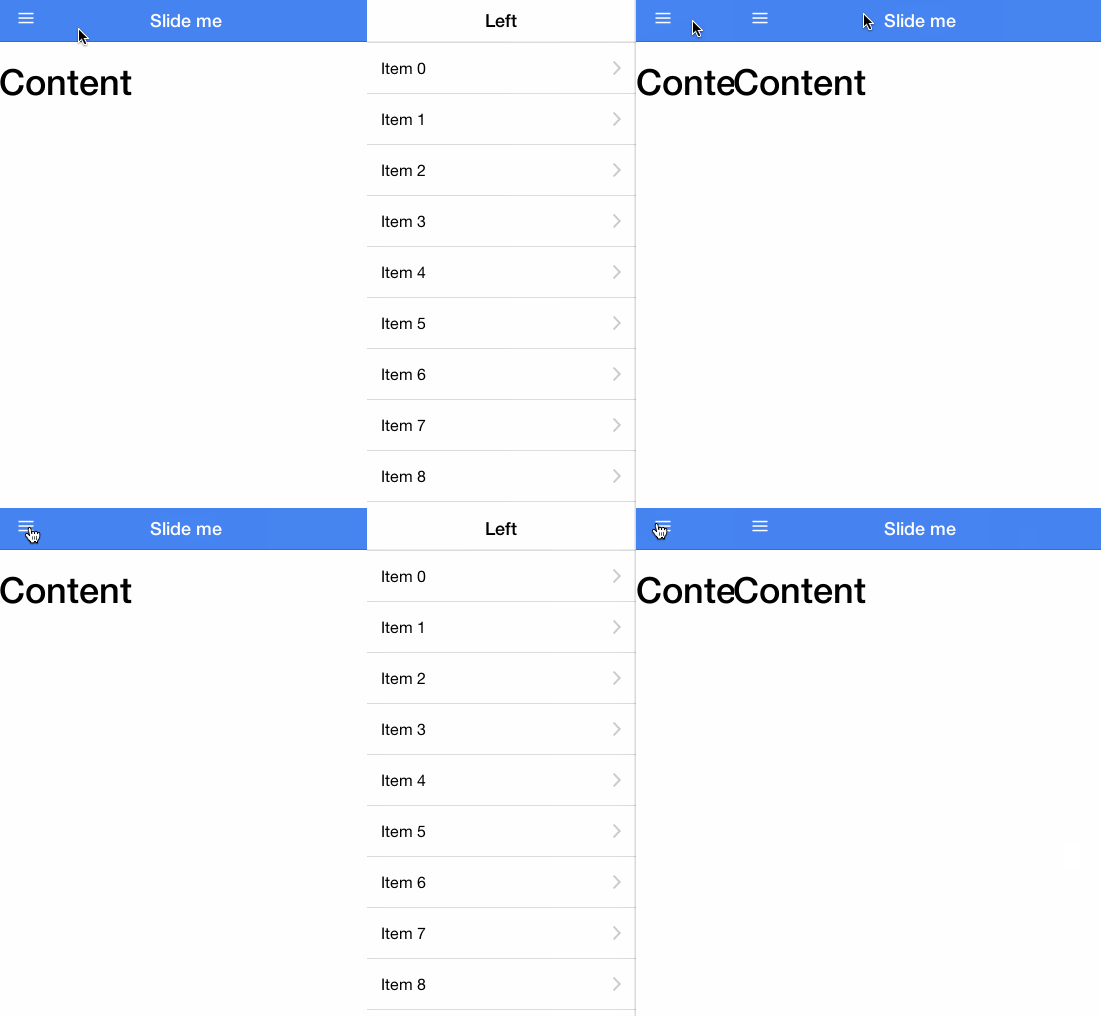** For more information on side menus, check out:** - {@link ionic.directive:ionSideMenuContent}* - {@link ionic.directive:ionSideMenu}* - {@link ionic.directive:menuToggle}* - {@link ionic.directive:menuClose}* - {@link ionic.directive:exposeAsideWhen}** @usage* To use side menus, add an `<ion-side-menus>` parent element. This will encompass all pages that have a* side menu, and have at least 2 child elements: 1 `<ion-side-menu-content>` for the center content,* and one or more `<ion-side-menu>` directives for each side menu(left/right) that you wish to place.** ```html* <ion-side-menus>* <!-- Center content -->* <ion-side-menu-content ng-controller="ContentController">* </ion-side-menu-content>** <!-- Left menu -->* <ion-side-menu side="left">* </ion-side-menu>** <!-- Right menu -->* <ion-side-menu side="right">* </ion-side-menu>** <ion-side-menu-content>* <!-- Main content, usually <ion-nav-view> -->* </ion-side-menu-content>* </ion-side-menus>* ```* ```js* function ContentController($scope, $ionicSideMenuDelegate) {* $scope.toggleLeft = function() {* $ionicSideMenuDelegate.toggleLeft();* };* }* ```** @param {bool=} enable-menu-with-back-views Determines whether the side menu is enabled when the* back button is showing. When set to `false`, any {@link ionic.directive:menuToggle} will be hidden,* and the user cannot swipe to open the menu. When going back to the root page of the side menu (the* page without a back button visible), then any menuToggle buttons will show again, and menus will be* enabled again.* @param {string=} delegate-handle The handle used to identify this side menu* with {@link ionic.service:$ionicSideMenuDelegate}.**/.directive('ionSideMenus', ['$ionicBody', function($ionicBody) {return {restrict: 'ECA',controller: '$ionicSideMenus',compile: function(element, attr) {attr.$set('class', (attr['class'] || '') + ' view');return { pre: prelink };function prelink($scope, $element, $attrs, ctrl) {ctrl.enableMenuWithBackViews($scope.$eval($attrs.enableMenuWithBackViews));$scope.$on('$ionicExposeAside', function(evt, isAsideExposed) {if (!$scope.$exposeAside) $scope.$exposeAside = {};$scope.$exposeAside.active = isAsideExposed;$ionicBody.enableClass(isAsideExposed, 'aside-open');});$scope.$on('$ionicView.beforeEnter', function(ev, d) {if (d.historyId) {$scope.$activeHistoryId = d.historyId;}});$scope.$on('$destroy', function() {$ionicBody.removeClass('menu-open', 'aside-open');});}}};}]);/*** @ngdoc directive* @name ionSlideBox* @module ionic* @delegate ionic.service:$ionicSlideBoxDelegate* @restrict E* @description* The Slide Box is a multi-page container where each page can be swiped or dragged between:** ** @usage* ```html* <ion-slide-box on-slide-changed="slideHasChanged($index)">* <ion-slide>* <div class="box blue"><h1>BLUE</h1></div>* </ion-slide>* <ion-slide>* <div class="box yellow"><h1>YELLOW</h1></div>* </ion-slide>* <ion-slide>* <div class="box pink"><h1>PINK</h1></div>* </ion-slide>* </ion-slide-box>* ```** @param {string=} delegate-handle The handle used to identify this slideBox* with {@link ionic.service:$ionicSlideBoxDelegate}.* @param {boolean=} does-continue Whether the slide box should loop.* @param {boolean=} auto-play Whether the slide box should automatically slide. Default true if does-continue is true.* @param {number=} slide-interval How many milliseconds to wait to change slides (if does-continue is true). Defaults to 4000.* @param {boolean=} show-pager Whether a pager should be shown for this slide box. Accepts expressions via `show-pager="{{shouldShow()}}"`. Defaults to true.* @param {expression=} pager-click Expression to call when a pager is clicked (if show-pager is true). Is passed the 'index' variable.* @param {expression=} on-slide-changed Expression called whenever the slide is changed. Is passed an '$index' variable.* @param {expression=} active-slide Model to bind the current slide to.*/IonicModule.directive('ionSlideBox', ['$timeout','$compile','$ionicSlideBoxDelegate','$ionicHistory','$ionicScrollDelegate',function($timeout, $compile, $ionicSlideBoxDelegate, $ionicHistory, $ionicScrollDelegate) {return {restrict: 'E',replace: true,transclude: true,scope: {autoPlay: '=',doesContinue: '@',slideInterval: '@',showPager: '@',pagerClick: '&',disableScroll: '@',onSlideChanged: '&',activeSlide: '=?'},controller: ['$scope', '$element', '$attrs', function($scope, $element, $attrs) {var _this = this;var continuous = $scope.$eval($scope.doesContinue) === true;var shouldAutoPlay = isDefined($attrs.autoPlay) ? !!$scope.autoPlay : false;var slideInterval = shouldAutoPlay ? $scope.$eval($scope.slideInterval) || 4000 : 0;var slider = new ionic.views.Slider({el: $element[0],auto: slideInterval,continuous: continuous,startSlide: $scope.activeSlide,slidesChanged: function() {$scope.currentSlide = slider.currentIndex();// Try to trigger a digest$timeout(function() {});},callback: function(slideIndex) {$scope.currentSlide = slideIndex;$scope.onSlideChanged({ index: $scope.currentSlide, $index: $scope.currentSlide});$scope.$parent.$broadcast('slideBox.slideChanged', slideIndex);$scope.activeSlide = slideIndex;// Try to trigger a digest$timeout(function() {});},onDrag: function() {freezeAllScrolls(true);},onDragEnd: function() {freezeAllScrolls(false);}});function freezeAllScrolls(shouldFreeze) {if (shouldFreeze && !_this.isScrollFreeze) {$ionicScrollDelegate.freezeAllScrolls(shouldFreeze);} else if (!shouldFreeze && _this.isScrollFreeze) {$ionicScrollDelegate.freezeAllScrolls(false);}_this.isScrollFreeze = shouldFreeze;}slider.enableSlide($scope.$eval($attrs.disableScroll) !== true);$scope.$watch('activeSlide', function(nv) {if (isDefined(nv)) {slider.slide(nv);}});$scope.$on('slideBox.nextSlide', function() {slider.next();});$scope.$on('slideBox.prevSlide', function() {slider.prev();});$scope.$on('slideBox.setSlide', function(e, index) {slider.slide(index);});//Exposed for testingthis.__slider = slider;var deregisterInstance = $ionicSlideBoxDelegate._registerInstance(slider, $attrs.delegateHandle, function() {return $ionicHistory.isActiveScope($scope);});$scope.$on('$destroy', function() {deregisterInstance();slider.kill();});this.slidesCount = function() {return slider.slidesCount();};this.onPagerClick = function(index) {void 0;$scope.pagerClick({index: index});};$timeout(function() {slider.load();});}],template: '<div class="slider">' +'<div class="slider-slides" ng-transclude>' +'</div>' +'</div>',link: function($scope, $element, $attr) {// if showPager is undefined, show the pagerif (!isDefined($attr.showPager)) {$scope.showPager = true;getPager().toggleClass('hide', !true);}$attr.$observe('showPager', function(show) {show = $scope.$eval(show);getPager().toggleClass('hide', !show);});var pager;function getPager() {if (!pager) {var childScope = $scope.$new();pager = jqLite('<ion-pager></ion-pager>');$element.append(pager);pager = $compile(pager)(childScope);}return pager;}}};}]).directive('ionSlide', function() {return {restrict: 'E',require: '^ionSlideBox',compile: function(element) {element.addClass('slider-slide');}};}).directive('ionPager', function() {return {restrict: 'E',replace: true,require: '^ionSlideBox',template: '<div class="slider-pager"><span class="slider-pager-page" ng-repeat="slide in numSlides() track by $index" ng-class="{active: $index == currentSlide}" ng-click="pagerClick($index)"><i class="icon ion-record"></i></span></div>',link: function($scope, $element, $attr, slideBox) {var selectPage = function(index) {var children = $element[0].children;var length = children.length;for (var i = 0; i < length; i++) {if (i == index) {children[i].classList.add('active');} else {children[i].classList.remove('active');}}};$scope.pagerClick = function(index) {slideBox.onPagerClick(index);};$scope.numSlides = function() {return new Array(slideBox.slidesCount());};$scope.$watch('currentSlide', function(v) {selectPage(v);});}};});/*** @ngdoc directive* @name ionSpinner* @module ionic* @restrict E** @description* The `ionSpinner` directive provides a variety of animated spinners.* Spinners enables you to give your users feedback that the app is* processing/thinking/waiting/chillin' out, or whatever you'd like it to indicate.* By default, the {@link ionic.directive:ionRefresher} feature uses this spinner, rather* than rotating font icons (previously included in [ionicons](http://ionicons.com/)).* While font icons are great for simple or stationary graphics, they're not suited to* provide great animations, which is why Ionic uses SVG instead.** Ionic offers ten spinners out of the box, and by default, it will use the appropriate spinner* for the platform on which it's running. Under the hood, the `ionSpinner` directive dynamically* builds the required SVG element, which allows Ionic to provide all ten of the animated SVGs* within 3KB.** <style>* .spinner-table {* max-width: 280px;* }* .spinner-table tbody > tr > th, .spinner-table tbody > tr > td {* vertical-align: middle;* width: 42px;* height: 42px;* }* .spinner {* stroke: #444;* fill: #444; }* .spinner svg {* width: 28px;* height: 28px; }* .spinner.spinner-inverse {* stroke: #fff;* fill: #fff; }** .spinner-android {* stroke: #4b8bf4; }** .spinner-ios, .spinner-ios-small {* stroke: #69717d; }** .spinner-spiral .stop1 {* stop-color: #fff;* stop-opacity: 0; }* .spinner-spiral.spinner-inverse .stop1 {* stop-color: #000; }* .spinner-spiral.spinner-inverse .stop2 {* stop-color: #fff; }* </style>** <script src="http://code.ionicframework.com/nightly/js/ionic.bundle.min.js"></script>* <table class="table spinner-table" ng-app="ionic">* <tr>* <th>* <code>android</code>* </th>* <td>* <ion-spinner icon="android"></ion-spinner>* </td>* </tr>* <tr>* <th>* <code>ios</code>* </th>* <td>* <ion-spinner icon="ios"></ion-spinner>* </td>* </tr>* <tr>* <th>* <code>ios-small</code>* </th>* <td>* <ion-spinner icon="ios-small"></ion-spinner>* </td>* </tr>* <tr>* <th>* <code>bubbles</code>* </th>* <td>* <ion-spinner icon="bubbles"></ion-spinner>* </td>* </tr>* <tr>* <th>* <code>circles</code>* </th>* <td>* <ion-spinner icon="circles"></ion-spinner>* </td>* </tr>* <tr>* <th>* <code>crescent</code>* </th>* <td>* <ion-spinner icon="crescent"></ion-spinner>* </td>* </tr>* <tr>* <th>* <code>dots</code>* </th>* <td>* <ion-spinner icon="dots"></ion-spinner>* </td>* </tr>* <tr>* <th>* <code>lines</code>* </th>* <td>* <ion-spinner icon="lines"></ion-spinner>* </td>* </tr>* <tr>* <th>* <code>ripple</code>* </th>* <td>* <ion-spinner icon="ripple"></ion-spinner>* </td>* </tr>* <tr>* <th>* <code>spiral</code>* </th>* <td>* <ion-spinner icon="spiral"></ion-spinner>* </td>* </tr>* </table>** Each spinner uses SVG with SMIL animations, however, the Android spinner also uses JavaScript* so it also works on Android 4.0-4.3. Additionally, each spinner can be styled with CSS,* and scaled to any size.*** @usage* The following code would use the default spinner for the platform it's running from. If it's neither* iOS or Android, it'll default to use `ios`.** ```html* <ion-spinner></ion-spinner>* ```** By setting the `icon` attribute, you can specify which spinner to use, no matter what* the platform is.** ```html* <ion-spinner icon="spiral"></ion-spinner>* ```** ## Spinner Colors* Like with most of Ionic's other components, spinners can also be styled using* Ionic's standard color naming convention. For example:** ```html* <ion-spinner class="spinner-energized"></ion-spinner>* ```*** ## Styling SVG with CSS* One cool thing about SVG is its ability to be styled with CSS! Some of the properties* have different names, for example, SVG uses the term `stroke` instead of `border`, and* `fill` instead of `background-color`.** ```css* .spinner svg {* width: 28px;* height: 28px;* stroke: #444;* fill: #444;* }* ```**/IonicModule.directive('ionSpinner', function() {return {restrict: 'E',controller: '$ionicSpinner',link: function($scope, $element, $attrs, ctrl) {var spinnerName = ctrl.init();$element.addClass('spinner spinner-' + spinnerName);}};});/*** @ngdoc directive* @name ionTab* @module ionic* @restrict E* @parent ionic.directive:ionTabs** @description* Contains a tab's content. The content only exists while the given tab is selected.** Each ionTab has its own view history.** @usage* ```html* <ion-tab* title="Tab!"* icon="my-icon"* href="#/tab/tab-link"* on-select="onTabSelected()"* on-deselect="onTabDeselected()">* </ion-tab>* ```* For a complete, working tab bar example, see the {@link ionic.directive:ionTabs} documentation.** @param {string} title The title of the tab.* @param {string=} href The link that this tab will navigate to when tapped.* @param {string=} icon The icon of the tab. If given, this will become the default for icon-on and icon-off.* @param {string=} icon-on The icon of the tab while it is selected.* @param {string=} icon-off The icon of the tab while it is not selected.* @param {expression=} badge The badge to put on this tab (usually a number).* @param {expression=} badge-style The style of badge to put on this tab (eg: badge-positive).* @param {expression=} on-select Called when this tab is selected.* @param {expression=} on-deselect Called when this tab is deselected.* @param {expression=} ng-click By default, the tab will be selected on click. If ngClick is set, it will not. You can explicitly switch tabs using {@link ionic.service:$ionicTabsDelegate#select $ionicTabsDelegate.select()}.* @param {expression=} hidden Whether the tab is to be hidden or not.* @param {expression=} disabled Whether the tab is to be disabled or not.*/IonicModule.directive('ionTab', ['$compile','$ionicConfig','$ionicBind','$ionicViewSwitcher',function($compile, $ionicConfig, $ionicBind, $ionicViewSwitcher) {//Returns ' key="value"' if value existsfunction attrStr(k, v) {return isDefined(v) ? ' ' + k + '="' + v + '"' : '';}return {restrict: 'E',require: ['^ionTabs', 'ionTab'],controller: '$ionicTab',scope: true,compile: function(element, attr) {//We create the tabNavTemplate in the compile phase so that the//attributes we pass down won't be interpolated yet - we want//to pass down the 'raw' versions of the attributesvar tabNavTemplate = '<ion-tab-nav' +attrStr('ng-click', attr.ngClick) +attrStr('title', attr.title) +attrStr('icon', attr.icon) +attrStr('icon-on', attr.iconOn) +attrStr('icon-off', attr.iconOff) +attrStr('badge', attr.badge) +attrStr('badge-style', attr.badgeStyle) +attrStr('hidden', attr.hidden) +attrStr('disabled', attr.disabled) +attrStr('class', attr['class']) +'></ion-tab-nav>';//Remove the contents of the element so we can compile them later, if tab is selectedvar tabContentEle = document.createElement('div');for (var x = 0; x < element[0].children.length; x++) {tabContentEle.appendChild(element[0].children[x].cloneNode(true));}var childElementCount = tabContentEle.childElementCount;element.empty();var navViewName, isNavView;if (childElementCount) {if (tabContentEle.children[0].tagName === 'ION-NAV-VIEW') {// get the name if it's a nav-viewnavViewName = tabContentEle.children[0].getAttribute('name');tabContentEle.children[0].classList.add('view-container');isNavView = true;}if (childElementCount === 1) {// make the 1 child element the primary tab content containertabContentEle = tabContentEle.children[0];}if (!isNavView) tabContentEle.classList.add('pane');tabContentEle.classList.add('tab-content');}return function link($scope, $element, $attr, ctrls) {var childScope;var childElement;var tabsCtrl = ctrls[0];var tabCtrl = ctrls[1];var isTabContentAttached = false;$scope.$tabSelected = false;$ionicBind($scope, $attr, {onSelect: '&',onDeselect: '&',title: '@',uiSref: '@',href: '@'});tabsCtrl.add($scope);$scope.$on('$destroy', function() {if (!$scope.$tabsDestroy) {// if the containing ionTabs directive is being destroyed// then don't bother going through the controllers remove// method, since remove will reset the active tab as each tab// is being destroyed, causing unnecessary view loads and transitionstabsCtrl.remove($scope);}tabNavElement.isolateScope().$destroy();tabNavElement.remove();tabNavElement = tabContentEle = childElement = null;});//Remove title attribute so browser-tooltip does not apear$element[0].removeAttribute('title');if (navViewName) {tabCtrl.navViewName = $scope.navViewName = navViewName;}$scope.$on('$stateChangeSuccess', selectIfMatchesState);selectIfMatchesState();function selectIfMatchesState() {if (tabCtrl.tabMatchesState()) {tabsCtrl.select($scope, false);}}var tabNavElement = jqLite(tabNavTemplate);tabNavElement.data('$ionTabsController', tabsCtrl);tabNavElement.data('$ionTabController', tabCtrl);tabsCtrl.$tabsElement.append($compile(tabNavElement)($scope));function tabSelected(isSelected) {if (isSelected && childElementCount) {// this tab is being selected// check if the tab is already in the DOM// only do this if the tab has child elementsif (!isTabContentAttached) {// tab should be selected and is NOT in the DOM// create a new scope and append itchildScope = $scope.$new();childElement = jqLite(tabContentEle);$ionicViewSwitcher.viewEleIsActive(childElement, true);tabsCtrl.$element.append(childElement);$compile(childElement)(childScope);isTabContentAttached = true;}// remove the hide class so the tabs content shows up$ionicViewSwitcher.viewEleIsActive(childElement, true);} else if (isTabContentAttached && childElement) {// this tab should NOT be selected, and it is already in the DOMif ($ionicConfig.views.maxCache() > 0) {// keep the tabs in the DOM, only css hide it$ionicViewSwitcher.viewEleIsActive(childElement, false);} else {// do not keep tabs in the DOMdestroyTab();}}}function destroyTab() {childScope && childScope.$destroy();isTabContentAttached && childElement && childElement.remove();tabContentEle.innerHTML = '';isTabContentAttached = childScope = childElement = null;}$scope.$watch('$tabSelected', tabSelected);$scope.$on('$ionicView.afterEnter', function() {$ionicViewSwitcher.viewEleIsActive(childElement, $scope.$tabSelected);});$scope.$on('$ionicView.clearCache', function() {if (!$scope.$tabSelected) {destroyTab();}});};}};}]);IonicModule.directive('ionTabNav', [function() {return {restrict: 'E',replace: true,require: ['^ionTabs', '^ionTab'],template:'<a ng-class="{\'tab-item-active\': isTabActive(), \'has-badge\':badge, \'tab-hidden\':isHidden()}" ' +' ng-disabled="disabled()" class="tab-item">' +'<span class="badge {{badgeStyle}}" ng-if="badge">{{badge}}</span>' +'<i class="icon {{getIconOn()}}" ng-if="getIconOn() && isTabActive()"></i>' +'<i class="icon {{getIconOff()}}" ng-if="getIconOff() && !isTabActive()"></i>' +'<span class="tab-title" ng-bind-html="title"></span>' +'</a>',scope: {title: '@',icon: '@',iconOn: '@',iconOff: '@',badge: '=',hidden: '@',disabled: '&',badgeStyle: '@','class': '@'},link: function($scope, $element, $attrs, ctrls) {var tabsCtrl = ctrls[0],tabCtrl = ctrls[1];//Remove title attribute so browser-tooltip does not apear$element[0].removeAttribute('title');$scope.selectTab = function(e) {e.preventDefault();tabsCtrl.select(tabCtrl.$scope, true);};if (!$attrs.ngClick) {$element.on('click', function(event) {$scope.$apply(function() {$scope.selectTab(event);});});}$scope.isHidden = function() {if ($attrs.hidden === 'true' || $attrs.hidden === true) return true;return false;};$scope.getIconOn = function() {return $scope.iconOn || $scope.icon;};$scope.getIconOff = function() {return $scope.iconOff || $scope.icon;};$scope.isTabActive = function() {return tabsCtrl.selectedTab() === tabCtrl.$scope;};}};}]);/*** @ngdoc directive* @name ionTabs* @module ionic* @delegate ionic.service:$ionicTabsDelegate* @restrict E* @codepen odqCz** @description* Powers a multi-tabbed interface with a Tab Bar and a set of "pages" that can be tabbed* through.** Assign any [tabs class](/docs/components#tabs) to the element to define* its look and feel.** For iOS, tabs will appear at the bottom of the screen. For Android, tabs will be at the top* of the screen, below the nav-bar. This follows each OS's design specification, but can be* configured with the {@link ionic.provider:$ionicConfigProvider}.** See the {@link ionic.directive:ionTab} directive's documentation for more details on* individual tabs.** Note: do not place ion-tabs inside of an ion-content element; it has been known to cause a* certain CSS bug.** @usage* ```html* <ion-tabs class="tabs-positive tabs-icon-only">** <ion-tab title="Home" icon-on="ion-ios-filing" icon-off="ion-ios-filing-outline">* <!-- Tab 1 content -->* </ion-tab>** <ion-tab title="About" icon-on="ion-ios-clock" icon-off="ion-ios-clock-outline">* <!-- Tab 2 content -->* </ion-tab>** <ion-tab title="Settings" icon-on="ion-ios-gear" icon-off="ion-ios-gear-outline">* <!-- Tab 3 content -->* </ion-tab>** </ion-tabs>* ```** @param {string=} delegate-handle The handle used to identify these tabs* with {@link ionic.service:$ionicTabsDelegate}.*/IonicModule.directive('ionTabs', ['$ionicTabsDelegate','$ionicConfig',function($ionicTabsDelegate, $ionicConfig) {return {restrict: 'E',scope: true,controller: '$ionicTabs',compile: function(tElement) {//We cannot use regular transclude here because it breaks element.data()//inheritance on compilevar innerElement = jqLite('<div class="tab-nav tabs">');innerElement.append(tElement.contents());tElement.append(innerElement).addClass('tabs-' + $ionicConfig.tabs.position() + ' tabs-' + $ionicConfig.tabs.style());return { pre: prelink, post: postLink };function prelink($scope, $element, $attr, tabsCtrl) {var deregisterInstance = $ionicTabsDelegate._registerInstance(tabsCtrl, $attr.delegateHandle, tabsCtrl.hasActiveScope);tabsCtrl.$scope = $scope;tabsCtrl.$element = $element;tabsCtrl.$tabsElement = jqLite($element[0].querySelector('.tabs'));$scope.$watch(function() { return $element[0].className; }, function(value) {var isTabsTop = value.indexOf('tabs-top') !== -1;var isHidden = value.indexOf('tabs-item-hide') !== -1;$scope.$hasTabs = !isTabsTop && !isHidden;$scope.$hasTabsTop = isTabsTop && !isHidden;$scope.$emit('$ionicTabs.top', $scope.$hasTabsTop);});function emitLifecycleEvent(ev, data) {ev.stopPropagation();var previousSelectedTab = tabsCtrl.previousSelectedTab();if (previousSelectedTab) {previousSelectedTab.$broadcast(ev.name.replace('NavView', 'Tabs'), data);}}$scope.$on('$ionicNavView.beforeLeave', emitLifecycleEvent);$scope.$on('$ionicNavView.afterLeave', emitLifecycleEvent);$scope.$on('$ionicNavView.leave', emitLifecycleEvent);$scope.$on('$destroy', function() {// variable to inform child tabs that they're all being blown away// used so that while destorying an individual tab, each one// doesn't select the next tab as the active one, which causes unnecessary// loading of tab views when each will eventually all go away anyway$scope.$tabsDestroy = true;deregisterInstance();tabsCtrl.$tabsElement = tabsCtrl.$element = tabsCtrl.$scope = innerElement = null;delete $scope.$hasTabs;delete $scope.$hasTabsTop;});}function postLink($scope, $element, $attr, tabsCtrl) {if (!tabsCtrl.selectedTab()) {// all the tabs have been added// but one hasn't been selected yettabsCtrl.select(0);}}}};}]);/*** @ngdoc directive* @name ionToggle* @module ionic* @codepen tfAzj* @restrict E** @description* A toggle is an animated switch which binds a given model to a boolean.** Allows dragging of the switch's nub.** The toggle behaves like any [AngularJS checkbox](http://docs.angularjs.org/api/ng/input/input[checkbox]) otherwise.** @param toggle-class {string=} Sets the CSS class on the inner `label.toggle` element created by the directive.** @usage* Below is an example of a toggle directive which is wired up to the `airplaneMode` model* and has the `toggle-calm` CSS class assigned to the inner element.** ```html* <ion-toggle ng-model="airplaneMode" toggle-class="toggle-calm">Airplane Mode</ion-toggle>* ```*/IonicModule.directive('ionToggle', ['$timeout','$ionicConfig',function($timeout, $ionicConfig) {return {restrict: 'E',replace: true,require: '?ngModel',transclude: true,template:'<div class="item item-toggle">' +'<div ng-transclude></div>' +'<label class="toggle">' +'<input type="checkbox">' +'<div class="track">' +'<div class="handle"></div>' +'</div>' +'</label>' +'</div>',compile: function(element, attr) {var input = element.find('input');forEach({'name': attr.name,'ng-value': attr.ngValue,'ng-model': attr.ngModel,'ng-checked': attr.ngChecked,'ng-disabled': attr.ngDisabled,'ng-true-value': attr.ngTrueValue,'ng-false-value': attr.ngFalseValue,'ng-change': attr.ngChange,'ng-required': attr.ngRequired,'required': attr.required}, function(value, name) {if (isDefined(value)) {input.attr(name, value);}});if (attr.toggleClass) {element[0].getElementsByTagName('label')[0].classList.add(attr.toggleClass);}element.addClass('toggle-' + $ionicConfig.form.toggle());return function($scope, $element) {var el = $element[0].getElementsByTagName('label')[0];var checkbox = el.children[0];var track = el.children[1];var handle = track.children[0];var ngModelController = jqLite(checkbox).controller('ngModel');$scope.toggle = new ionic.views.Toggle({el: el,track: track,checkbox: checkbox,handle: handle,onChange: function() {if (ngModelController) {ngModelController.$setViewValue(checkbox.checked);$scope.$apply();}}});$scope.$on('$destroy', function() {$scope.toggle.destroy();});};}};}]);/*** @ngdoc directive* @name ionView* @module ionic* @restrict E* @parent ionNavView** @description* A container for view content and any navigational and header bar information. When a view* enters and exits its parent {@link ionic.directive:ionNavView}, the view also emits view* information, such as its title, whether the back button should be displayed or not, whether the* corresponding {@link ionic.directive:ionNavBar} should be displayed or not, which transition the view* should use to animate, and which direction to animate.** *Views are cached to improve performance.* When a view is navigated away from, its element is* left in the DOM, and its scope is disconnected from the `$watch` cycle. When navigating to a* view that is already cached, its scope is reconnected, and the existing element, which was* left in the DOM, becomes active again. This can be disabled, or the maximum number of cached* views changed in {@link ionic.provider:$ionicConfigProvider}, in the view's `$state` configuration, or* as an attribute on the view itself (see below).** @usage* Below is an example where our page will load with a {@link ionic.directive:ionNavBar} containing* "My Page" as the title.** ```html* <ion-nav-bar></ion-nav-bar>* <ion-nav-view>* <ion-view view-title="My Page">* <ion-content>* Hello!* </ion-content>* </ion-view>* </ion-nav-view>* ```** ## View LifeCycle and Events** Views can be cached, which means ***controllers normally only load once***, which may* affect your controller logic. To know when a view has entered or left, events* have been added that are emitted from the view's scope. These events also* contain data about the view, such as the title and whether the back button should* show. Also contained is transition data, such as the transition type and* direction that will be or was used.** <table class="table">* <tr>* <td><code>$ionicView.loaded</code></td>* <td>The view has loaded. This event only happens once per* view being created and added to the DOM. If a view leaves but is cached,* then this event will not fire again on a subsequent viewing. The loaded event* is good place to put your setup code for the view; however, it is not the* recommended event to listen to when a view becomes active.</td>* </tr>* <tr>* <td><code>$ionicView.enter</code></td>* <td>The view has fully entered and is now the active view.* This event will fire, whether it was the first load or a cached view.</td>* </tr>* <tr>* <td><code>$ionicView.leave</code></td>* <td>The view has finished leaving and is no longer the* active view. This event will fire, whether it is cached or destroyed.</td>* </tr>* <tr>* <td><code>$ionicView.beforeEnter</code></td>* <td>The view is about to enter and become the active view.</td>* </tr>* <tr>* <td><code>$ionicView.beforeLeave</code></td>* <td>The view is about to leave and no longer be the active view.</td>* </tr>* <tr>* <td><code>$ionicView.afterEnter</code></td>* <td>The view has fully entered and is now the active view.</td>* </tr>* <tr>* <td><code>$ionicView.afterLeave</code></td>* <td>The view has finished leaving and is no longer the active view.</td>* </tr>* <tr>* <td><code>$ionicView.unloaded</code></td>* <td>The view's controller has been destroyed and its element has been* removed from the DOM.</td>* </tr>* </table>** ## Caching** Caching can be disabled and enabled in multiple ways. By default, Ionic will* cache a maximum of 10 views. You can optionally choose to disable caching at* either an individual view basis, or by global configuration. Please see the* _Caching_ section in {@link ionic.directive:ionNavView} for more info.** @param {string=} view-title A text-only title to display on the parent {@link ionic.directive:ionNavBar}.* For an HTML title, such as an image, see {@link ionic.directive:ionNavTitle} instead.* @param {boolean=} cache-view If this view should be allowed to be cached or not.* Please see the _Caching_ section in {@link ionic.directive:ionNavView} for* more info. Default `true`* @param {boolean=} can-swipe-back If this view should be allowed to use the swipe to go back gesture or not.* This does not enable the swipe to go back feature if it is not available for the platform it's running* from, or there isn't a previous view. Default `true`* @param {boolean=} hide-back-button Whether to hide the back button on the parent* {@link ionic.directive:ionNavBar} by default.* @param {boolean=} hide-nav-bar Whether to hide the parent* {@link ionic.directive:ionNavBar} by default.*/IonicModule.directive('ionView', function() {return {restrict: 'EA',priority: 1000,controller: '$ionicView',compile: function(tElement) {tElement.addClass('pane');tElement[0].removeAttribute('title');return function link($scope, $element, $attrs, viewCtrl) {viewCtrl.init();};}};});})();